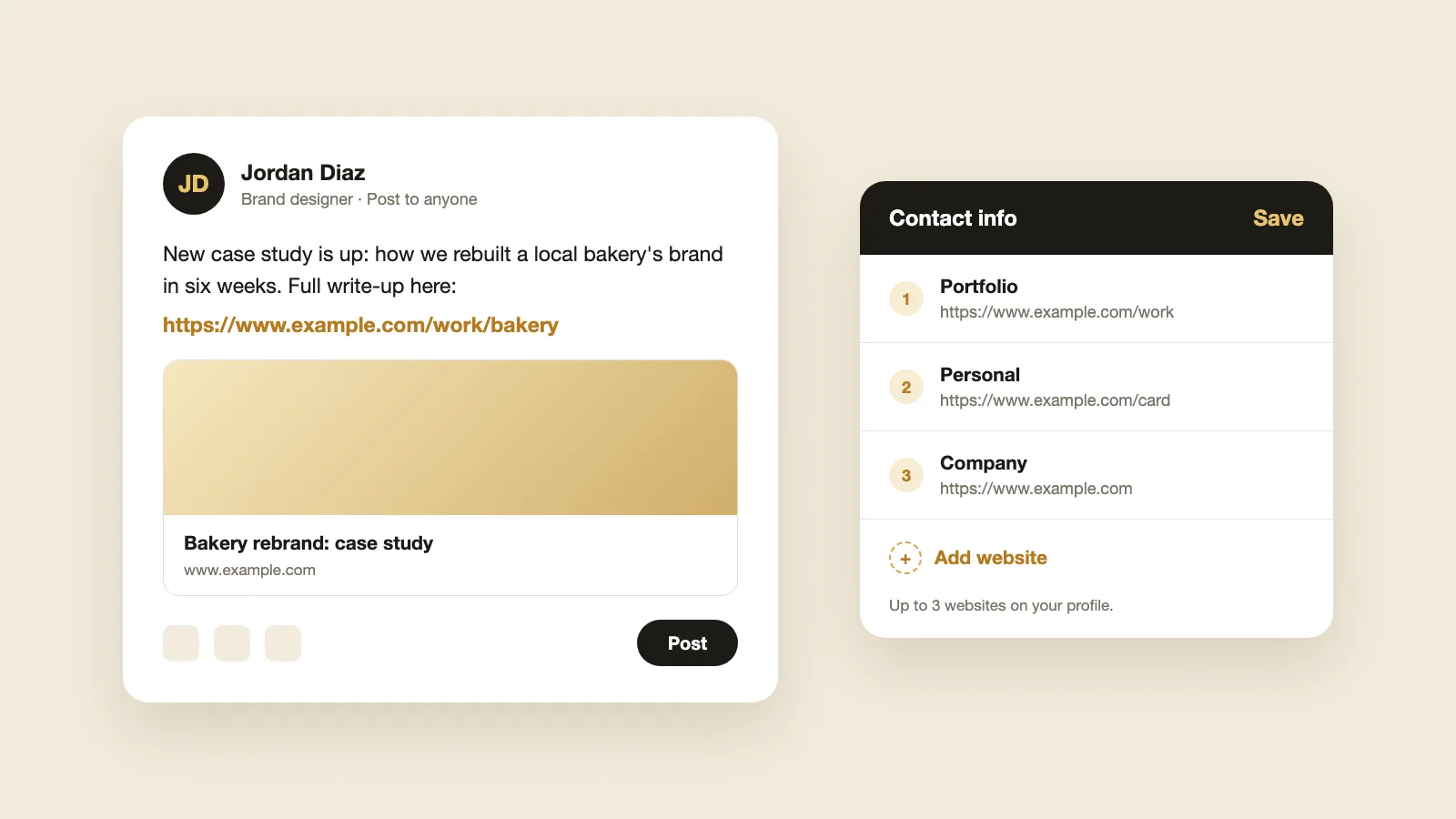
To add a link to a LinkedIn post, paste the full web address into the post text. LinkedIn makes it clickable and shows a preview card with the page's title and image. You can't turn words into a hyperlink in a normal post, only in LinkedIn articles and newsletters. For links that stay on your profile, add a website under Contact info or a link in the Featured section.
How to add a link to a LinkedIn post
- 1
Select Start a post on your LinkedIn home page.
- 2
Write your post, then paste the full web address, starting with https://.
- 3
Wait a few seconds for the link preview to appear under your text.
- 4
Select Post.
The link in the text is clickable, and so is the preview card. If LinkedIn can't load a preview, you can still post the link, and the address in your text stays clickable.
Can you hyperlink text in a LinkedIn post?
No. In a normal post, you can't attach a link to a word or phrase; the web address shows as it is. To keep a post tidy, put the link on its own line at the end, or use a short link.
You can hyperlink text in a LinkedIn article or newsletter, on a computer:
- 1
Select Write article at the top of your home page.
- 2
Highlight the words you want to link.
- 3
Select Link in the toolbar at the top of the editor, paste the address and confirm.
The article editor isn't in the LinkedIn mobile app, so write and link articles in a browser.
Link in the post or in the first comment?
Some people put links in the first comment instead of the post. LinkedIn doesn't publish how links affect a post's reach, so test both on your own posts and compare the numbers in your post analytics.
How to add a website to your LinkedIn profile
Your profile website sits in your Contact info, so anyone who opens it can click through.
- 1
Go to your profile and select Contact info under your name.
- 2
Select the pencil icon.
- 3
Select Add website, paste the address and choose a website type, such as Personal, Company or Portfolio.
- 4
Select Save.
You can add up to three websites. If you mostly share your profile in person, LinkedIn is also rolling out LinkedIn's own digital business card, with a QR code that opens your profile.
How to add a link to your LinkedIn Featured section
Featured shows links as large cards near the top of your profile, so they get seen more than Contact info.
- 1
On your profile, select Add profile section.
- 2
Select Recommended, then Add featured.
- 3
Select the add icon, choose to add a link, paste the address, check the title and image, then select Save.
Once you have two or more items, use the reorder icon in the Featured section so the most important one comes first.
How to add your portfolio to LinkedIn
Use whichever fits your work:
- A portfolio website: add it in Contact info with the type Portfolio, and add it again in Featured so it shows as a card.
- Single pieces of work: add each one to Featured as a link, image, document or video.
- Work tied to a job: edit that job in your Experience section and attach the work as media, if your profile shows the option.
- Projects: select Add profile section, then Recommended, then Projects. To link a project, select Add media, then Add a link.
If you don't have a portfolio site, a digital business card can hold your photo, contact details and portfolio links on one page, and you can add its link as your Portfolio website.
One link for your LinkedIn profile. Make a free digital business card with your contact details and links. Add it as your website on LinkedIn, so people can save your details in one tap.
Can I add a clickable link to my LinkedIn About section?
Don't rely on it. The About section and your headline are text fields with no link option, so a web address you type there may not be clickable for people viewing your profile. Use Contact info or Featured for links that need to work.
LinkedIn link not working? Try these fixes
- No preview: check the address starts with https://, has no spaces and loads in a browser. Some sites block previews.
- Wrong image or title in the preview: the page's own share settings control it. After the site is updated, LinkedIn's Post Inspector can refresh the preview for new posts. Posts you already shared keep the old preview.
- Link not clickable: it may be in your About section or headline. Move it to Contact info or Featured.
LinkedIn is a trademark of LinkedIn Corporation. ConnectMachine is not affiliated with or endorsed by LinkedIn.