

QR code business cards that make sharing simple.
Your QR business card shares everything about you the instant someone points their camera at it.
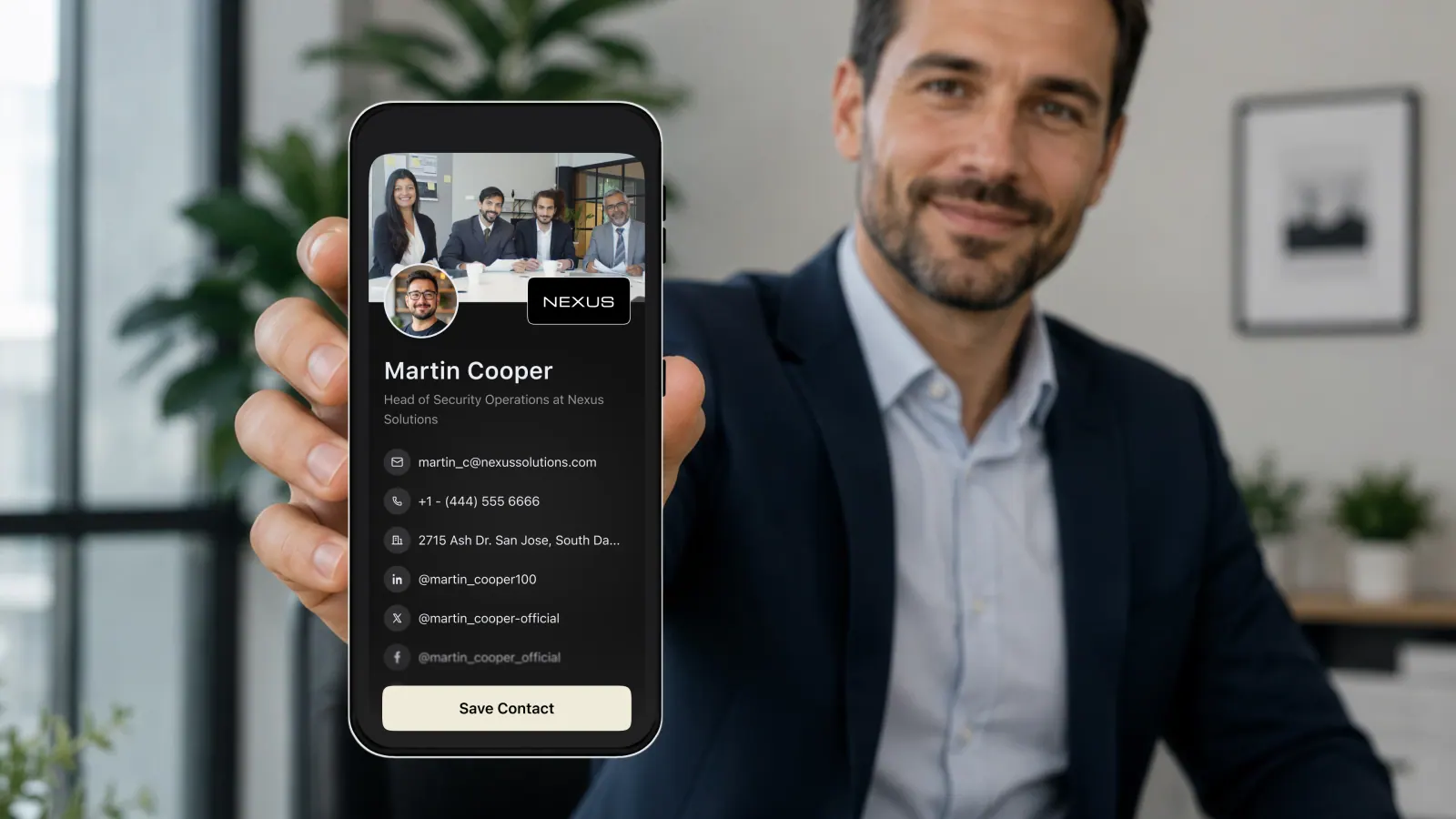
A QR business card puts your entire professional identity behind a single square code. Someone points their phone camera at it, and your card opens instantly with your name, title, contact details, and links ready to save. It is the fastest way to exchange details in a room full of people, and with ConnectMachine that code is always live and always current.
Because the QR code links to your card rather than storing fixed data, you can update your details any time and the same code keeps working. Print it on a badge, a stand, a slide, or a table tent at your booth, and it never goes stale. One QR business card can introduce you to a hundred people in an afternoon without a single paper card changing hands.
QR codes went from novelty to everyday habit almost overnight, and that shift makes the QR business card the most frictionless way to exchange details today. Everyone already knows how to point a camera at a code, so there is nothing to explain and nothing to install. For events, retail counters, conference booths, and quick hallway introductions, a QR business card removes every excuse not to connect.
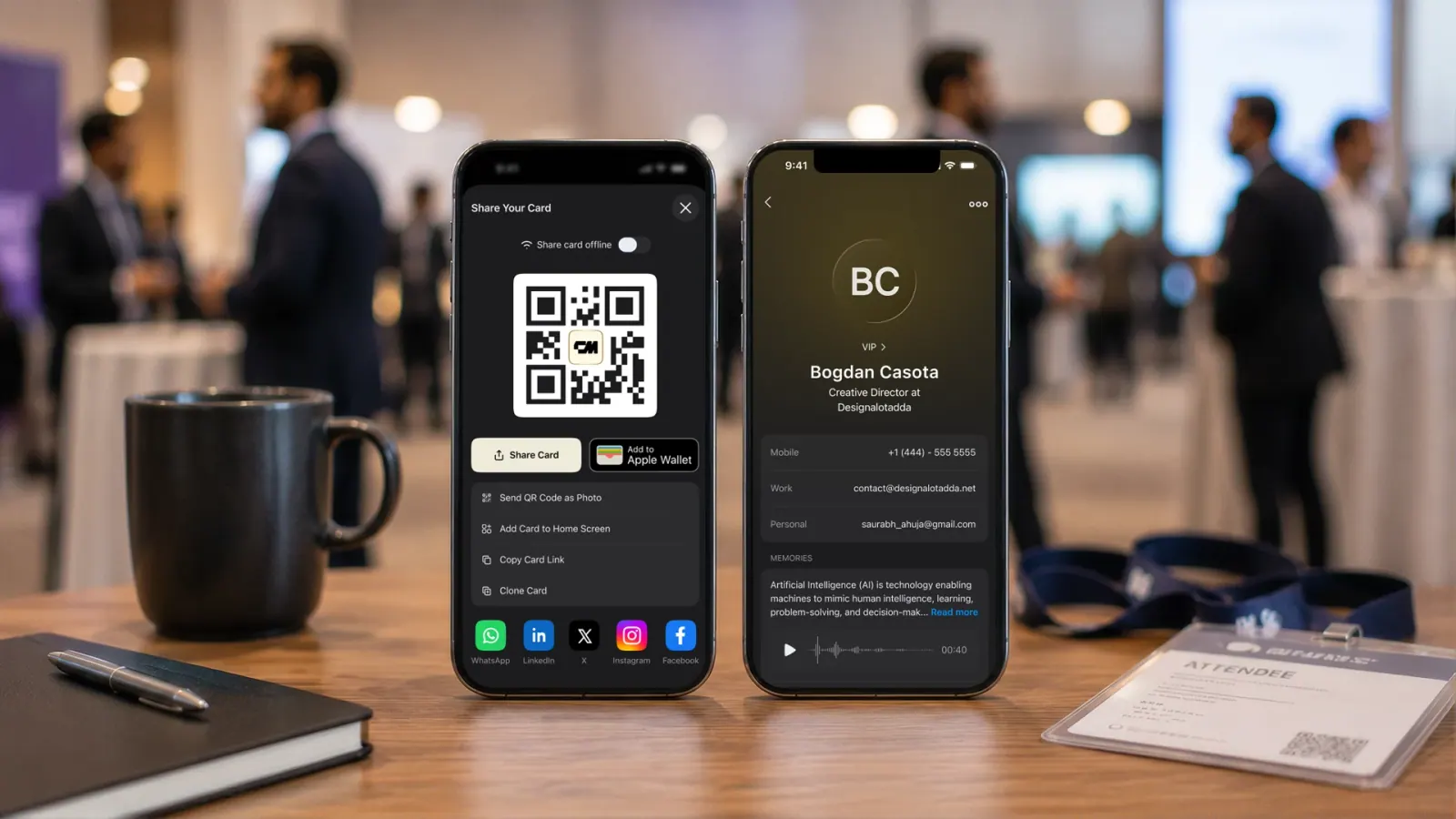
Scan to share, scan to capture
Your QR business card works both ways. Show your code so others can save your details, or use ConnectMachine to scan the codes people show you and file them instantly. Every scan becomes a saved contact in your manager, tagged and ready for follow up. No typing, no lost napkins with scribbled numbers.
Capture LinkedIn and WhatsApp in a snap
ConnectMachine goes beyond a basic vCard. Use LinkedIn QR capture to connect on the spot, and WhatsApp snap-to-contact to open a chat with a new contact right away. The people you meet are added to your network with the channels you will actually use to stay in touch, not just an email you will forget to send.
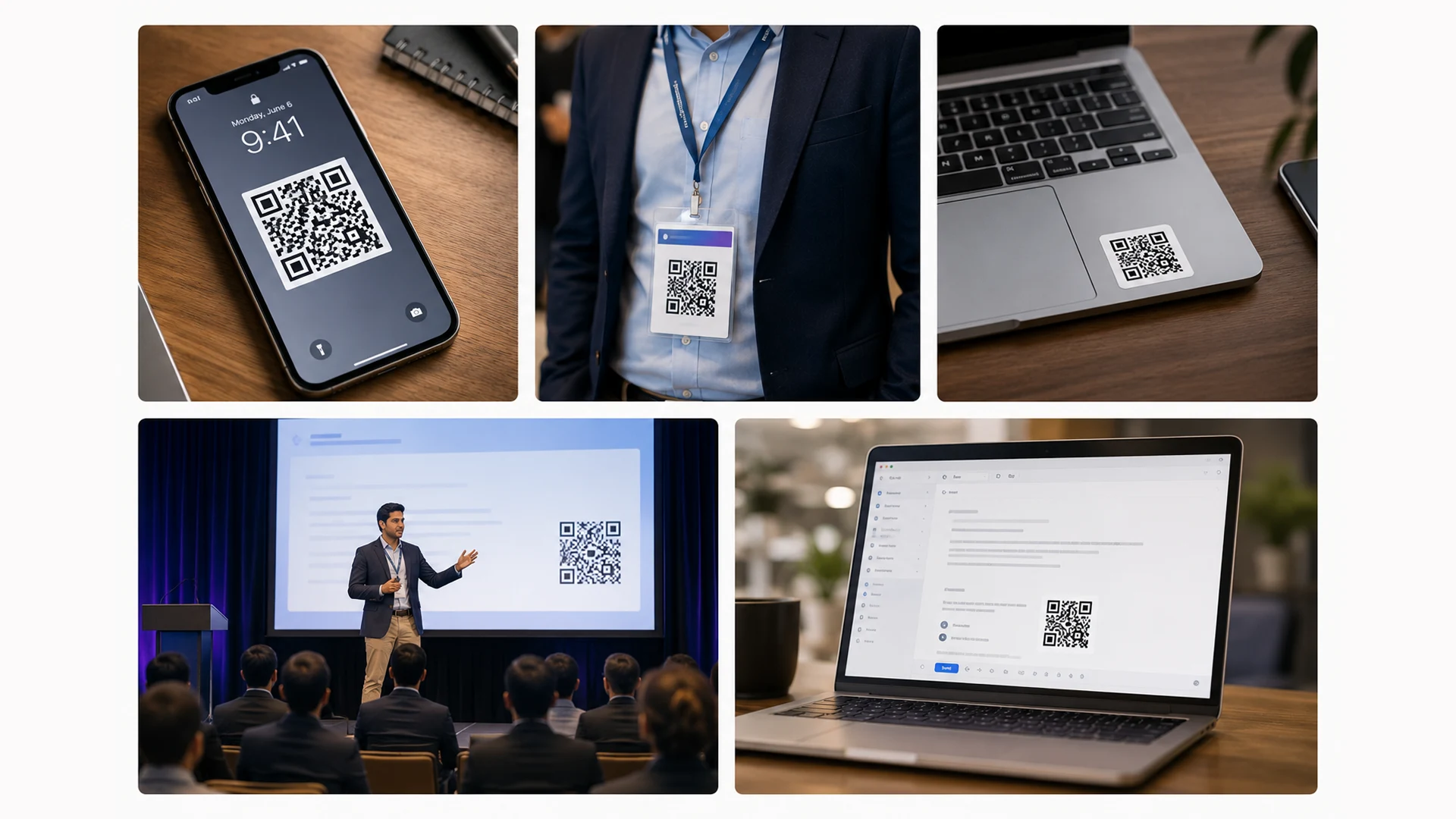
Put your code everywhere
Add your QR business card to your phone wallpaper, your event badge, your slide deck, your booth banner, and your email signature. Wherever people can point a camera, they can connect with you. For teams, every member gets a branded QR card that keeps your company look consistent across every handshake.

Perfect for events and booths
At a busy event you cannot hand a paper card to everyone, but you can put a QR business card on your badge, your banner, and your table. Attendees scan at their own pace, and each scan becomes a captured lead in your contact manager. When the event ends you have an organized list ready for follow up, not a pocket full of cards you will never sort.
Dynamic and trackable
Because your QR business card links to a live profile, you control what it shows and can update it any time without reprinting. The same code that is on last month's flyer still opens your current card. That flexibility means your printed materials never go out of date, saving you money and keeping your details accurate.
Who it is for
- Exhibitors and event staff collecting leads at scale
- Retail and service businesses sharing details at the counter
- Speakers who want the audience to connect from their seats
- Real estate agents putting a code on signage and listings
- Anyone who wants the simplest possible way to swap details
Key benefits at a glance
- Any phone camera can scan it, no app required
- One code works forever, even after you update your card
- Capture LinkedIn and WhatsApp contacts on the spot
- Every scan becomes an organized, saved contact
- Print it anywhere: badges, banners, slides, signage
Tips for sharing your QR code
Set your QR business card as your phone wallpaper so you can flash it in a second at any meeting. Add it to your slide deck's closing screen so an entire audience can connect at once, and print it large on your booth so passersby can scan from a distance. Keep the code clear of clutter and give it room to breathe, since a clean code scans faster and makes the whole exchange feel effortless. If you are printing it, our guide to how small a QR code can be covers the sizes that survive a real scan.
Five steps, zero friction.
From download to a synced CRM in one sitting — most people share their first card the same evening.
Build your card in ConnectMachine with your details and links.
Open your personal QR code from the app.
Let anyone scan it with their phone camera to save your card.
Scan other people's codes to capture them into your contacts.
Follow up using the reminders and CRM sync built in.
One app, the whole workflow.
Popl and Mobilo lean heavily on physical NFC products. ConnectMachine gives you a QR business card that needs no extra hardware, plus LinkedIn and WhatsApp capture, an AI Note Taker, and encrypted messaging. Your QR code is free to generate and works on any modern phone camera worldwide.
50,000+
Users building their network
4.9
Average app rating
#1
Product of the Day on Product Hunt
What is a QR code business card?
A QR code business card is a business card with a QR code that opens your contact details when someone points a phone camera at it. The code can go on a printed card, a name badge, a slide or your phone screen. A digital business card QR code links to a live card page rather than storing your details inside the code, so you can change your number or title without reprinting anything. To create a digital business card with a QR code, make your card in the ConnectMachine app and open your QR code. It is ready to show on screen or download. Want a code that holds the contact itself? Our vCard QR code generator makes one, and the next section explains the difference.
Hosted card QR vs vCard QR: which should you print?
A hosted card QR code holds a short link to your live card page, which is what ConnectMachine gives you. The code stays small and sparse, scans at 2 cm, and keeps working when your details change, because you edit the card rather than the code. A vCard QR code writes your name, number and email into the pattern itself. It works offline, but every field makes it denser and harder to scan small, and once it is printed it can never change. Choose the hosted card for business cards you will hand out for years, and a vCard code when you need a contact that opens without a connection. You can make either one: your QR business card in the ConnectMachine app, or a static code with the free vCard QR code generator.
What does the person scanning your QR code see?
They point their phone camera at the code and tap the link that appears. Your card opens in their browser with your photo, name, title, company and links, plus a Save contact button that adds you to their phone in one tap. They do not need the ConnectMachine app or an account, and it works the same on iPhone and Android. If you have share back turned on, they can send their details to you from the same page. More on sharing a digital business card with no app needed.
How to print a QR code on a business card so it scans
Print the code at least 2 x 2 cm (0.8 x 0.8 inches); 2.5 cm scans more reliably in poor light. Size follows a 10 to 1 rule: the code should be about a tenth of the scanning distance, so a card held 15 to 20 cm from a phone needs 2 cm, and a booth banner read from 2 m needs 20 cm. Keep strong contrast with dark modules on a light background, never light on dark or over a photo, and leave about 0.25 inches of empty margin around the code. Export at 300 DPI or as SVG so the edges stay sharp, then test the printed proof with two or three different phones at the real distance before ordering a full run. Our guide on how small a QR code can be has the full sizing table.
What happens when your card details change?
Your hosted card updates the moment you edit it, so every printed code, badge and slide opens the new number, title or company without reprinting anything. What does not change is a contact someone has already saved to their phone: that copy keeps the details they saved, because it now lives in their address book, not on your card. Anyone who opens your link again sees the current version, and the original QR code never needs replacing.
Frequently asked questions.
Everything people usually ask before switching from paper. Still curious? See the full FAQ.
Create your card in ConnectMachine, then open your QR code from the app. Anyone who scans it with a phone camera can save your details instantly.
The bottom line.
The bottom line is that a QR business card meets people where they already are, phone in hand and camera ready. There is nothing to explain, nothing to install, and nothing to reprint when your details change. With ConnectMachine, one code introduces you to as many people as you can meet, captures them into an organized list, and sets you up to follow through, so every scan becomes a connection that actually goes somewhere.
Make your QR business card in minutes. Download ConnectMachine free and start connecting with a single scan.
- Free to start
- Set up in three minutes
- Works in six languages