

Digital business cards for retailers
ConnectMachine gives retailers branded digital business cards for store managers, buyers, and head office staff on one Team plan with centralized billing and admin branding controls. Buyers share their card by QR code, link, or wallet pass at vendor shows and scan supplier business cards into organized contacts with notes.
3 steps, zero friction.
What a working day looks like for retailers once the paper cards are gone.
Cards for every store and buyer
An admin assigns a seat to each store manager and buyer. Every card carries the same brand, and billing sits with the business instead of on expense reports.
Work the vendor show
Share your card by QR with suppliers and brand reps, and scan the cards they hand you. Contacts scanned in the same place can be grouped under that show.
Remember what each supplier offered
Add a note on terms, samples, or minimum orders to each supplier contact. Ask the AI Concierge later and the right vendor comes back with the details.
Why retailers choose ConnectMachine.
Consistent branding across locations
The Team plan's admin branding controls keep cards consistent from the flagship to the newest store, with an optional custom domain.
Nothing to install on the other side
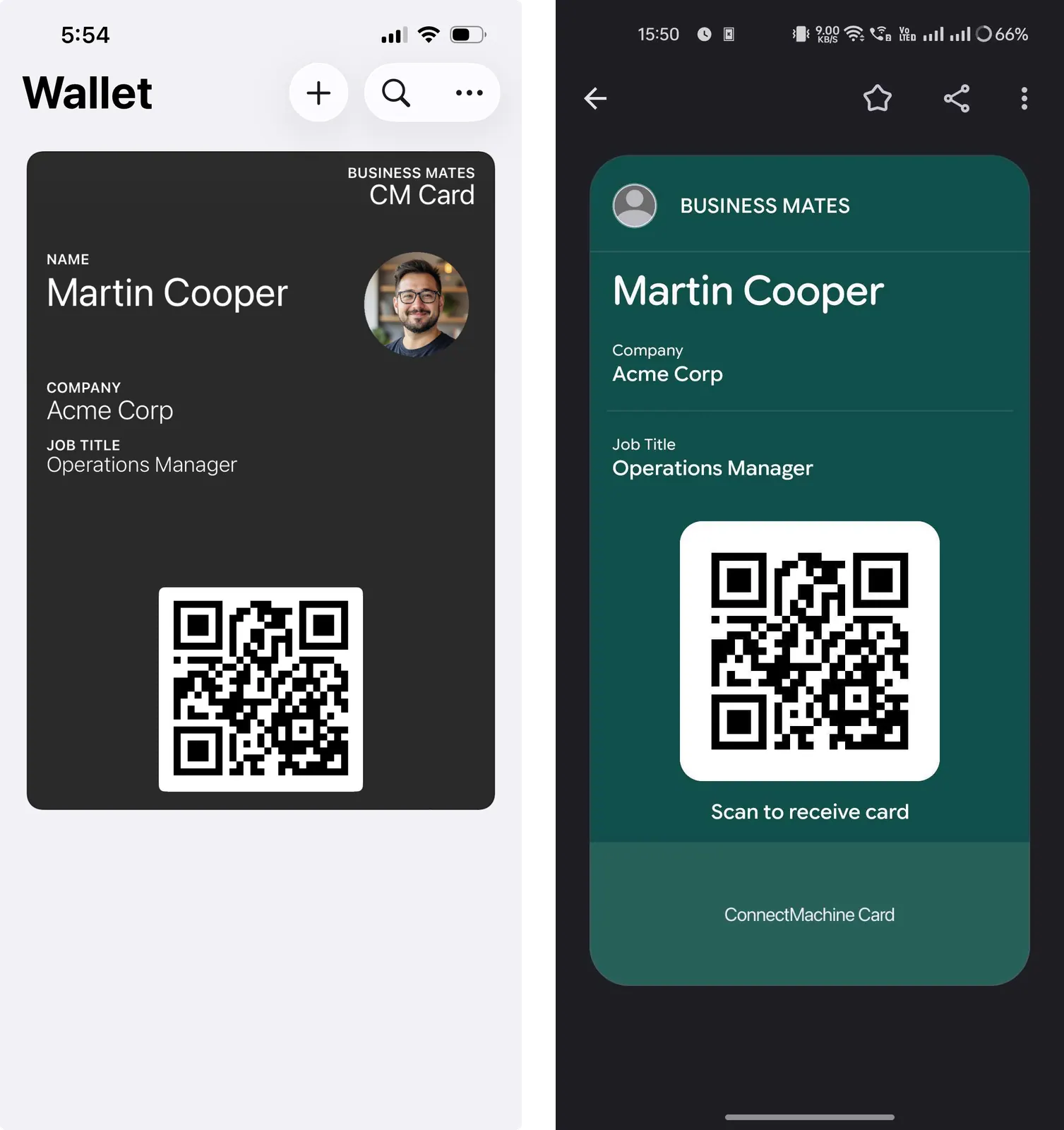
Suppliers, landlords, and local partners save your card from the browser or add it to Apple or Google Wallet. No app required.
A searchable supplier network
AI scanning turns vendor show business cards into contacts you can search by company or note, instead of a drawer full of paper.
Why retail teams lose supplier contacts
Retail buying runs on relationships with suppliers, brand reps, and distributors, and many of those start at vendor shows and showroom visits. Buyers come back with a stack of cards and a notebook of terms, samples, and minimum orders that rarely stay attached to the right name.
Store managers keep their own contacts too: landlords, local partners, and service vendors. With digital business cards for retail teams, every buyer and manager hands out the same brand, and the supplier cards they collect become contacts with notes they can search later instead of a drawer of paper.
How a retailer rolls out ConnectMachine
Start with the buyers and head office staff who attend vendor shows, then add store managers location by location. See how ConnectMachine works as a contact manager.
- 1An admin starts a Team plan and assigns a seat to each buyer and store manager, with billing kept centrally.
- 2Admin branding controls keep cards consistent from the flagship to the newest store. Add a custom domain if you want one.
- 3Suppliers and partners save a card by QR code or link, or add it to Apple or Google Wallet, with no app.
- 4At vendor shows, buyers scan supplier cards and note terms, samples, or minimum orders. Contacts scanned in the same place can be grouped under that show.
- 5Later, ask the AI Concierge to find the right supplier by company or note.
Frequently asked questions.
Everything people usually ask before switching from paper. Still curious? See the full FAQ.
Yes. On the Team plan an admin assigns a seat to each person, with centralized billing and branding controls so every card matches.
Roles inside retailers.
Use cases for retailers.
One brand on every card, from buyer to store floor.
Team plan: $5 per seat/month billed annually ($59.99/year) or $5.99 month-to-month, billed centrally for every store. See pricing
- Free to start
- No app required for the other person
- Works in 6 languages