

Digital business cards for nonprofits
ConnectMachine gives nonprofit staff, volunteers, and board members a digital business card they share by QR code, link, or Apple or Google Wallet pass, with nothing for the other person to install. Cards collected at galas and community events scan into organized contacts with a note on each conversation, and they sync to Salesforce or HubSpot through Zapier on a paid plan.
3 steps, zero friction.
What a working day looks like for nonprofits once the paper cards are gone.
Share at the gala without an app
Donors, sponsors, and partners scan your QR with their phone camera and save your details in the browser. No download, no fumbling for a printed card at the end of the night.
Capture every donor and partner
Scan the cards you collect, or a whole stack of them, with the AI scanner. When you scan several contacts in the same place, ConnectMachine offers to group them under that event.
Follow up while the evening is fresh
Add a note on each person: the program they asked about, the introduction they offered, the next step you promised. The AI Concierge finds them again when the campaign starts.
Why nonprofits choose ConnectMachine.
One card per role
Staff, volunteers, and board members often wear more than one hat. Keep separate cards for the organization, a campaign, or a board seat, and choose what each one shows.
One brand across the whole team
The Team plan puts every staff member on centralized billing, lets an admin assign and manage seats, and keeps branding consistent across every card the organization hands out.
Contacts that reach your CRM
On a paid plan, Zapier sends new contacts to Salesforce, HubSpot, or thousands of other apps, so donor and partner details land where your development team already works.
Why nonprofits lose donor contacts after events
Nonprofit relationships are often built in a single evening. At a gala, a community breakfast, or a partner meeting, staff, volunteers, and board members each collect cards and make promises, and the details rarely reach the development team in one piece.
Turnover makes it harder: volunteers rotate, board terms end, and a card left in someone's pocket is gone with them. Digital business cards for nonprofits give every representative a branded card donors save without an app, and a fast way to scan the cards they collect, with a note on each conversation, before the details fade.
How a nonprofit rolls out ConnectMachine
Start with development and partnerships staff, then add board members and volunteer leads before your next event. See how to follow up after networking events.
- 1An admin starts a Team plan with centralized billing and assigns a seat to each staff member, board member, or volunteer lead.
- 2Admin branding controls keep every card on the organization's brand. People with more than one role can keep a separate card for a campaign or board seat.
- 3At the event, donors and sponsors scan a QR from a table card or slide and save the contact in the browser or their phone wallet.
- 4Afterward, scan the stack of cards you collected. Contacts scanned in the same location can be grouped under that event.
- 5On a paid plan, Zapier sends new contacts to Salesforce, HubSpot, or another CRM.
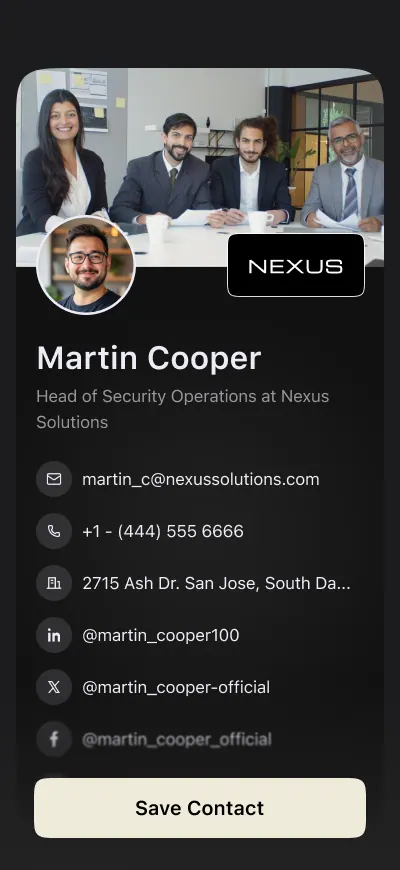
Frequently asked questions.
Everything people usually ask before switching from paper. Still curious? See the full FAQ.
One that works for both sides of the conversation: easy to share with donors who will not install anything, and able to capture the people you meet as organized contacts. ConnectMachine does both, and the Team plan keeps every card on one brand.
Roles inside nonprofits.
Use cases for nonprofits.
Every donor conversation, kept.
Team plan: $5 per seat/month billed annually ($59.99/year) or $5.99 month-to-month, with centralized billing for the organization. See pricing
- Free to start
- No app required for the other person
- Works in 6 languages