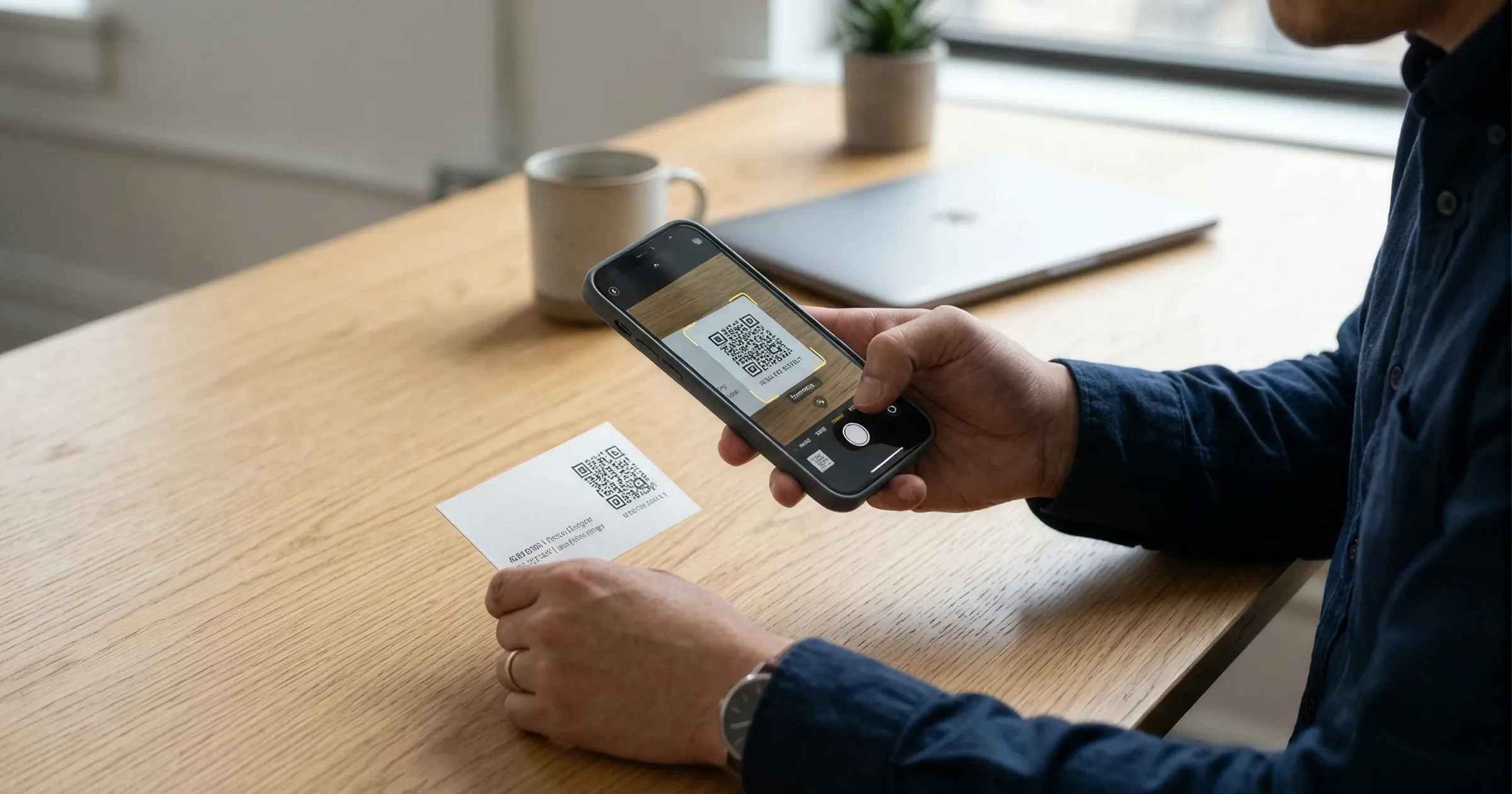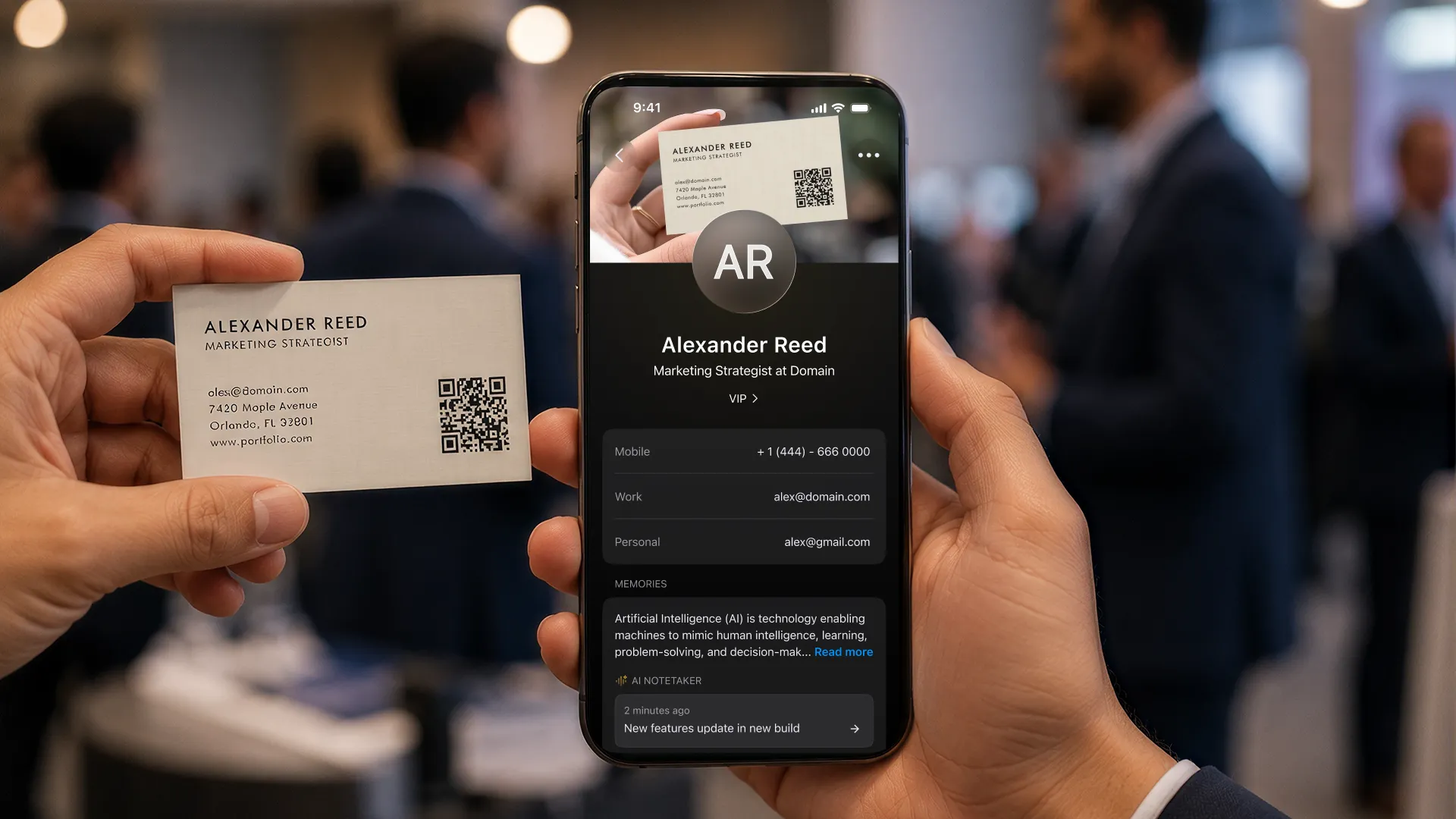
A business card scanner app, also called a card scanner app or business card reader app, uses your phone camera and OCR to read a paper card and file it as a structured contact, name, title, company, phone, email and website, instead of you typing it. The apps differ in three places that matter: OCR accuracy on messy and non-English cards, whether you can scan a stack in one session or only one card at a time, and whether the contact reaches your CRM automatically or waits in an export. ConnectMachine scans a stack in one go, groups cards scanned at the same place into an event, keeps the original scan attached to the contact, and pushes contacts onward through Zapier or its MCP server.
Disclosure up front: we build ConnectMachine and it is ranked first here, which is what every vendor's comparison article in this category does with its own product. We cannot fix that by pretending otherwise, so every entry below names a real limitation, ours included, and the pricing section quotes each vendor's own published numbers, checked on 23 September 2026.
How we ranked these
This ranking is weighted toward what happens after the capture. Reading a card is the easy part and every app here does it. Getting fifty cards off a conference floor and into the place your follow-up actually lives is where they separate.
- Bulk and stack scanning: can you work through a pile in one session, or does each card need its own round trip?
- What happens after capture: does the contact reach a CRM, or does it sit in the app until you export it?
- Published scan limits: how many cards the free and paid tiers actually allow, taken from the vendor's own pricing page rather than a review site.
- Language coverage: whether non-English cards are handled or quietly mangled.
- Active development: whether the product is still being worked on, or a scanner someone shipped in 2016 and left alone.
One thing we deliberately do not rank on: an OCR accuracy percentage. No vendor in this category, us included, publishes a methodology behind the accuracy numbers they quote, so there is nothing to compare. Scan five of your own awkward cards in each free tier and judge it yourself. That test takes ten minutes and beats any figure in an article.
What we found when we scanned our own test cards
To see how the apps handle the cards that usually cause trouble, we made a set of test card images with invented names and companies, and on 15 October 2026 gave the same five to ConnectMachine's browser scanner, Blinq, HiHello and Google Lens: two plain cards, one with two phone numbers, a glossy card with glare and a card with a busy logo. These were images, not printed cards, so read the results as a like-for-like comparison, not a test of real-world lighting. Each card has seven fields (name, title, company, phone, email, website, address), so 35 in total. The test does not change the ranking.
| App | Fields correct (5 cards) | Time | What you get |
|---|---|---|---|
| ConnectMachine (browser scanner) | 33 of 35 | About 2.5 seconds per scan | A contact, exported as CSV or vCard with no account |
| Blinq | 32 of 35 | About 5 seconds per card | A contact in the app |
| HiHello | 33 of 35 | About 7 seconds per card, plus time to detect the card | A contact in the app |
| Google Lens | 30 of 35 | About 10 seconds per card | Text to copy by hand |
All four apps read the plain cards and the two-phone card without a mistake. The busy-logo card was the hard one: Google Lens returned only the name, title and company, with no phone, email or website. ConnectMachine and HiHello each missed one field on the glossy card, and HiHello missed one more on the busy-logo card. Blinq matched ConnectMachine on every card except the glossy one, where it missed two fields. On cards with no address, ConnectMachine filled in the place where the card was scanned (its “where we met” location), which we did not count as an error.
The real gap was speed and what you get at the end. Blinq took about 5 seconds per card, and HiHello about 7 seconds plus extra time to find the card’s edge. Lens gives you text you have to copy by hand. ConnectMachine was the fastest at about 2.5 seconds per scan.
Every superlative below is scoped to the apps we checked in September 2026. If you also want a card of your own to share, that is a different shortlist, covered in the best digital business card apps.
Quick comparison
1. ConnectMachine
Best for scanning a conference stack and keeping the context around each card.
2. Haystack
Best free scanning allowance: its free Personal tier publishes unlimited card scans.
3. CamCard
Best for straight paper-card digitizing with a long track record.
4. HiHello
Best for trying a scanner without paying, if five cards a month is enough.
5. Blinq
Best if you are already buying Blinq for cards and signatures.
6. Covve
Best for unlimited scanning bundled with a full contact manager, at a price.
7. Contacts+
Best for scanning into an address book you already sync across Google, Apple and Microsoft.
8. Popl
Best for event teams that need badge scanning alongside card scanning.
9. Wave Connect
Best for flat, predictable pricing across a team.
10. Google Lens
Best for a one-off card when you do not want to install anything.
| App | Free scanning | Bulk scanning (many cards at once) | Export | CRM connection |
|---|---|---|---|---|
| 1. ConnectMachine: Free Business Card Scanner (web) and app scanner | Up to 3 paper scans in the app; free web scanner, no account | Yes (web scanner) | CSV in the app on Individual and Team; CSV and vCard free in the web scanner | Zapier app (5,000+ apps, including Salesforce and HubSpot), webhooks, MCP server |
| 2. Haystack: AI card scanner | Unlimited on the free Personal plan | No; one card at a time | CSV, Excel (Pro and up) | Salesforce, HubSpot, MS Dynamics via webhook or Zapier (Pro and up) |
| 3. CamCard: AI-Powered Card Scanner | Free: 100 cards; Premium unlimited ($9.99 a month); 10-day Business trial | With supported Fujitsu scanners (Business) | Excel, vCard (Premium and up; not on Free) | Premium: Salesforce. Business: Salesforce, HubSpot, MS Dynamics, Zoho, SugarCRM. No Zapier |
| 4. HiHello: Card Scanner (Bulk Scan) | 5 card and badge scans a month | Yes, bulk scan on all plans (counts toward the monthly limit) | Spreadsheet sent by email | Salesforce, HubSpot, Dynamics 365 (Business and Enterprise); Zapier (beta) |
| 5. Blinq: Universal contact scanner | None: the scanner starts at Premium ($9.99 a month, 7-day trial) | No; one card at a time | CSV (Premium and up) | Salesforce, HubSpot, MS Dynamics, Zoho, Marketo and more; Zapier (Business and up) |
| 6. Covve: Business Card Scanner (formerly Covve Scan) | No free plan; 14-day free trial, then from $12 a month | No; one card at a time | Excel, CSV, Outlook, Google Contacts, phone contacts; vCard for single contacts | HubSpot, Salesforce, Pipedrive, Zoho, Dynamics 365 (Pro add-on or Enterprise); Zapier |
| 7. Contacts+: Business card scanner | About 10 free scans; Premium 100 cards a month | No; bulk scanning was removed | CSV, vCard (all plans) | Zapier only; no native CRM yet |
| 8. Popl: Paper Business Card Scanner | None: the scanner starts at Pro ($7.99 a month) | No; batch scanning is "planned" | CSV from the web dashboard (paid plans) | Salesforce, HubSpot, Marketo, MS Dynamics, Zoho, Pipedrive and more; Zapier |
| 9. Wave Connect: AI business card scanner | 10 free trial credits (1 per card) | No; one card at a time | CSV from the web dashboard | HubSpot, Salesforce, Dynamics 365, Zoho, Pipedrive, HighLevel; Zapier (Pro and up) |
| 10. Google Lens | Free | No, one card at a time | Saves to phone contacts or copies text; no CSV or vCard | None |
1. ConnectMachine
Best for
Scanning a conference stack and keeping the context around each card.
Disclosure: we build ConnectMachine, and we have put it first, which is what every article competing for this search does with its own product. Weigh the entry accordingly, and check the free tiers yourself. The limitations at the end of this entry are real and we have not softened them.
ConnectMachine is built around the pile rather than the single card. You can work through a stack in one session instead of opening a fresh capture for each card, and when more than two scans happen in the same location the app groups them into an event sheet, so the twelve cards from Tuesday's conference stay together without you tagging anything. The original photo of every card stays attached to the contact, which is the difference between trusting an extracted field and being able to check it. Notes go on the contact as you scan, and the AI Concierge searches across names, companies, roles, notes, locations and event names in plain English.
The part most scanner apps stop short of is the handoff. ConnectMachine has a Zapier integration with six actions and a native MCP server with 40 read-and-write tools, so a scanned contact can reach HubSpot, Salesforce, Pipedrive, a spreadsheet or Claude without a manual export step. There is also a free browser scanner that takes a batch of photos or a ZIP, no account and no install, and hands back CSV or vCard.
What it does well
- Scan a stack in one session rather than one card at a time.
- Event grouping: more than two scans in the same location become an event sheet.
- The original scan is kept on the contact record, not discarded after extraction.
- Card recognition in English, Spanish, French, Italian and Russian.
- Notes on contacts and AI Concierge search across the whole network.
- Smart duplicate merge when you scan someone you already have.
- Zapier (six actions) and a native MCP server (40 tools, read and write) as the route into a CRM or an AI assistant.
- A free web scanner that bulk-scans and exports CSV or vCard with no account at all.
- Team plan at $5 per seat/month billed annually (or $5.99 month-to-month) with centralized billing and seat management.
Where it falls short
- The free plan in the app includes three paper scans. That is the smallest free allowance of anything on this list. Unlimited scanning is a Premium feature, and Haystack gives away more. The free web scanner is the workaround, but it is a separate tool, not the app.
- No event badge scanning and no lead capture forms. ConnectMachine scans business cards. If your job is a booth and a badge reader, Popl or Covve's event badges are the honest answer.
- No NFC or tap hardware. There is nothing physical to hand over.
- CRM connections route through Zapier or MCP rather than a native HubSpot or Salesforce app.
Pick this if
You come home from events with a stack rather than a card, and the problem you are solving is remembering which of those people mattered. The ConnectMachine business card scanner app page covers the workflow in full, and scanning at a conference covers the event case specifically.
2. Haystack
Best for
The most generous free scanning allowance we found.
Haystack is the answer to "I just want to scan cards and not pay for it." Its free Personal tier publishes unlimited digital cards, unlimited shares and an AI card scanner listed as unlimited. Nobody else on this list gives away unmetered scanning, and the product is a proper digital business card platform rather than a scanner bolted onto something else. Paid tiers are published at $7.95 per user per month for Pro and $4.95 per user per month for Business on monthly billing, dropping to $4.50 and $2.50 annually.
What it does well
Free unlimited card scanning, unlimited digital cards and shares on the free tier, and paid tiers that are cheap by category standards.
Where it falls short
The free tier is about capture and sharing, not about what happens next: there is no event grouping or context layer around the contacts you collect, and moving scans into a CRM is a job for the paid tiers or an export.
Pick this if
You scan a lot, you are an individual rather than a team, and a monthly scan cap is the thing that keeps pushing you off other apps.
3. CamCard
Best for
Straight paper-card digitizing, with the longest track record in the category.
CamCard has been scanning business cards for longer than most of this list has existed, and the reputation for reading a card cleanly is well earned. It describes AI-powered capture from QR codes, paper cards, email signatures, contact imports and scanners with multilingual support, and it syncs to Salesforce, Google Contacts, Outlook and the phone address book. If digitizing a drawer of paper is genuinely the whole job, a focused tool is less to learn.
What it does well
Long operating history and a well-regarded OCR engine, multilingual capture, a Salesforce connector, and sync into Google Contacts and Outlook.
Where it falls short
CamCard publishes Premium at $9.99 a month, but Business pricing is quote-only: its pricing page shows a request-pricing form with a ten-day Business free trial, so you cannot size a team's cost before talking to someone. There is also no real context layer: you get the contact, not the memory of the conversation.
Pick this if
You have a backlog of paper to clear and no interest in a wider networking product.
4. HiHello
Best for
Trying a scanner without paying, if five cards a month covers you.
HiHello is one of the easiest products here to get running, and it is unusually clear about its scan limits, which is rarer in this category than it should be. The free Personal tier publishes four digital cards and five card and badge scans a month. Professional at $6 a month raises that to twenty scans a month with an unlimited add-on available, and the Business tier at $5 per user per month makes scans unlimited. Our full side-by-side is in the HiHello comparison.
What it does well
Fast setup, published scan limits on every tier, badge scanning included in the same allowance as cards, and a well-regarded free card alongside the scanner.
Where it falls short
Five scans a month is one conference coffee break. If you scan at events at all, you are on a paid tier immediately, and unlimited scanning sits on the Business plan or a Professional add-on.
Pick this if
You scan occasionally, you want one app for your own card and the cards you receive, and you want to know the cap before you hit it.
5. Blinq
Best for
Teams already buying Blinq for digital cards and email signatures.
Blinq is the most polished mainstream digital business card platform, and scanning comes along with it rather than being the point. Its published free plan covers two digital cards, unlimited sharing and unlimited contact creation, but the universal contact scanner is listed from Premium upward: $9.99 a month, or $7.33 a month on annual billing, with Business at $6.99 per user per month monthly and $4.99 annually. No scan limits are published on any tier. Feature by feature against ConnectMachine, see the Blinq comparison.
What it does well
A mature app, the strongest email signature builder in the category, HR-system provisioning for larger teams, and a large independent review base if procurement weighs that.
Where it falls short
You cannot scan a card on the free plan: the scanner starts at Premium. And the product is built around the card you send rather than the pile you bring home, so there is no stack workflow or event grouping.
Pick this if
Blinq is already your card platform and you want one less vendor.
6. Covve
Best for
Unlimited scanning bundled into a full contact manager, if the price fits.
Covve treats the scan as the front door to a contact manager rather than a standalone feature. Its Essential plan is published at $12 per seat per month, or $119 per seat per year, and includes unlimited business card and QR scanning. Pro at $20 per seat per month, or $199 a year, adds custom fields and event badges, with Enterprise quoted. This is the most expensive entry point on the list, and also one of the few with no metering to think about once you are in.
What it does well
Unlimited card and QR scanning from the entry plan, a genuine contact-management layer around the scans, and event badge capture on Pro.
Where it falls short
There is no free plan, only a 14-day free trial, and once it ends you cannot scan more cards. $12 per seat per month is a real commitment for someone who scans a dozen cards a quarter.
Pick this if
Scanning is continuous rather than seasonal and you want the contact manager in the same product.
7. Contacts+
Best for
Scanning into an address book you already sync across Google, Apple and Microsoft.
Contacts+ comes at this from address-book management. Its free plan is published as one synced account across Apple, Google or Microsoft with 1,000 contacts, daily sync and web, iOS and Android apps. Card scanning is metered on the paid tiers: 100 cards a month on Premium at $9.99 a month billed annually, or $13.99 monthly, and 100 cards per user per month on Teams at $12.99 per user per month annually, $17.99 monthly.
What it does well
Strong multi-account contact sync and deduplication, a published 100-cards-a-month scan allowance so you know exactly what you are buying, and apps on web, iOS and Android.
Where it falls short
The free plan includes only about 10 scans, so regular scanning begins at Premium. And it is an address book, not an events product: there is no grouping by where you met someone.
Pick this if
Your contacts already live across several accounts and the scanner's real job is keeping that single list clean.
8. Popl
Best for
Event teams that need badge scanning alongside card scanning.
Popl is the event-floor product on this list. Card scanning sits inside a wider lead capture system built for booths, with badge scanning, qualifiers and an admin layer over the whole team. If your scanning happens in three-day bursts at trade shows rather than one card at a time, that framing matters more than OCR quality does. Our Popl comparison covers the product side.
What it does well
Event lead capture built for volume, badge scanning, NFC hardware, custom qualifiers, and a published position of no seat or usage restrictions and no extra fees for CRM integrations.
Where it falls short
Popl does not publish pricing. Its pricing page states that it quotes over a meeting instead, so an individual who wants to scan a few cards cannot find out what that costs without booking a call. The platform is also far wider than a scanner, and you pay for the whole thing.
Pick this if
You run a booth, you scan badges as often as cards, and there is a team behind the pipeline.
9. Wave Connect
Best for
Flat, predictable pricing across a team.
Wave's whole positioning is cost predictability, and its pricing page is refreshingly plain: Free at $0, Pro at $7 a month, Teams at $5 per user per month with a three-seat minimum, and Enterprise quoted. The free plan publishes a digital business card, unlimited sharing, unlimited contacts, wallet passes and a lead capture form. Card scans run on credits: the free plan includes 10 trial credits, each card scan uses one, and on paid plans a scan costs one credit ($2.50). Event badge scanning is priced separately by annual lead volume. The dimension-by-dimension view is in our Wave Connect comparison.
What it does well
Published flat pricing with no usage-based billing on the core plans, a usable free tier, lead capture forms, and team management that is straightforward to reason about.
Where it falls short
Card scanning is not the headline: each scan uses a credit on top of the plan, and Wave's own pricing page and help docs disagree on which plans include the card scanner. Badge scanning sits outside the flat pricing, quoted by lead volume, which undercuts the predictability argument at exactly the moment you would most want it.
Pick this if
A surprise invoice after a busy event month is what sent you looking for alternatives.
10. Google Lens
Best for
A single card when you do not want to install anything.
Lens is already on your phone and it is free. Google describes it as able to copy paragraphs, serial numbers and more out of an image and paste them elsewhere, and to translate text in real time across more than 100 languages. Point it at a card and you can lift the text, or save the phone number or address to a contact. That is a genuine answer to the one-card-in-a-taxi problem.
What it does well
Free, already installed, no account, and translation across more than 100 languages if the card is not in one you read.
Where it falls short
It is not a dedicated business card scanner. Google's help pages say Lens can save a card's phone number or address to a contact, but they do not describe a full contact with the name, title, company and email in the right fields, and there is no stack workflow, no record of where you met the person, and no path into a CRM.
Pick this if
This is a one-off and you will type the rest yourself.
Free vs paid: where the paywalls actually sit
This is the part most roundups skip, and it is the part that decides whether an app survives your first conference. Below is what each vendor publishes on its own pricing and help pages, checked on 16 October 2026. Prices and limits change, so confirm before you buy.
Free tiers you can scan on
- Haystack: free Personal tier, AI card scanner listed as unlimited. The most generous free allowance we found.
- HiHello: free Personal tier, 5 card and badge scans per month.
- Google Lens: free, and it can save a card's phone number or address to a phone contact, but it has no file export.
- ConnectMachine: 3 paper scans on the free plan in the app, plus a free browser scanner with no account that batch-scans and exports CSV or vCard.
- CamCard: the free app includes 100 cards; Premium ($9.99/mo) removes the cap, and Business is quoted, with a ten-day trial.
- Contacts+: about 10 free scans on the free plan; Premium includes 100 cards/mo.
- Wave Connect: 10 free trial credits, one per card scan; after that, each scan costs a credit ($2.50).
Where scanning sits behind the paywall
- Blinq: the free plan covers two cards and unlimited sharing; the universal contact scanner is listed from Premium ($9.99/mo, or $7.33/mo annually) upward.
- Covve: no free plan, only a 14-day free trial. Essential is $12/seat/mo and includes unlimited business card and QR scanning.
- Popl: the paper card scanner starts at Pro ($7.99/mo in the App Store); team plans are quoted over a meeting rather than published.
The pattern worth noticing
Scan caps are metered per month, and events are not. A twenty-scans-a-month plan and a two-day conference are not compatible, no matter how the annual maths looks. Before you commit, count the cards you came home with last time and check that number against the cap, not against the monthly price. And if a vendor does not publish a scan limit at all, that is not the same as unlimited.
Scanning on iPhone vs Android
Every app in this ranking runs on both iOS and Android, so the platform rarely decides the choice. Two differences are worth knowing.
On iPhone
iOS can already lift text off a card in the camera and Photos, which is enough to copy an email address and nothing more. It gives you characters, not a contact: no company field, no job title, no record that the card exists. A business card scanner app exists to fill those fields and keep the card. Apple Wallet comes into it on the sharing side rather than the scanning side, covered in adding a business card to Apple Wallet.
On Android
Google Lens is built in and handles text and translation well. It goes one step further than iOS by offering to save a card's phone number or address to a contact, but it does not keep the card or build a full contact for you. If you scan more than occasionally on Android, the question is not whether Lens can read the card, it is where the contact goes afterwards.
Either way, the mechanics are the same on both platforms: good light, flat surface, plain background, and review the extracted fields before you save. Scanning a business card with your phone walks through it step by step.
Getting scans into your CRM
A scanned card that stays in a scanner app is a nicer-looking shoebox. The realistic routes into a CRM are three, and which one an app supports should probably outrank its OCR in your decision.
- A native connector. More common than you might expect. CamCard, HiHello, Blinq, Popl, Covve and Wave Connect all list direct connections to CRMs such as Salesforce and HubSpot on their own pages, usually on business or team plans (Covve as an add-on on Pro). Haystack connects to them through webhooks and Zapier. ConnectMachine does not have a native connector; it connects through its Zapier app and webhooks.
- Automation, via Zapier or webhooks. The common route, and the flexible one: the scan creates a contact, the automation creates the CRM record. ConnectMachine publishes six Zapier actions plus webhooks for Make, n8n and Pabbly.
- Export and import. CSV or vCard out, import in. Fine for a backlog, painful as a weekly habit, and it is where duplicates come from.
We have written the exact setup for the two CRMs people ask about most: business card scans into HubSpot, including the field mapping and what HubSpot's own scanner does better, and business card scans into Salesforce. If the destination is a spreadsheet rather than a CRM, scanning business cards to Excel covers that path, and CRM MCP servers compared covers the newer route where an AI assistant does the filing.
One warning that applies to every tool here. Most card-to-CRM automations write without checking first, so deduplication falls to your CRM. Decide the matching rule before you turn the automation on, not after a conference has doubled your contact list.
How to pick the best card scanner app
- You scan a card every few weeks: use what is free. Haystack if you want a real app, Google Lens if you truly only need the text.
- You come home from conferences with a stack: you need bulk scanning and grouping by event, not a per-card flow. ConnectMachine, or Popl if badges outnumber cards.
- You are a team with a CRM: rank on the handoff. Check the automation route and the deduplication rule first, then the scanner.
- Your cards are not in English: test before you buy. ConnectMachine recognizes English, Spanish, French, Italian, Russian and Chinese; CamCard advertises multilingual capture; Lens translates over 100 languages and can save a phone number or address to a contact, but it is not a full scanner app.
- You have a drawer to clear once: a free bulk scan and an export beats a subscription. Run the pile through a browser scanner and import the CSV.
- You also want a card of your own to share: the shortlist changes. Start with the best digital business card apps.
Whichever way you go, run the same ten-minute test on the free tiers: scan five of your own most awkward cards, the foreign-language one, the dark one with the foil print, the one with two phone numbers. Then check what actually landed in the fields, and try to get those five contacts out of the app again. That answers more than any ranking, this one included.