

Scan business cards at a conference.
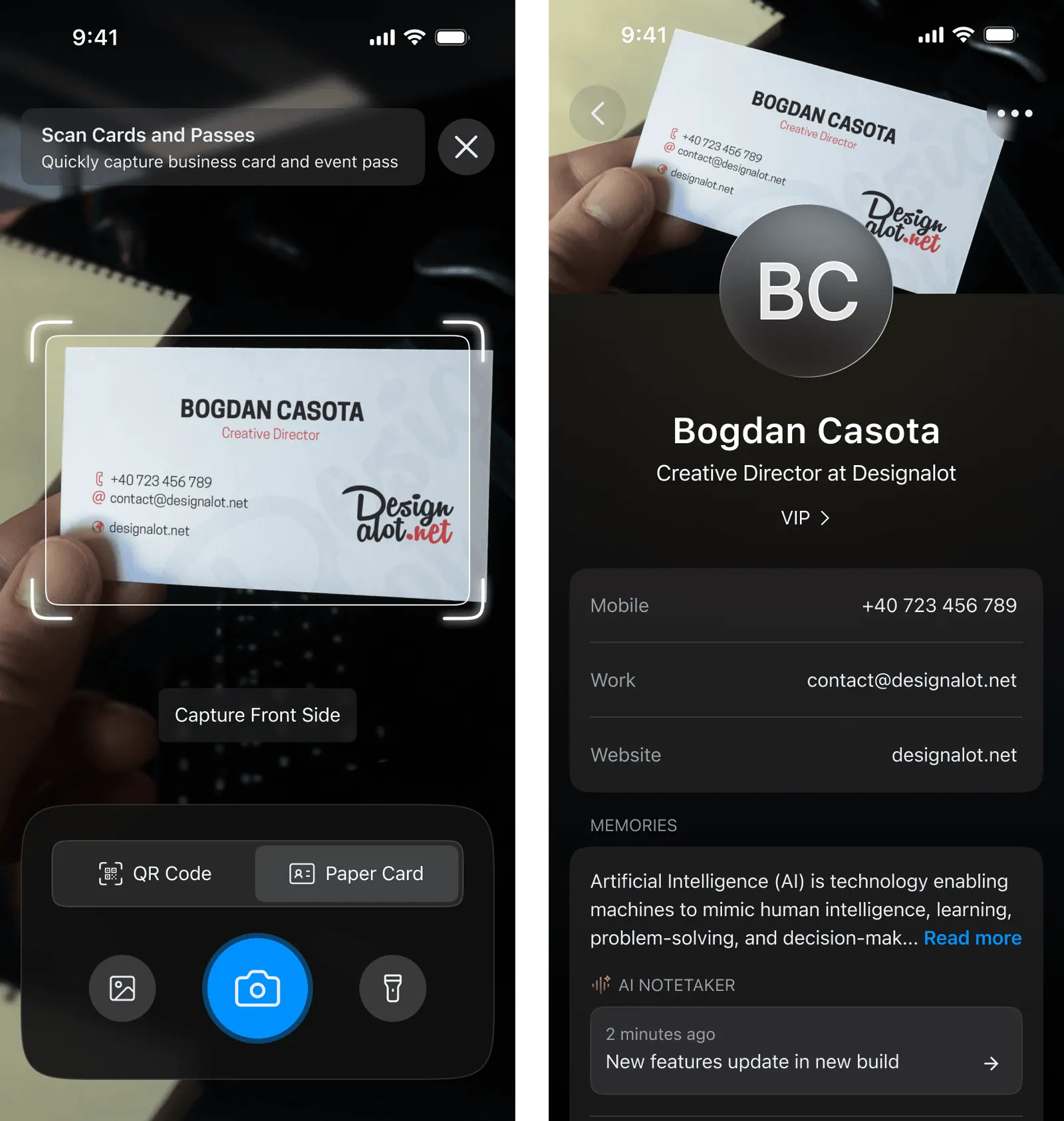
Open ConnectMachine, point your camera at each card, and AI OCR turns the stack into clean, deduplicated contacts on your phone. Each contact keeps the original card image plus a note of where you met, so a conference haul takes minutes, not an evening of typing.
A full stack, done in minutes.
Scan the stack
Hold each card in front of your camera and ConnectMachine captures it in a second. Work through a full lanyard bag of cards back to back without stopping to type anything.
AI cleans the data
AI OCR reads the name, title, company, phone, and email off every card, splits them into the right fields, and merges duplicates so one person never lands in your phone twice.
Context attaches automatically
Each new contact keeps the original card image and a note of the event, the booth, or what you talked about, so the connection still means something a month later.
What makes it work.
Bulk scanning
Scan cards one after another in a single session. A stack that used to be an evening of manual typing becomes a few minutes at the end of the day.
Original card saved
Every contact stores a photo of the physical card alongside the parsed fields, so you can double-check a handwritten extension or a logo you half remember.
CRM and CSV export
Push new contacts straight into your CRM or export a clean CSV, so the people you met at the booth are in your follow-up pipeline the same day.
One app, the whole workflow.
22k+
Professionals building their network
4.9
Average app rating
#1
Product of the Day on Product Hunt
Frequently asked questions.
Everything people usually ask before switching from paper. Still curious? See the full FAQ.
Open ConnectMachine, point your camera at the card, and it reads the details into a clean contact. From there you can save it to your iPhone contacts or export the whole batch at once.
Related use cases.
Let’s create your Digital Business Card.
- Free to start
- Set up in three minutes
- Works in six languages