What every name tag needs first
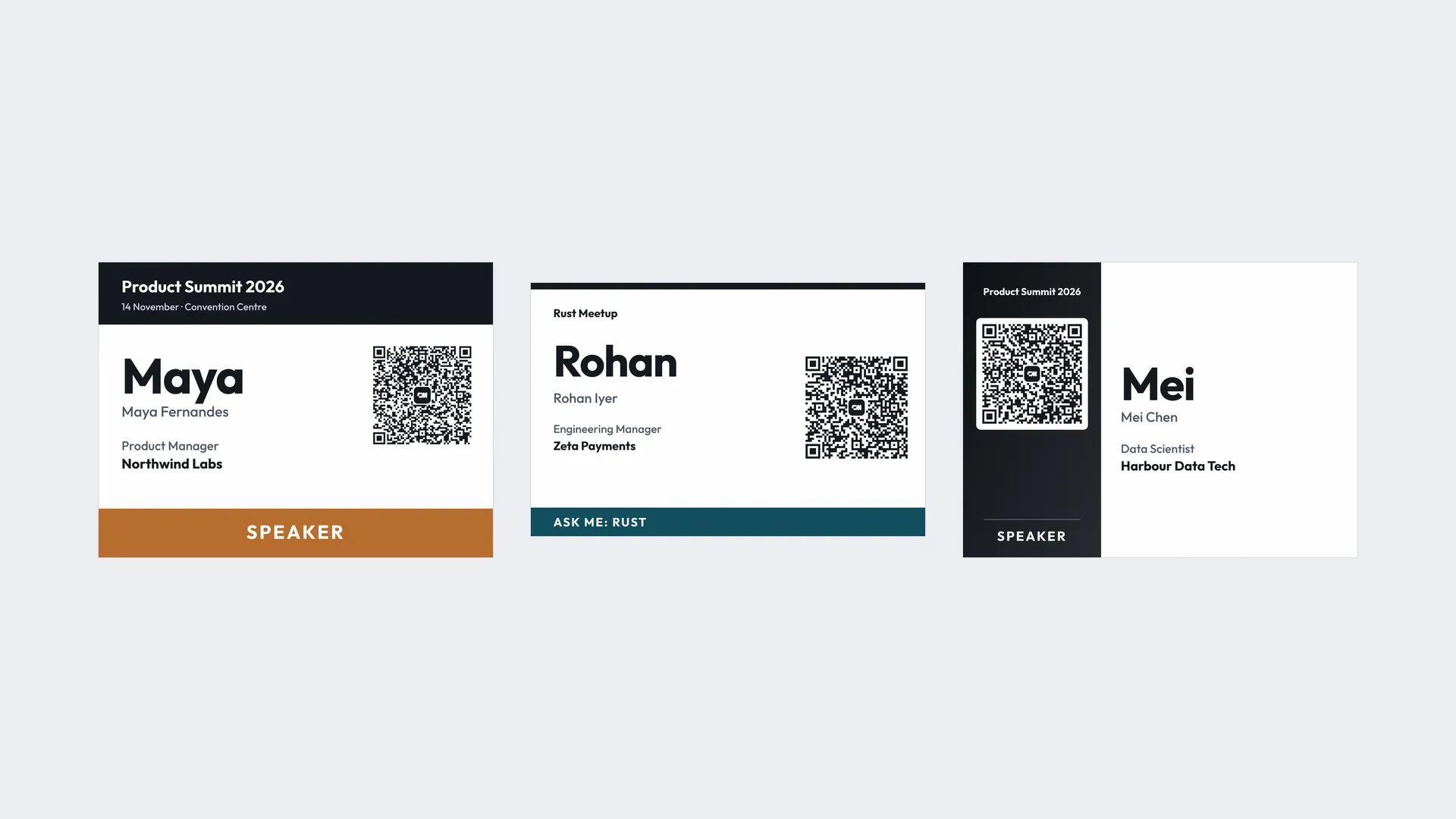
- The first name, bigger than anything else on the tag. Our name badge size guide suggests 32 pt or larger for a first name read at 2 to 3 metres.
- Dark text on a plain background. Keep brand colour in a header or stripe, not behind the name.
- One line of context. More lines make the name smaller.
Our guide to conference name badges covers layout and what to leave off in more detail. For ready-made layouts, start from our free printable name tag templates. Everything below builds on these three rules.
Name tag ideas for conferences and professional events
1. A colour for each attendee type
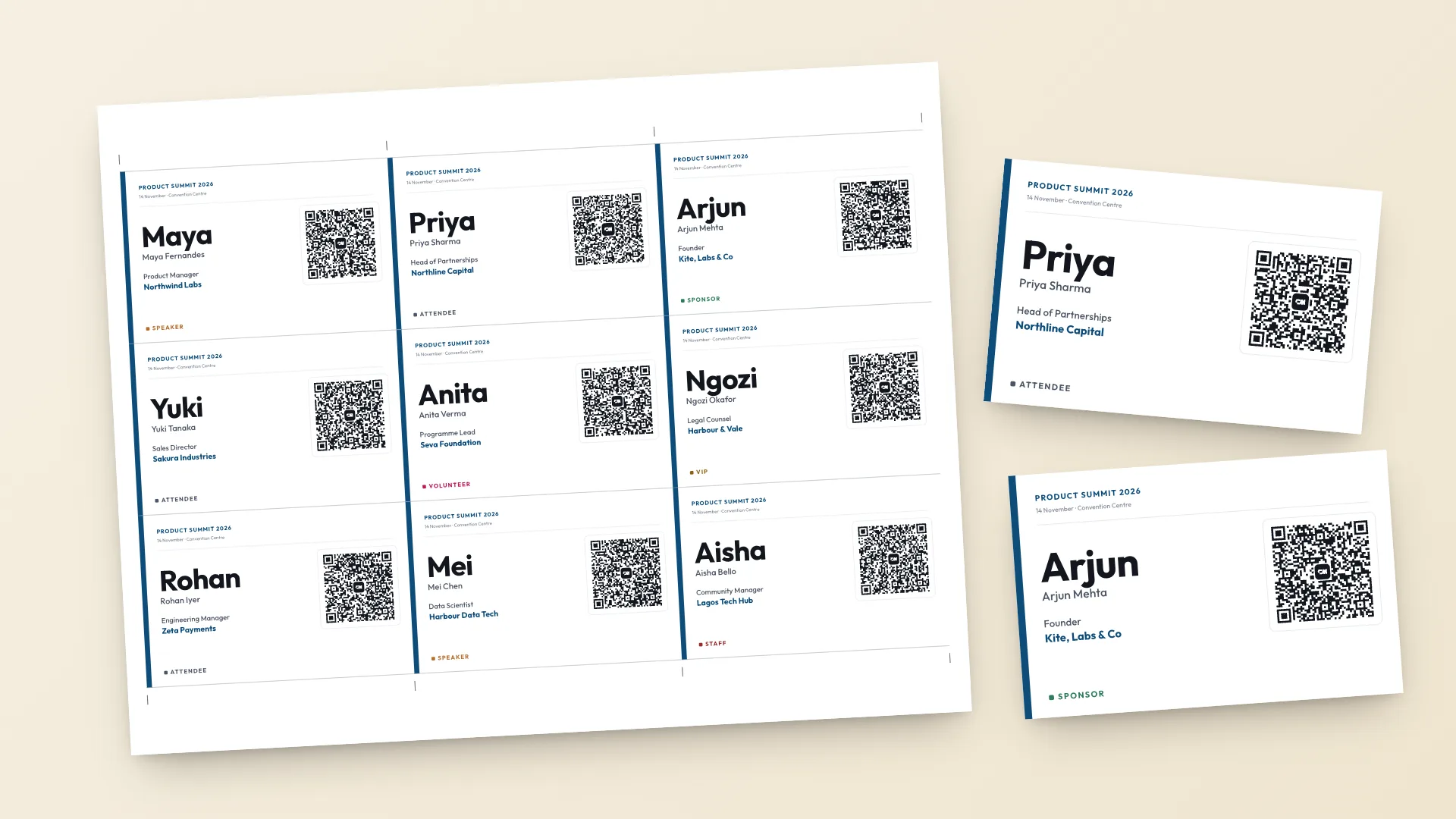
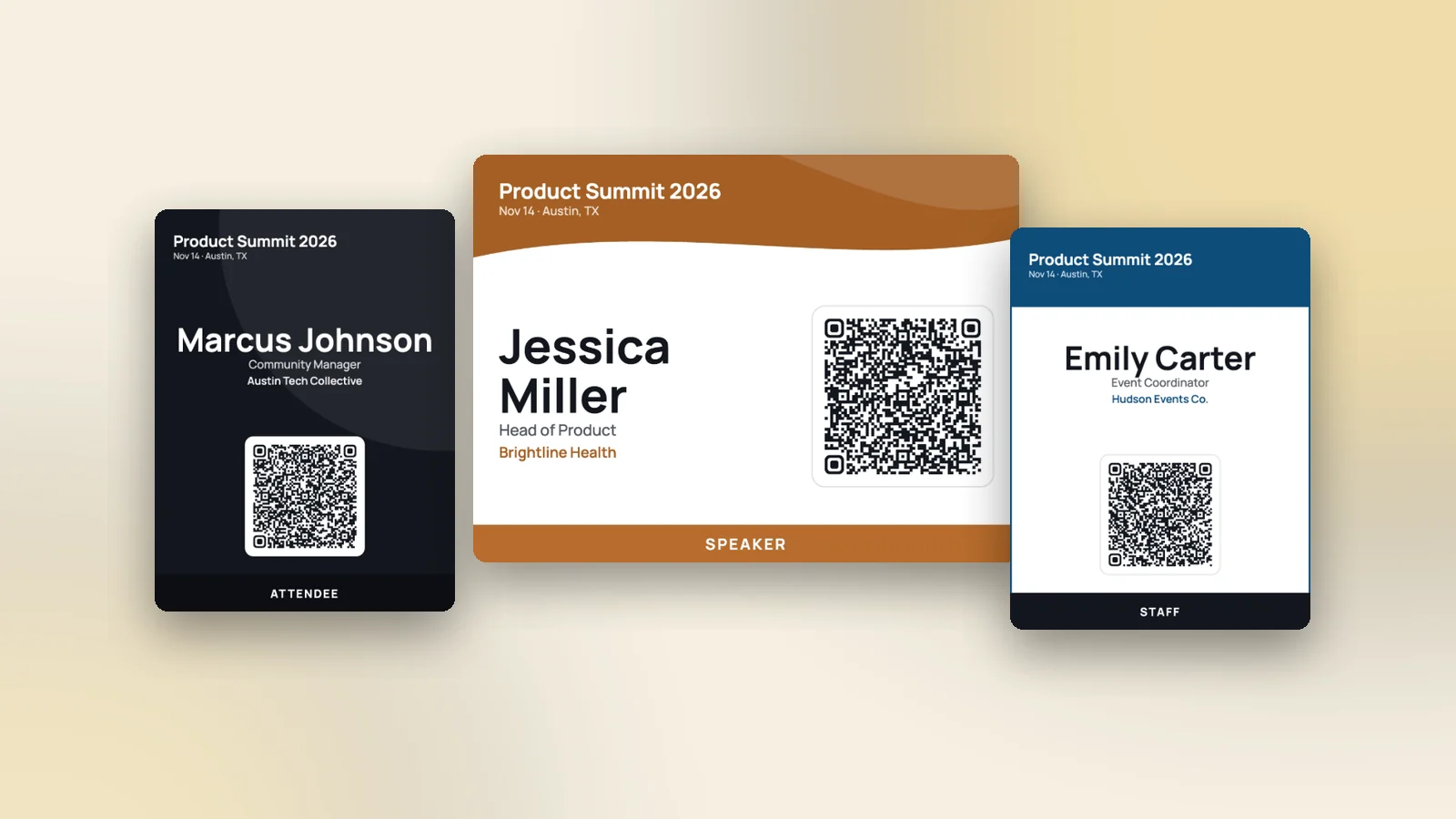
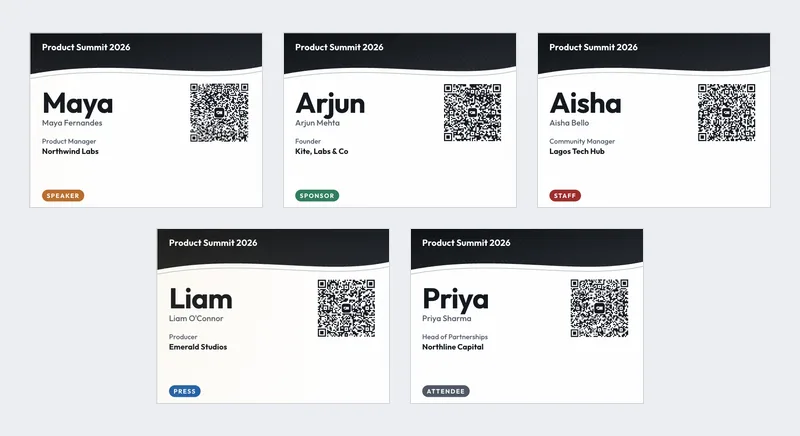
Speakers, sponsors, staff, press and attendees each get their own colour, so people can tell who is who from across the room.
In the badge maker: add a Badge type column to your CSV. Each type prints in its own colour, and you can change any of them.
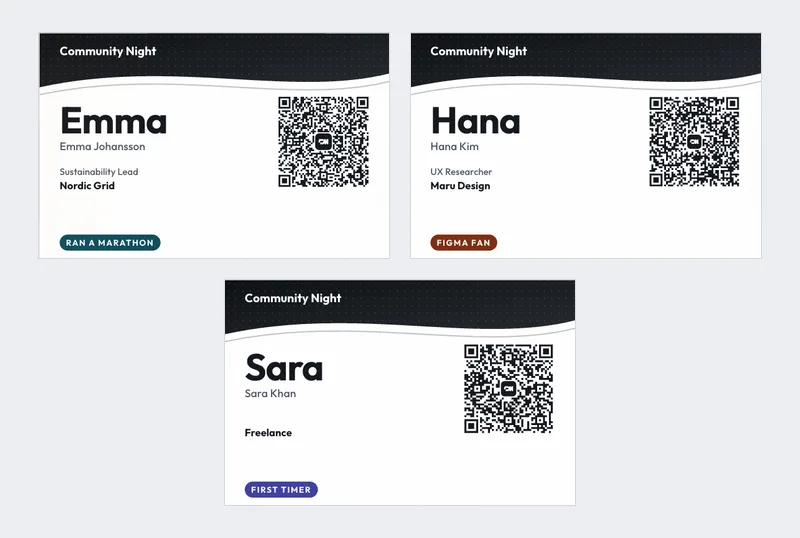
2. A First timer label
First-time attendees often stand at the edge of the room. A First timer label invites regulars to say hello.
In the badge maker: put "First timer" in the Badge type column for new attendees.
3. Company and job title under the name
For professional events, the company and job title answer "So what do you do?" before anyone asks.
In the badge maker: map the Company and Job title columns. Shorten long titles in the spreadsheet first.
4. A QR code that saves the contact
Instead of swapping cards, people scan each other's badge with a phone camera and save the contact in one tap.
In the badge maker: every badge has a QR code with that attendee's contact. You choose which details go in it, and phone is off until you switch it on.
5. The event logo in the header
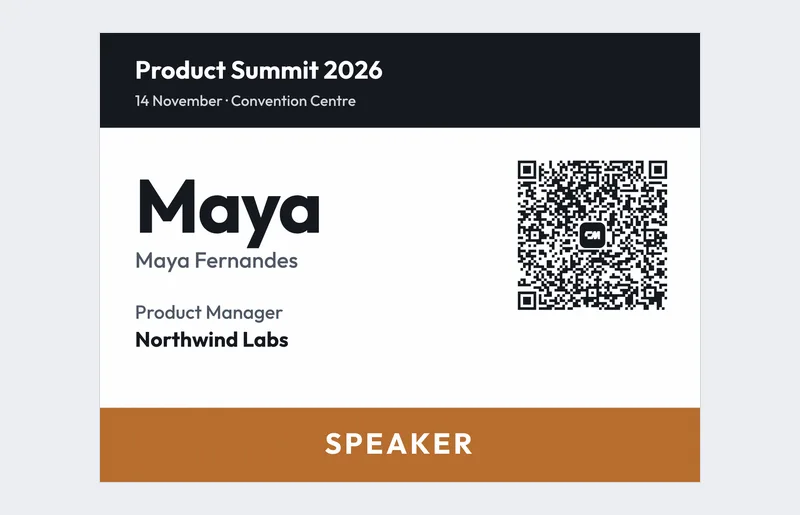
The logo belongs in a header band, small enough that the name stays the biggest thing on the tag.
In the badge maker: upload a PNG, JPG or SVG logo and it appears on every badge.
6. A portrait badge for lanyards
Badges on lanyards often flip. A 3 x 4 in portrait badge fits vertical holders and shows more of the name.
In the badge maker: choose the 3 x 4 in size.
Name tag ideas for meetups and networking events
7. An "Ask me about" topic
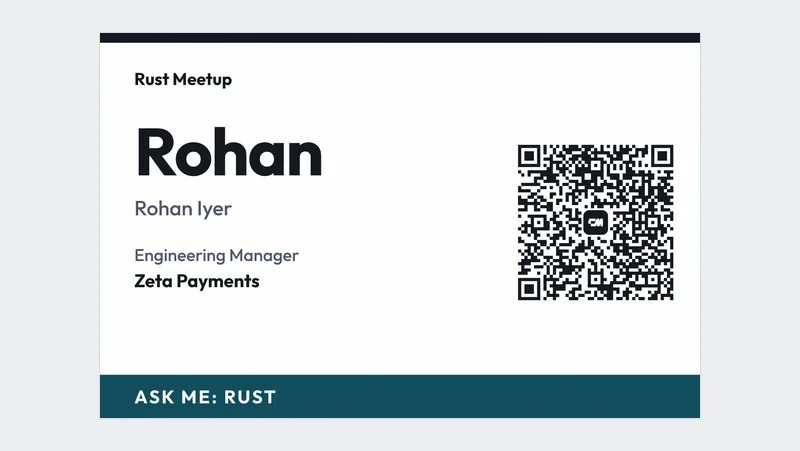
A short topic gives people an easy opener, such as "Ask me: Rust" or "Ask me: hiring".
In the badge maker: the Badge type line takes up to 16 characters, which fits one short topic.
8. What you are looking for
At networking events, "Hiring", "Job hunting" or "Seeking cofounder" helps the right people find each other.
In the badge maker: use these as Badge type values. Each one gets its own colour.
9. A host label
Make the organisers easy to find, so guests know who to ask.
In the badge maker: set Badge type to "Host".
10. Social handle instead of a job title
For creators and community events, a handle is more useful than a title.
In the badge maker: put the handle in the Job title column, or leave it in the QR code only.
11. Pronouns on a separate line
If your community uses them, a pronoun line saves awkward guesses. Make it optional on the sign-up form.
12. Stick-on tags for casual groups
For a relaxed meetup, a 3.5 x 2.25 in stick-on tag is enough. Nine fit on a page.
In the badge maker: choose the 3.5 x 2.25 in name tag size.
Icebreaker name tag ideas
Icebreaker lines work best at small events where people have time to talk. Keep them short so the first name still leads.
13. A fun fact
"Ran a marathon", "Speaks 4 languages", "Owns 3 cats". One fact gives people a question to ask.
In the badge maker: use the Badge type column for facts up to 16 characters, or add a blank line people fill in with a marker.
14. Home town or city
Where someone is from is the easiest opener there is, and often turns up shared places.
15. A favourite tool or app
For tech and design events, a favourite tool sparks debate fast: "Figma fan", "Vim user".
In the badge maker: Badge type, up to 16 characters.
16. A question on the tag
Print one question on every tag, such as "What are you working on?", so nobody has to think of an opener.
17. Colour dots for goals
Hand out coloured stickers at the door: one colour for "here to learn", another for "here to hire". Explain the code on a sign.
Name tag ideas for workshops, classes and volunteer days
18. Table or group number
For workshops with breakout groups, the group number on the tag saves time at every switch.
In the badge maker: put the group in the Badge type column, such as "Table 4".
19. Volunteer roles
"Registration", "Stage", "First aid". Volunteers and guests both know who does what.
In the badge maker: one Badge type per role, each in its own colour.
20. Student and mentor labels
At classes and hackathons, a Student or Mentor label tells people who to ask for help.
In the badge maker: "Student" and "Mentor" as Badge type values.
21. First names only for kids and community events
For family and community events, a large first name is all you need. Skip company and title.
In the badge maker: leave the company and job title columns empty.
Name tag design ideas
22. One bold colour for the whole event
A single strong colour ties every tag to the event and looks good in photos.
In the badge maker: pick one colour and any of the five templates.
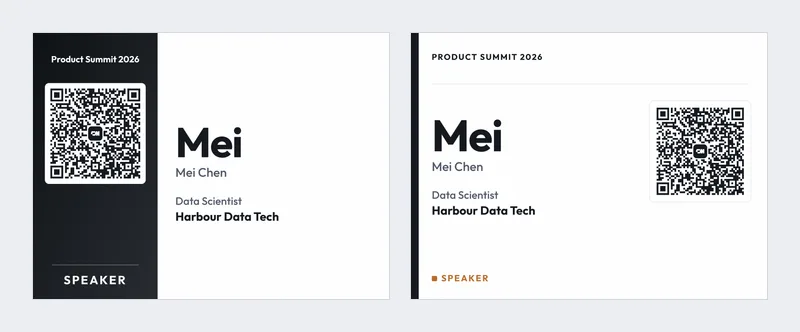
23. A split design
A colour block on one side and the name on white keeps the name easy to read.
In the badge maker: the Split template.
24. A minimal black and white tag
For formal events, black text on white with a thin line looks clean and prints well on any printer.
In the badge maker: the Minimal or Classic template.
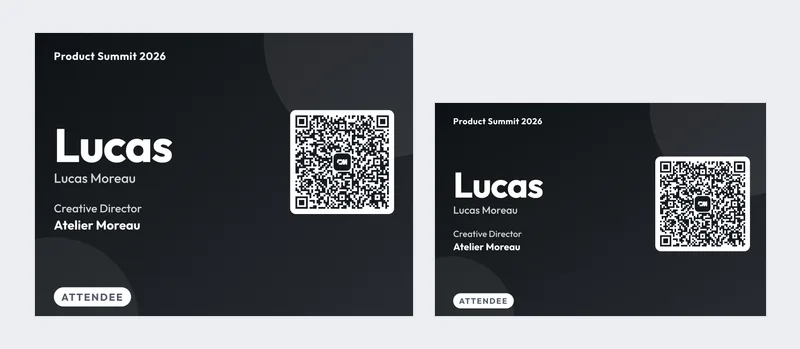
25. The same badge on both sides
Badges on lanyards turn around. Printing the name on both sides means it always faces out. Fold a double-height badge or slip two into the holder.
How to make these name tags free
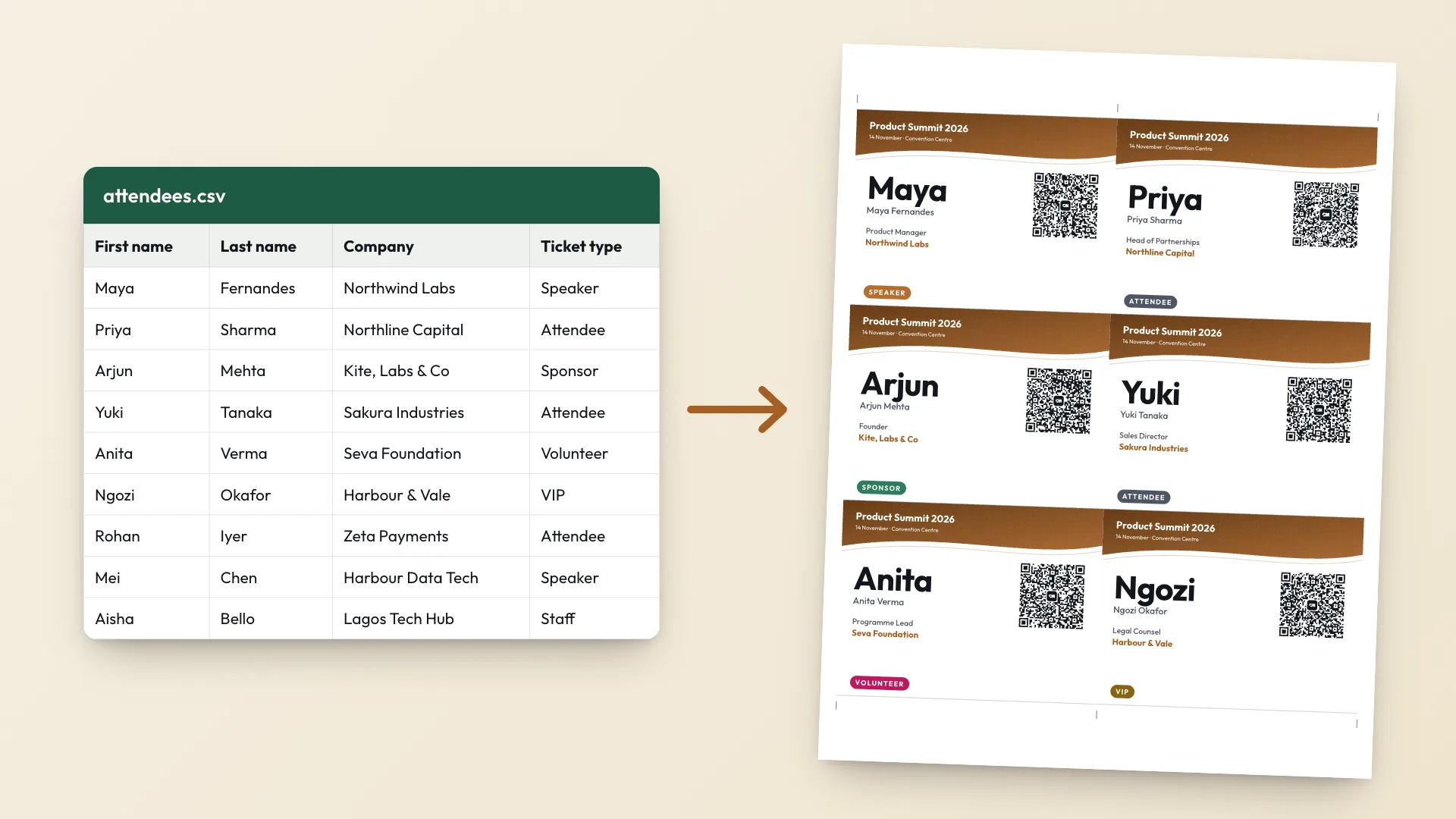
The free badge maker turns an attendee list into print-ready name tags, one per row:
- Export your attendee list as a CSV from Eventbrite, Luma, Google Forms or a spreadsheet. Only a name is required.
- Add a Badge type column for colours, roles or icebreaker lines (up to 16 characters each).
- Upload the CSV, pick a template, colour and size, and add your logo.
- Print on A4 or US Letter with cut marks, or save a PDF for a print shop.
The list is read in your browser and never uploaded. There is no watermark and no limit on attendees.
Name tag mistakes to avoid
- A name smaller than the logo or event name.
- Email addresses and phone numbers printed on the front. Put them in the QR code.
- Three-line job titles. Shorten them before you print.
- Patterns or photos behind the name.
Making name badges for an event? ConnectMachine Event Badge Maker designs printable badges with QR codes, free.
Make your name tags free. Open the badge maker · Get the app