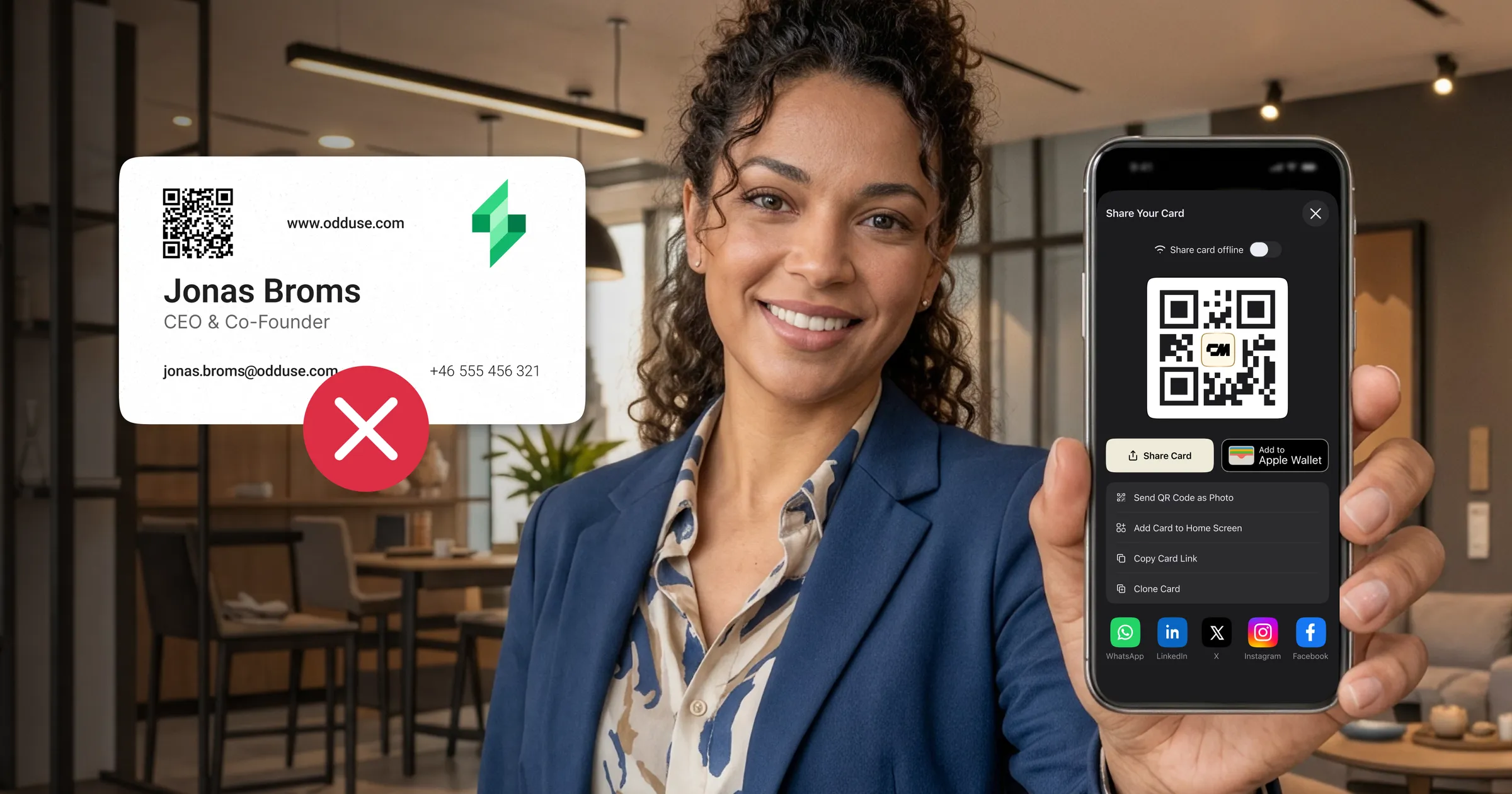
How small a QR code can be depends on how far away it is scanned from. For anything held in the hand, like a business card, the practical floor is 2 x 2 cm, or 0.8 x 0.8 inches. The working rule is scan distance divided by ten.
The technical floor is lower. The ISO 18004 standard permits a Version 1 code at around 1 x 1 cm, and precision scanners in controlled conditions will read it. Neither of those describes a phone camera in a dim room, which is why the practical floor sits well above the technical one.
There is a second variable that most sizing guides skip: how much data you encode. Two codes printed at exactly the same size can behave completely differently, and that difference is usually what decides whether a small code works. Below: the minimum sizes by placement, whether Micro QR is the smaller answer you are actually looking for, the maths behind the density problem, what changes when the code lives on a screen instead of paper, and the things that sink a correctly sized code anyway.
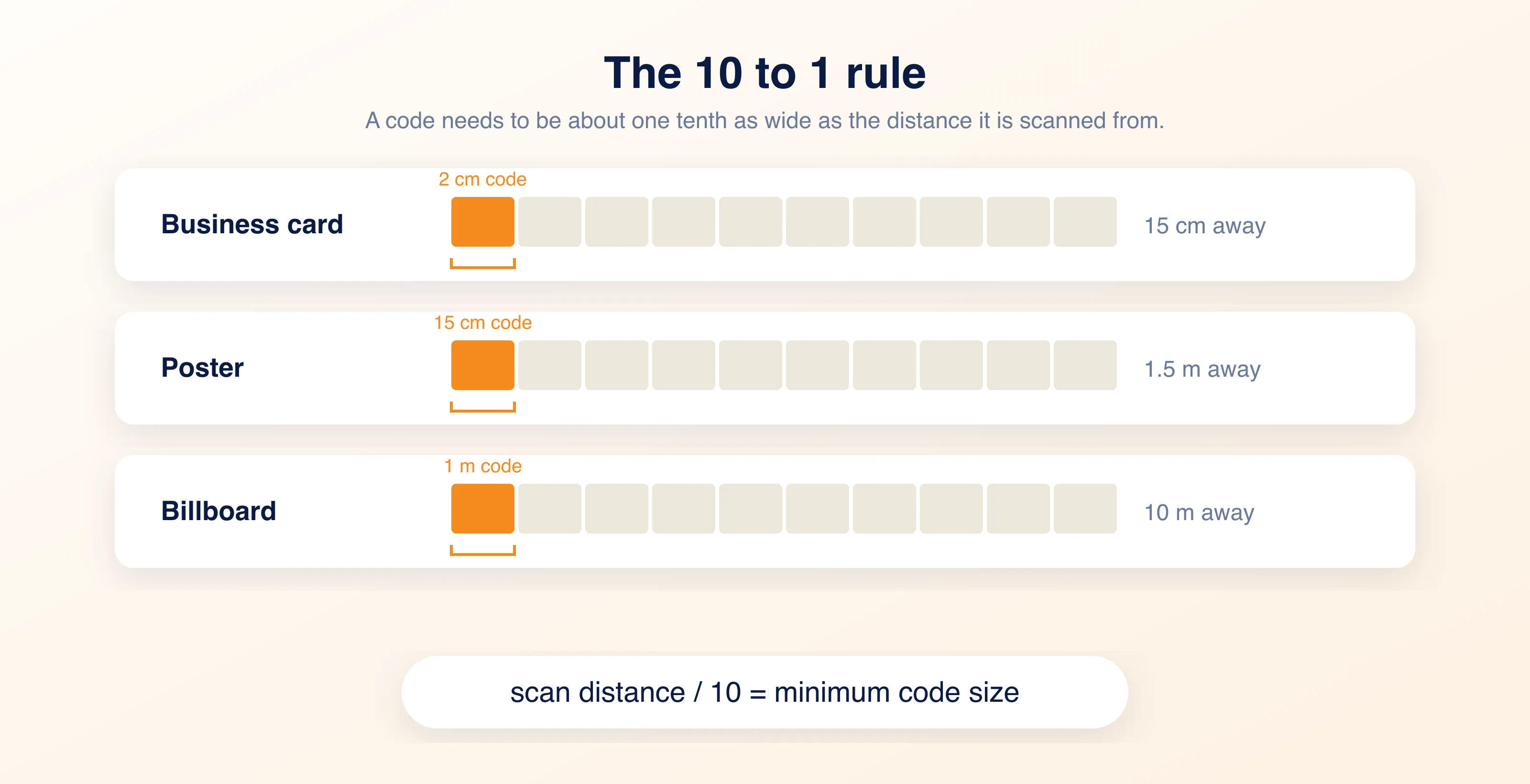
How big should a QR code be? The 10 to 1 rule
How big a QR code should be follows a 10 to 1 ratio. The code needs to be about one tenth as wide as the distance it will be scanned from. A billboard read from 10 metres needs a code around 1 metre across. A business card held at 15 cm needs roughly 1.5 cm, and 2 cm gives you margin.
That margin matters more than it sounds. The 10 to 1 rule assumes good light, a clean print, and a reasonably modern phone. Real conditions rarely give you all three at once. Someone is scanning your card in a dim conference hall, at an angle, on a phone that is three years old. Rounding up from 1.5 cm to 2 cm costs you almost nothing in layout and buys back all of those variables.
The working rule: scan distance divided by ten
Measure how far away the code will be read from, divide by ten, and treat that as your floor. Then round up. The ratio holds whether you are printing a card or a banner.
If your card design allows it, 2.5 x 2.5 cm scans more reliably still.
Minimum QR code size by placement
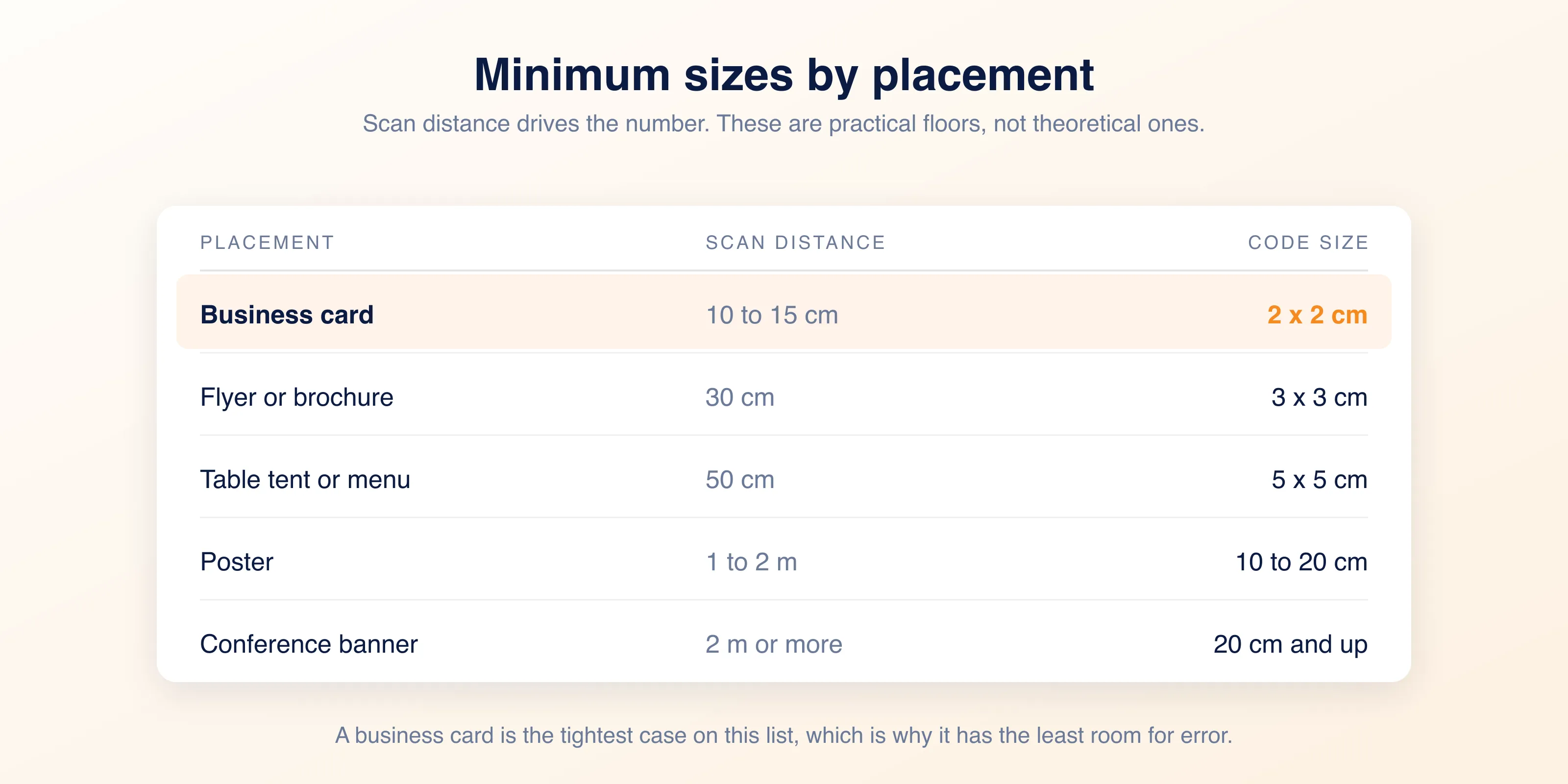
The smallest QR code size that works in practice depends entirely on where the code ends up. The same ratio, applied across the places a code usually lands. Scan distance drives the number in every row.
- Business card, scanned from 10 to 15 cm: 2 x 2 cm minimum
- Flyer or brochure, scanned from 30 cm: 3 x 3 cm
- Table tent or menu, scanned from 50 cm: 5 x 5 cm
- Poster, scanned from 1 to 2 m: 10 to 20 cm
- Conference banner, scanned from 2 m or more: 20 cm and up
Every number above is a floor, not a target. Round up wherever the layout allows it. A code 30 percent larger than it needs to be costs you a little space on the page. A code 10 percent too small costs you the scan, and you will never find out it happened.
What about Micro QR codes?
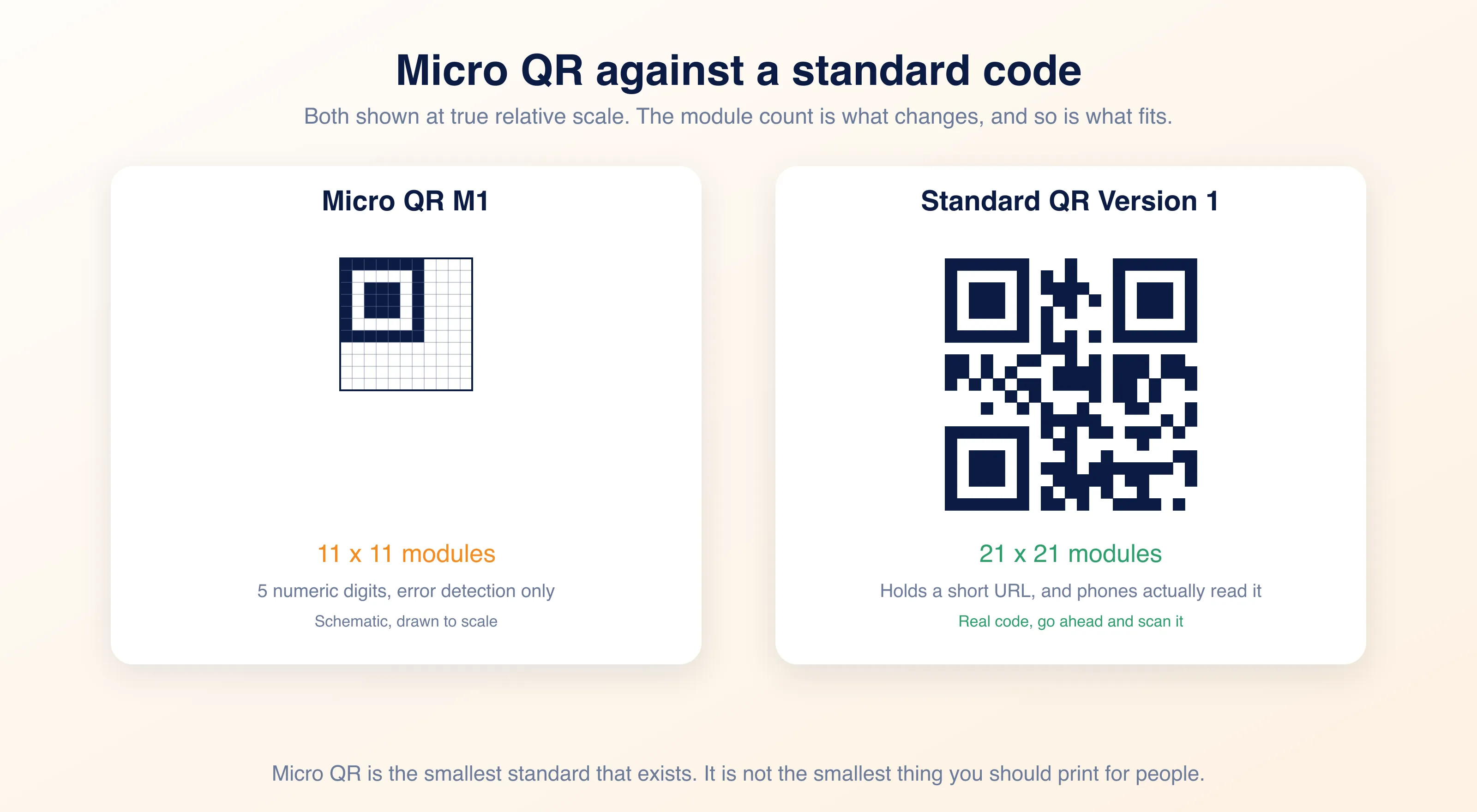
There is a smaller standard. Micro QR codes are defined in the same ISO 18004 specification and come in four versions, M1 through M4, running from 11 x 11 modules up to 17 x 17. A standard Version 1 QR code is 21 x 21, so the smallest Micro QR is roughly half the grid.
They achieve that by holding almost nothing. M1 stores five numeric digits and carries error detection only, with no correction at all. M4, the largest, tops out around 35 numeric characters or 15 bytes, which is not enough for a URL of any useful length. They also need only two modules of quiet zone instead of four, and that is where the rest of the size saving comes from.
The practical problem is support. Micro QR is common in electronics manufacturing and on components where there is genuinely no room, read by dedicated industrial scanners. Native phone cameras handle it inconsistently at best. A code nobody can scan is not a small code, it is a decoration.
The two honest answers
The smallest QR code that exists is Micro QR M1, at 11 x 11 modules. The smallest QR code you should actually print for people to scan is still a standard code at 2 x 2 cm. Those are different questions, and only one of them matters when you are laying out a card.
QR code size for a business card
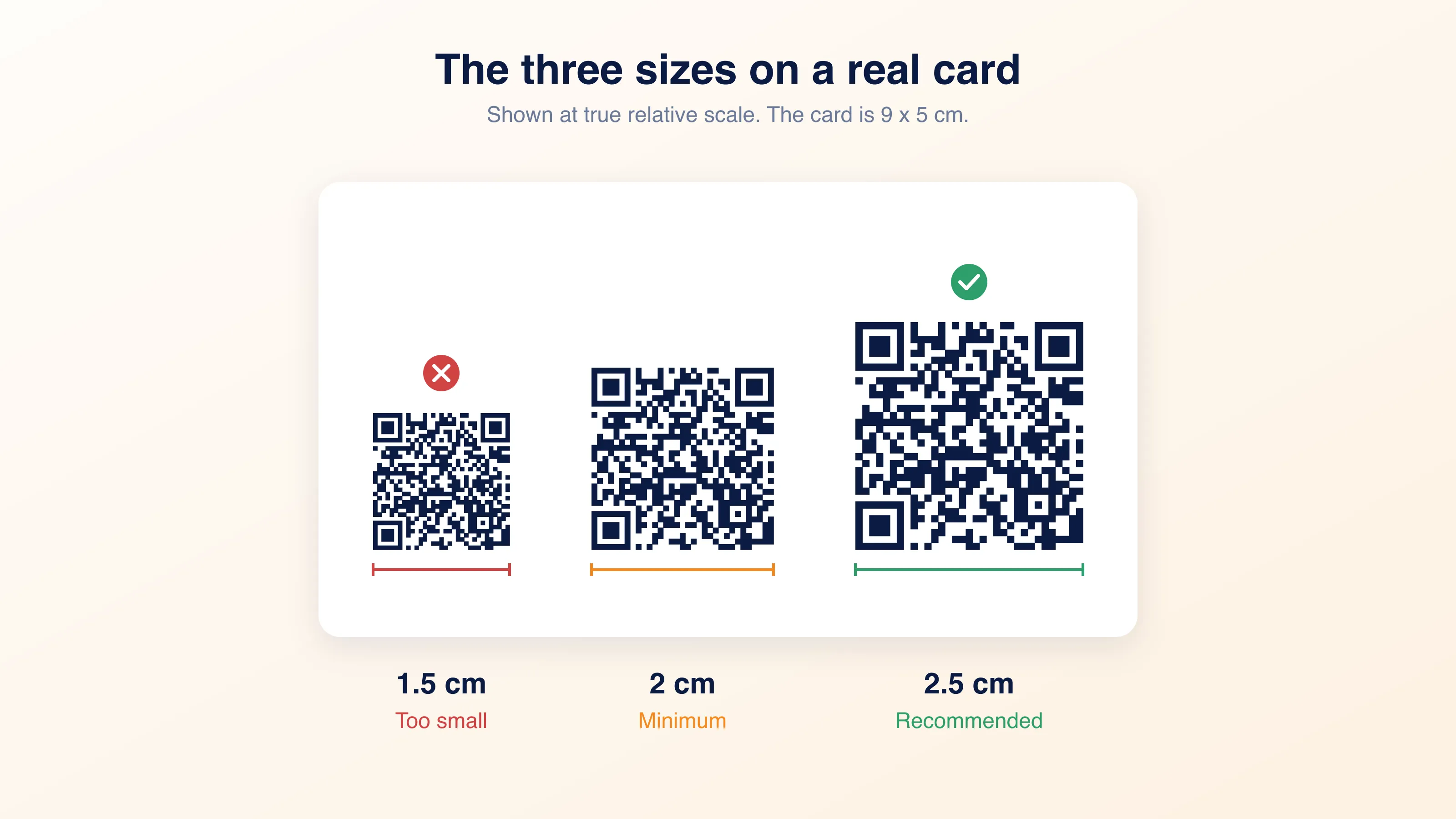
A standard business card is 9 x 5 cm. A 2 cm code takes up a little over a fifth of its width, which is less than most designers expect before they draw it. It is a small square, not a dominating one, and it leaves plenty of room for the details a person reads before they decide to scan.
Seeing the three candidate sizes next to each other at true relative scale is usually enough to settle the argument. 1.5 cm looks fine in a layout program at 400 percent zoom and disappoints in the room. 2.5 cm looks large on screen and reads as normal in the hand.
How much data you encode changes the size you need
This is the part most sizing guides skip, and it is the one that will actually decide whether your card works.
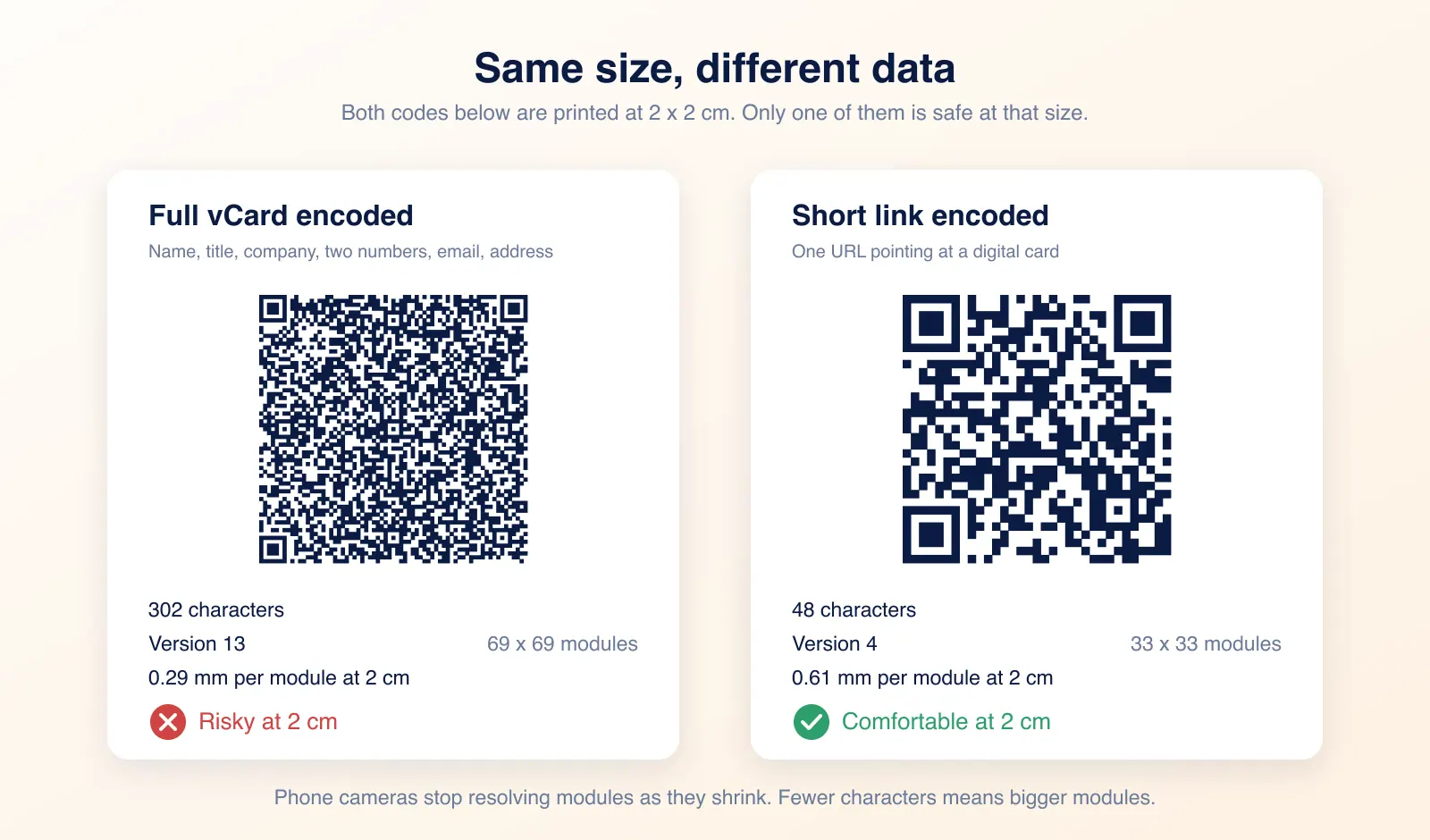
A QR code is a grid of small squares called modules. The more data you encode, the more modules the code needs. A Version 1 code is 21 x 21 modules. A Version 40 code is 177 x 177. At a fixed physical size, more modules means each module is physically smaller, and past a certain density a phone camera stops resolving them.
The numbers are worth seeing. A full vCard with a name, title, company, two phone numbers, an email and a postal address runs to about 300 characters. At error correction level M, the default nearly every generator ships with, that is a Version 13 code, 69 x 69 modules. Printed at 2 cm, each module is 0.29 mm across. A short link to a digital card is 48 characters, which at the same level M is a Version 4 code at 33 x 33 modules, or 0.61 mm per module at the same 2 cm. The second code has modules more than twice as wide as the first, at identical physical size.
As a rule of thumb, modules below about 0.4 mm start to give phone cameras trouble in ordinary light. The vCard code does not clear that until it is printed at roughly 2.8 cm. The short-link code clears it comfortably at 2 cm, and often still works at 1.5 cm.
The practical implication
If you are printing contact details directly into the code, you need a bigger code than the minimum. If you are encoding a short link to a digital card, you get the minimum size back.
That second point is worth sitting with. A vCard encoded directly into a printed code is frozen. Change jobs, change numbers, and every card you have handed out is wrong. A digital business card link stays correct because the destination changes, not the code.
Error correction eats into your size budget
Payload length is only half of it. Every QR code carries redundancy so it still reads when part of it is damaged or obscured, and you choose how much. Level L recovers around 7 percent of the code, M around 15, Q around 25, and H around 30. That redundancy is data too, so raising the level pushes the code to a higher version and shrinks every module at the same physical size.
The same 48-character link makes the point. At level L it is a Version 3 code, 29 x 29 modules, 0.69 mm per module at 2 cm. At M it is Version 4 and 0.61 mm. At Q, Version 5 and 0.54 mm. At H it becomes a Version 6 code, 41 x 41 modules, and each module drops to 0.49 mm. Same link, same 2 cm square, and you have spent most of your scanning margin buying damage tolerance that a card living in a wallet does not need.
Which level to pick
Level M is the sensible default for print, and it is what most generators give you. Reach for Q or H only when the code will be scuffed, folded, or partly covered in normal use, and size the code up when you do.
Leave a quiet zone
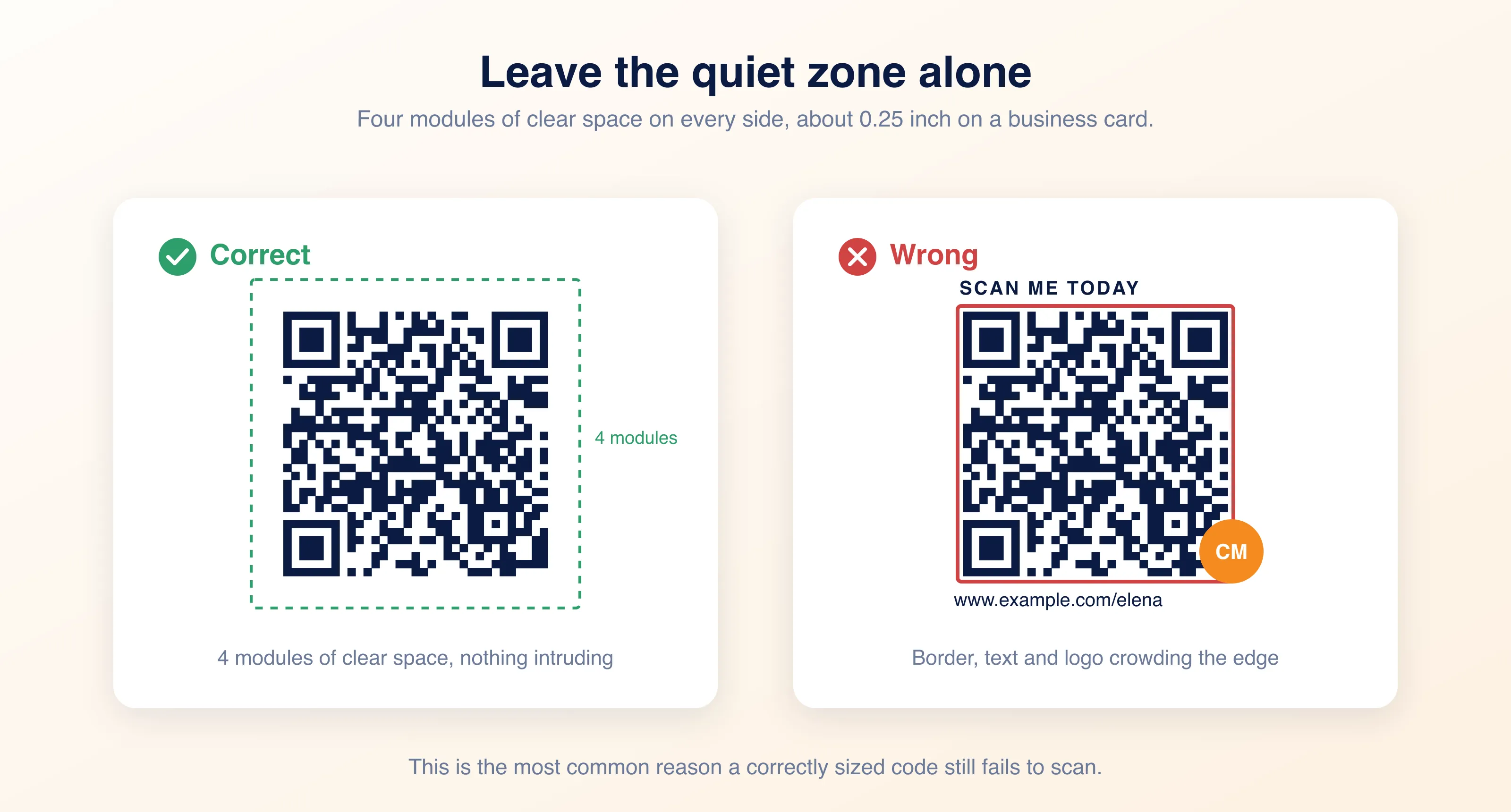
The quiet zone is the blank margin around the code. Scanners use it to find the boundary of the code, and without it they often fail to detect the code at all.
ISO 18004 calls for four modules of clear space on every side. In practice, keep about 0.25 inch of empty margin around the code on a business card. No text, no logo, no border, no background pattern intruding into it.
This is the single most common reason a correctly sized code fails to scan. Designers treat the code as an image and crop tight to it.
Print resolution
Size on the page is not the same as resolution in the file. A 2 cm code exported at screen resolution will print soft, and soft edges between modules are exactly what a scanner cannot read.
Export at 300 DPI or higher for print. At 300 DPI a 2 cm code is roughly 236 pixels square. Better still, use a vector format such as SVG or EPS, which stays sharp at any size and removes the question entirely. Ask your printer which they prefer before you send artwork.
On a screen, size in pixels
DPI does not apply on screen. What matters is how many pixels the code actually renders at, and whether anything downstream scales it down.
The 10 to 1 rule still governs the distance. A code in an email signature is read from roughly the same 15 to 20 cm as a business card, so it needs the same proportional size. Work it from the modules instead of guessing: a short link is a 33 x 33 module code, and giving each module four pixels puts the floor around 130 pixels square. Allow five or six pixels per module if anything downstream might resize it. A code on a slide is read from the back of the room, so size it against that distance, not against the slide.
Two things break screen codes specifically. Rendering a large image scaled down in HTML leaves the browser to resample it, which softens module edges exactly the way low DPI does, so export at the size you will display. And email clients that compress or resize images can quietly shrink a code below its readable floor, so test in the client your recipients actually use rather than the one you write in.
If you do not have a code yet, you can generate a QR code for your card and download it before you lay the card out.
Contrast and colour
Coloured QR codes work, but only within limits.
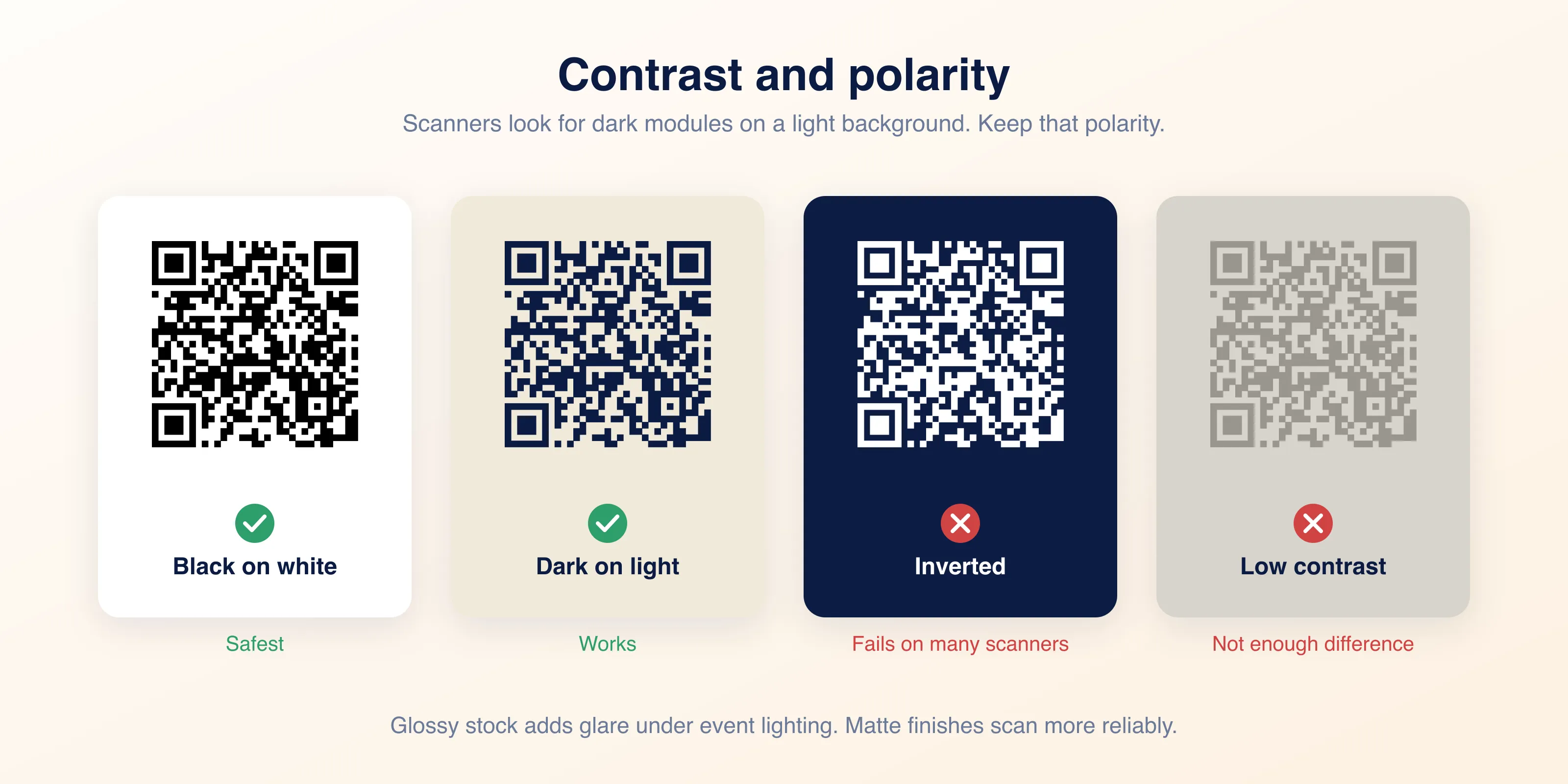
Scanners look for dark modules on a light background. Keep that polarity. An inverted code, light modules on dark, fails on many scanners even when the contrast is technically high.
Beyond that, the wider the gap between foreground and background, the more forgiving the code is. Black on white is the safest choice and there is no shame in it. If you use brand colours, choose a genuinely dark foreground against a genuinely light background, and test before committing to a print run.
Glossy card stock adds a variable that has nothing to do with colour. Under conference lighting, gloss throws glare across the code. Matte finishes scan more reliably.
Test before you print
Print one card. Not a proof on office paper, an actual card on the actual stock.
Then scan it with the oldest phone you can find, in poor light, at arm's length, held at a slight angle. If it reads under those conditions it will read anywhere. If it only reads on a new phone in bright light, size up.
One card against the whole run
The cost of this test is one card. The cost of skipping it is every card you ordered, plus the conversations you never had because nobody could scan you.
Common mistakes
Almost every failed card QR code comes down to one of these.
- Sizing below 2 cm to fit a crowded layout
- Cropping into the quiet zone
- Encoding a full vCard and then using the minimum size
- Exporting at screen resolution instead of 300 DPI or vector
- Inverting the colours, or picking two mid tones with no real contrast
- Placing the code across a fold or too close to a trimmed edge