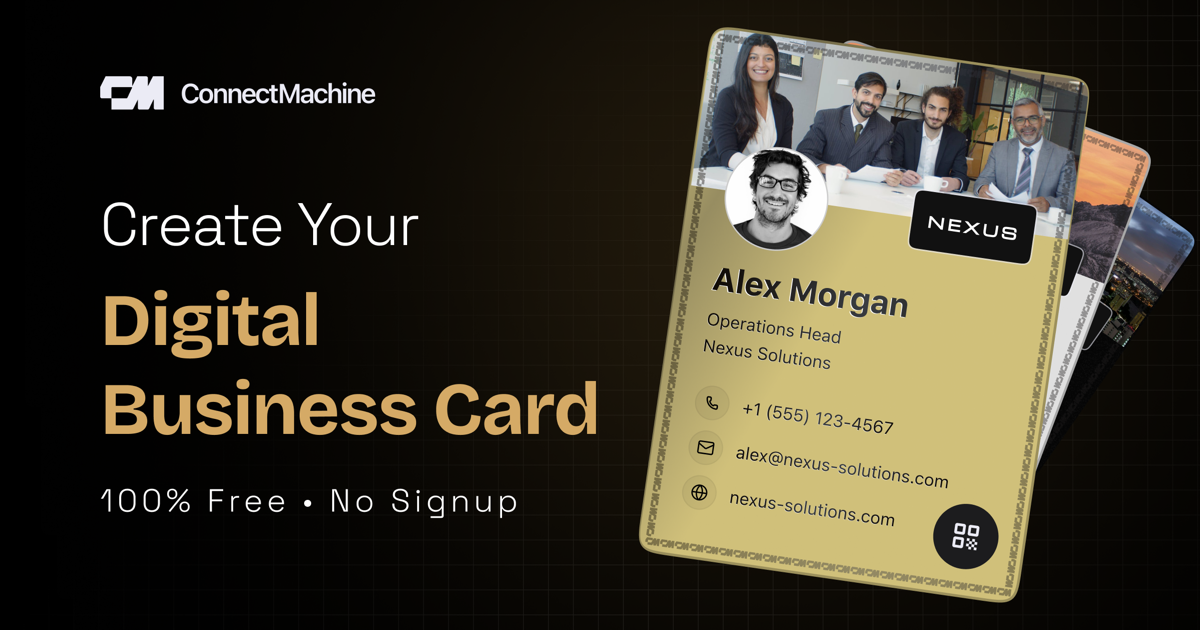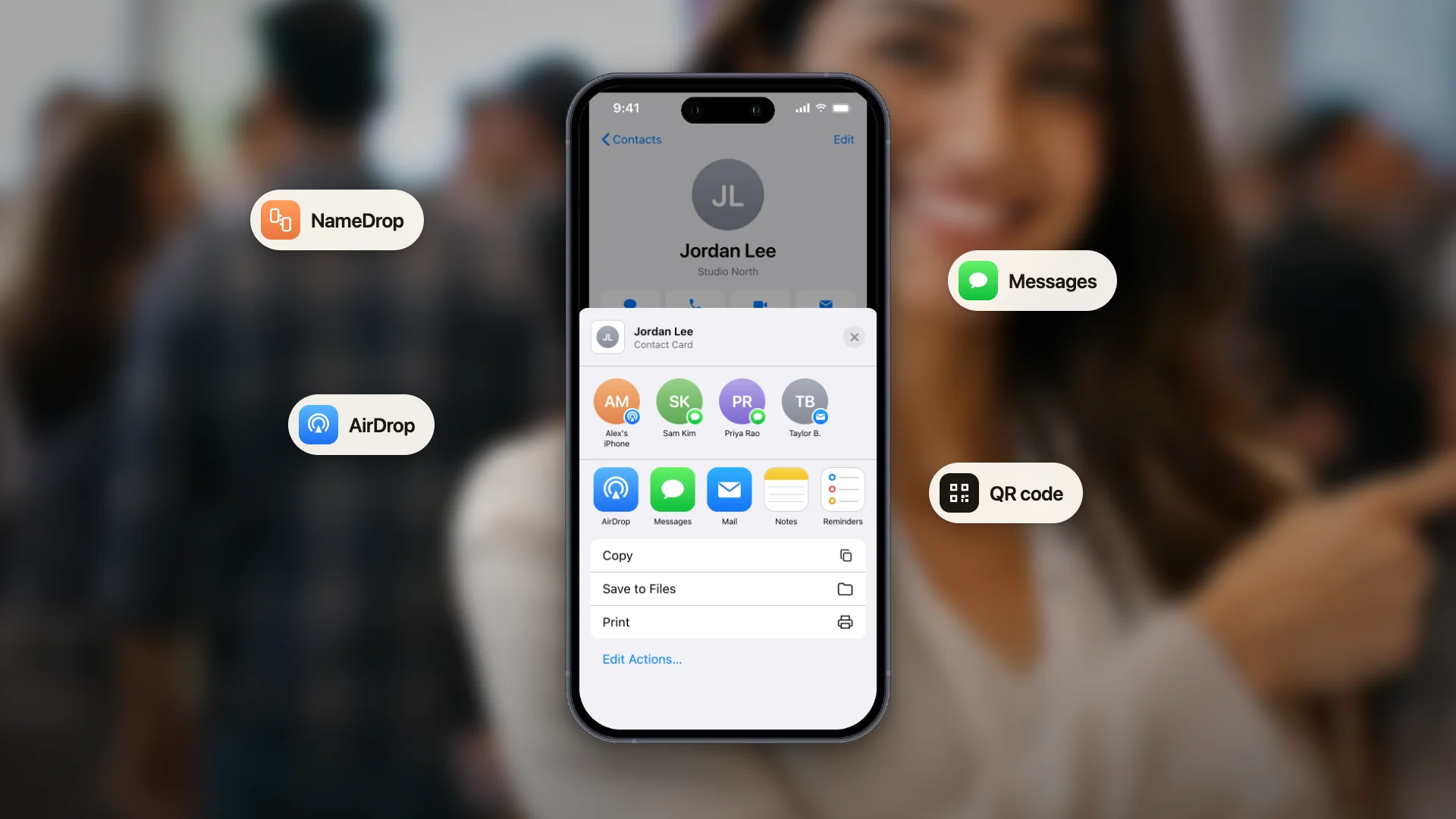
A digital business card is a shareable, editable version of your business card that lives on your phone instead of in your wallet. Instead of handing someone a piece of paper, you share your card via a QR code, a link, an NFC tap, or by adding it to Apple Wallet or Google Wallet.
Think of it as your professional identity: always with you and always up to date. Change your job title? Update it once and everyone who has your card sees the new version instantly. Move to a new company? Same thing. No more crossed-out titles on paper cards, and no more explaining why your email is different from what is printed.
In 2026, digital business cards have moved from novelty to necessity. Roughly 88% of paper business cards are thrown away within a week of being received. Digital cards solve that problem: they are saved, searchable, and do not get lost between someone's wallet and desk drawer.
How digital business cards work
A digital business card is essentially a web page or a phone-native file that displays your contact information in a designed, branded format. When you share it, the recipient either sees a web page they can save or receives a contact file that adds directly to their phone's contacts app.
Most digital business card apps offer four sharing methods:
QR code
The most universal method. Anyone with a modern phone can scan it, with no app required.
Shareable link
Send your card via email, WhatsApp, a LinkedIn message, or any other messaging app.
NFC tap
Share your card by tapping a compatible NFC card or device against the recipient's phone.
Apple Wallet or Google Wallet
Your card lives in the wallet on your phone, one tap away when you need it.
The key advantage is that your card becomes a single source of truth. Update it once and everyone who scanned it before sees the new version when they revisit the link. Contrast that with paper cards, where updates require reprinting and redistributing.
Why people are switching from paper cards
1. Paper cards get lost
Studies show 63% of received business cards are never entered into a contact system. Most end up in a drawer, a wallet, or the trash within a week. Digital cards save automatically to the recipient's phone the moment they scan the QR code.
2. Digital cards update themselves
Change your job title, phone number, or company? With paper, you are stuck with hundreds of outdated cards in strangers' wallets. Digital cards update centrally, so anyone who scanned your card before sees the current version when they revisit.
3. They cost nothing per share
Premium paper business cards cost $50-200 per 500. Digital cards cost nothing per share, work indefinitely, and can be redesigned in minutes without a print run.
4. They work in environments where paper does not
Virtual events, LinkedIn meetings, and hybrid conferences do not let you hand a paper card through a Zoom call. A digital card link works everywhere.
5. Analytics and follow-up
Some digital card apps show you when someone saves your card, so you know who is actually interested. Paper cards give you no feedback.
The environmental angle
An estimated 27 million trees are cut down each year to produce paper business cards, and roughly 88% of those cards are discarded within a week. Digital cards are the obvious environmental upgrade.
What can be on a digital business card?
More than a paper card could ever fit. A well-designed digital card usually includes:
Professional details
Your name, title, company, photo, or company logo.
Contact details
Your phone number, email address, and website.
Social and scheduling links
Links to LinkedIn, X, Instagram, and your calendar so recipients can book a meeting directly.
Custom branding
Your logo, colors, and typography can match the rest of your business.
Some digital business card apps also let you create multiple cards for different contexts, such as a personal card, a sales card, and an investor card, so you can share the right one at the right moment.
Types of digital business cards
Web-based (link + QR)
The most common type. Your card is a web page, and you share either its URL or a QR code that opens it. You can make a vCard QR code for it free. The recipient sees your card in their browser and can save the contact information to their phone in one tap.
Wallet passes (Apple Wallet + Google Wallet)
Your card is added to your phone's wallet app. It appears alongside your other passes and updates automatically when you make changes. It is fast to share at events because it is always one swipe away.
App-based
The card lives inside a dedicated app on your phone. Sharing happens through the app's built-in features, and the app often includes extras such as contact management, meeting notes, and CRM sync.
How to make a digital business card in 3 minutes
If you are new to this, here is the simplest path:
Step 1: Open the card maker or the app
Start in your browser with the free digital business card maker, or get the ConnectMachine app on your phone. Your card syncs between the web and the app once you have a free account.
Step 2: Fill in your details
Add your name, title, company, phone number, email, and LinkedIn URL. Add a photo and pick a color theme that matches your brand.
Step 3: Share your card
Show your QR code at your next meeting, add your card to Apple Wallet or Google Wallet, or copy the link into your email signature.
That is it: three minutes from opening the maker to having a working digital business card that you can share for the rest of your career.
What to look for in a digital business card app
Not all apps are equal. When evaluating options, prioritize:
A free tier
Try the app and its core sharing workflow before committing.
Multiple sharing methods
Look for support for QR codes, links, Wallet passes, and NFC.
Custom branding
Choose an app that lets its colors, logo, and layout match your business.
Contact scanning
A useful card app should also help you save the business cards you receive.
Follow-up features
Reminders help you reconnect with new contacts while the conversation is still fresh.
CRM integrations
If you work in sales, make sure new contacts can move into your existing workflow.
Multi-language support
If you work internationally, confirm that the app supports the languages you need.
Digital business cards vs. paper: the honest comparison
Digital cards are not strictly better than paper in every scenario. They are better in most scenarios, but not all.
Digital wins for
Modern professionals who attend frequent networking events, remote workers, anyone who changes roles often, sales professionals who need to track connections, environmentally conscious users, and anyone tired of running out of cards at bad moments.
Paper still has a place in
Formal executive introductions, especially in East Asian business culture; situations where recipients do not own smartphones; personal collector cards where the physical object is part of the message; and moments when a beautifully printed card feels more premium than a screen.
The pragmatic answer is to use both: a digital card as your default and a small stack of premium paper cards for the exceptions.
The bottom line
A digital business card is your professional identity: always with you, always current, and always shareable. In 2026, having one is not optional if you attend networking events, meet clients, or need to be reachable across contexts. It is not that paper cards are dead; they still have their moments. Digital cards simply solve the problems paper cards created.
Get one, set it up in three minutes, and never worry about running out of cards at a bad moment again.