Use caseEvent lead capture
Event lead capture with the conversation attached to every lead
ConnectMachine scans paper cards, QR codes and LinkedIn QR codes on your phone, lets you add a voice note before you forget who they were, and sends the contact and your notes to Salesforce, HubSpot or other CRMs through Zapier, Make, n8n or webhooks.
"Wants the HubSpot piece. Send pricing Tuesday."
Scanned from a paper card, with the context saved.
Badge scans lose the reason to follow up
Scanning a contact has been solved for years. What still goes missing is the context: which booth the conversation happened at, what the person actually needed, and what you promised to send. A badge scan or a card photo gives you a name and an email. Two weeks later, that name means nothing.
People mean to follow up. They stop because the process has too many steps: scan in one app, type notes in another, copy everything into the CRM at the hotel. ConnectMachine keeps the scan, the note and the CRM sync in one app, so the context travels with the lead.
What a rep does at the booth and after
Scanning, notes and follow-up happen in one app, so nobody copies details between tools afterwards.
At the booth
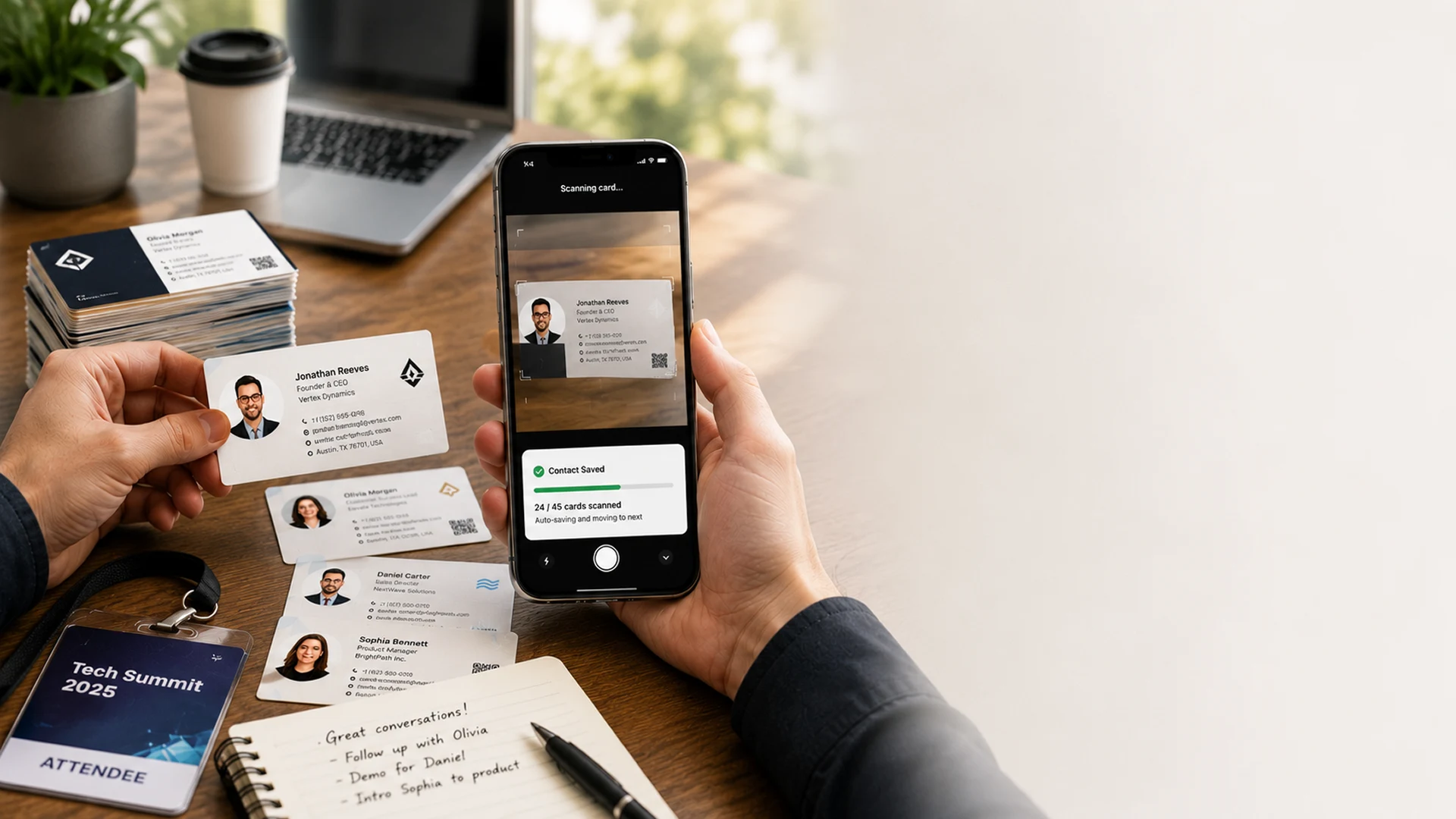
Scan a paper business card, a QR code or a LinkedIn QR code with your phone camera. The AI reads every field into a clean contact and keeps the photo of the original card on paid plans. If the hall has no signal, the scan waits in a queue on your phone and is processed once you are back online.
The ten seconds after
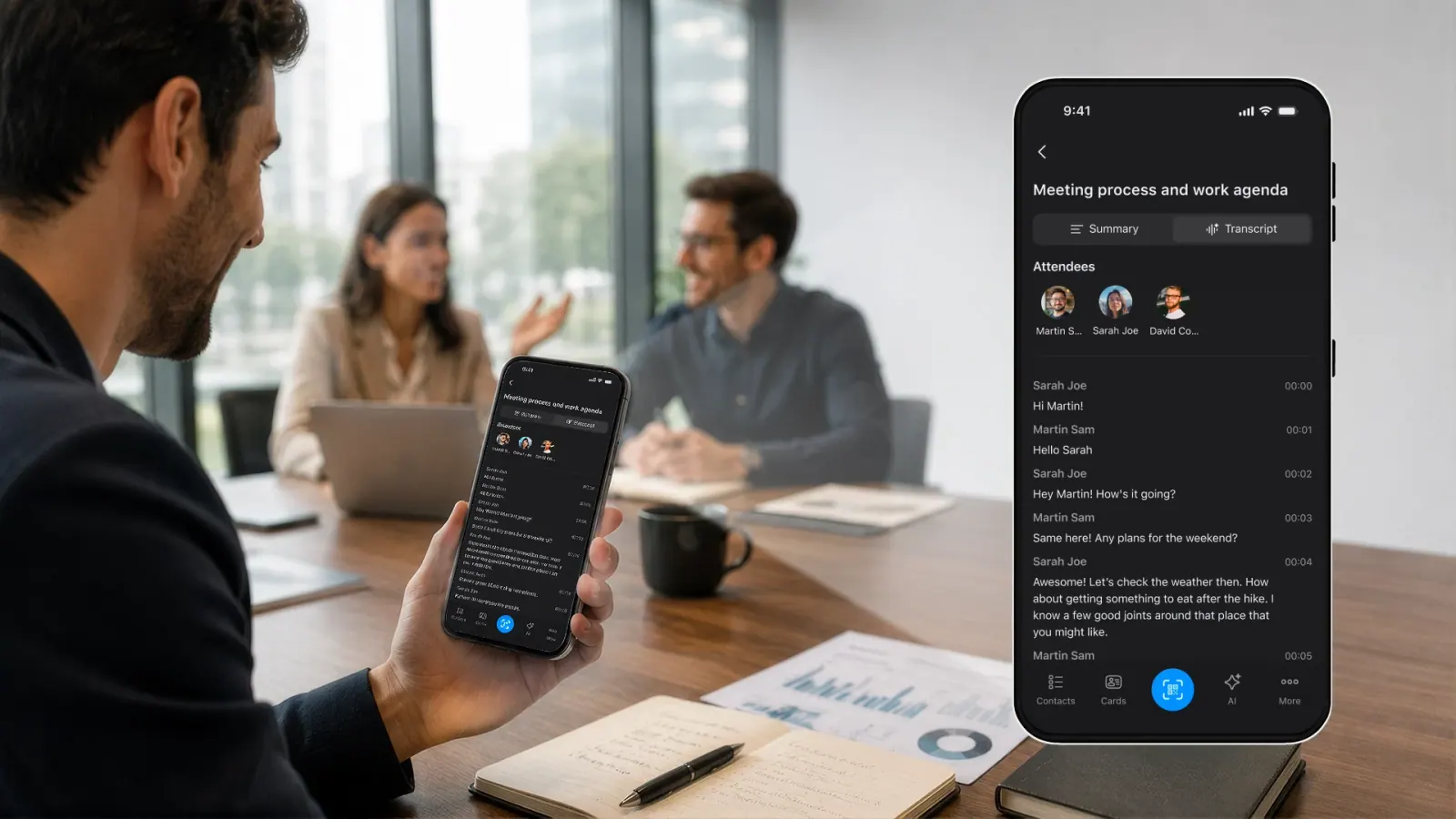
Open the contact and speak a voice note as you walk away: what they need, what you promised, when to call. The AI Note Taker transcribes and summarizes it on that contact, so the lead and the reason to follow up stay together.
The week after
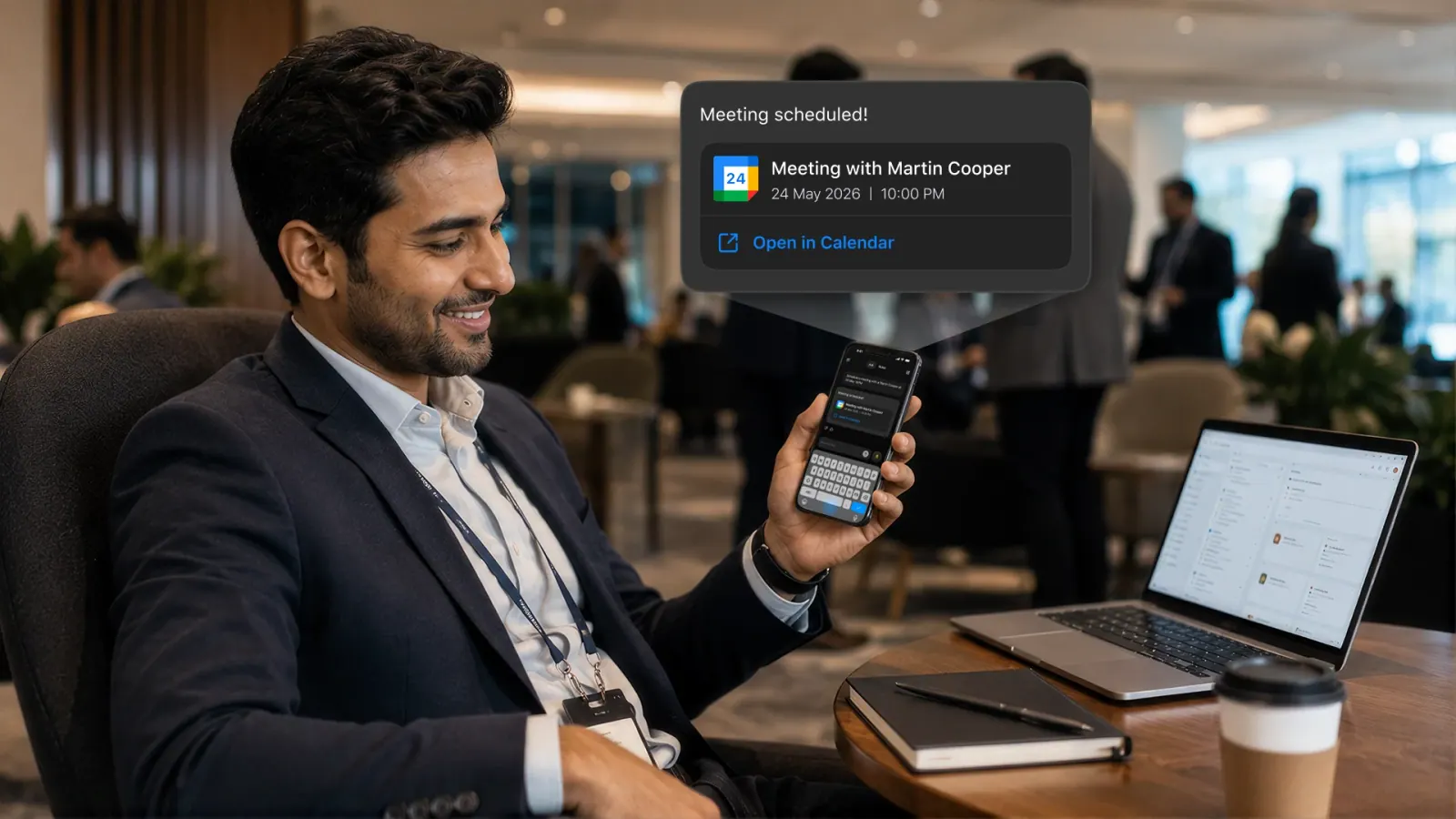
Ask the AI Concierge in plain English, for example "who did I meet at Web Summit who asked for pricing?", set follow-up reminders, and push new contacts to your CRM through Zapier or a webhook. You can also export the list to CSV.
Set up your team for an event in four steps
Everything runs on the phones your team already carries.
 01
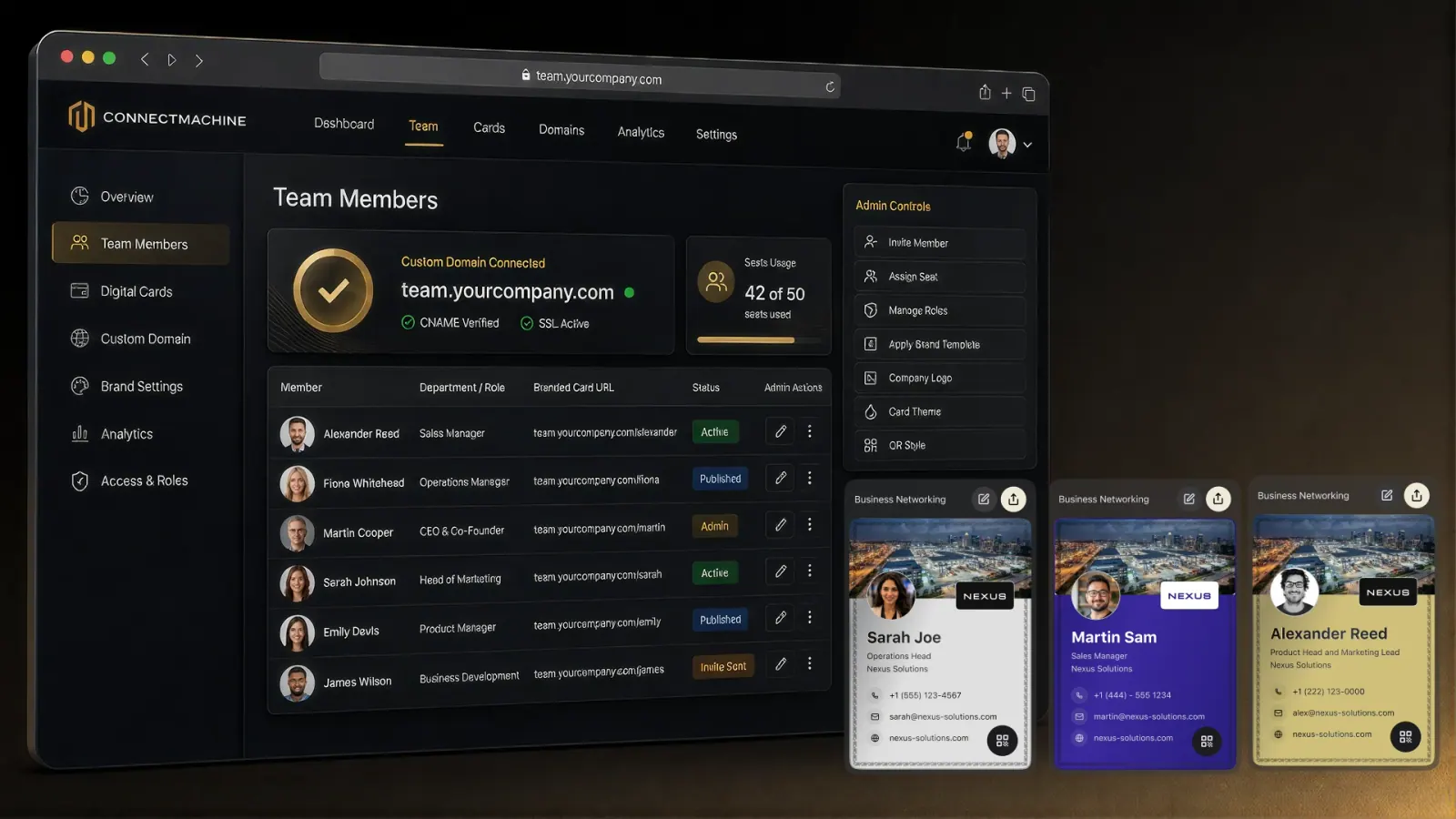
01Set up the event team
Invite your booth crew to the Team plan. Everyone gets the app, their own digital card and the same branding.
 02
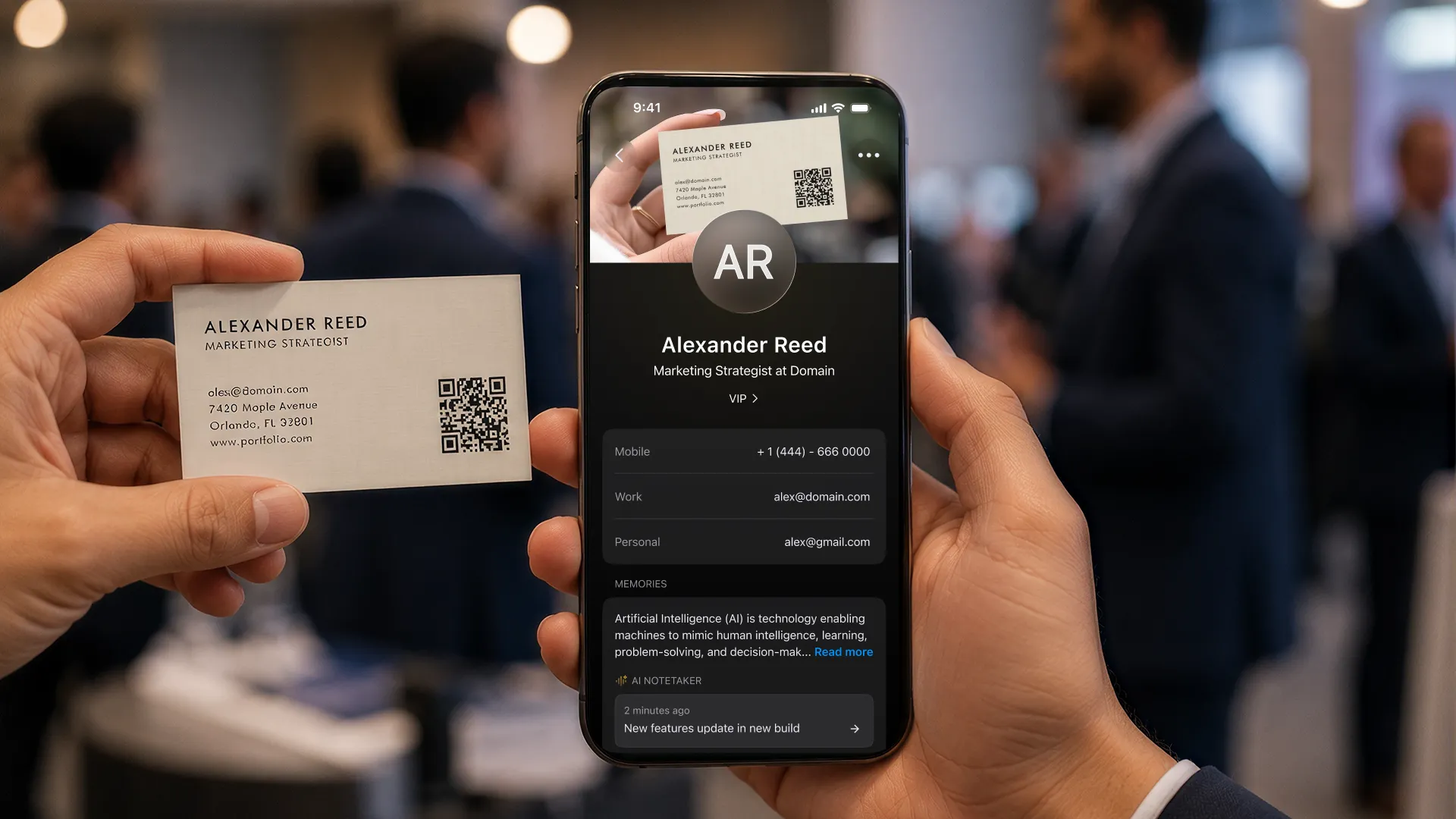
02Scan what people hand you
Paper cards, QR codes and LinkedIn QR codes, with the phone camera. Scans queue offline when the hall has no signal.
 03
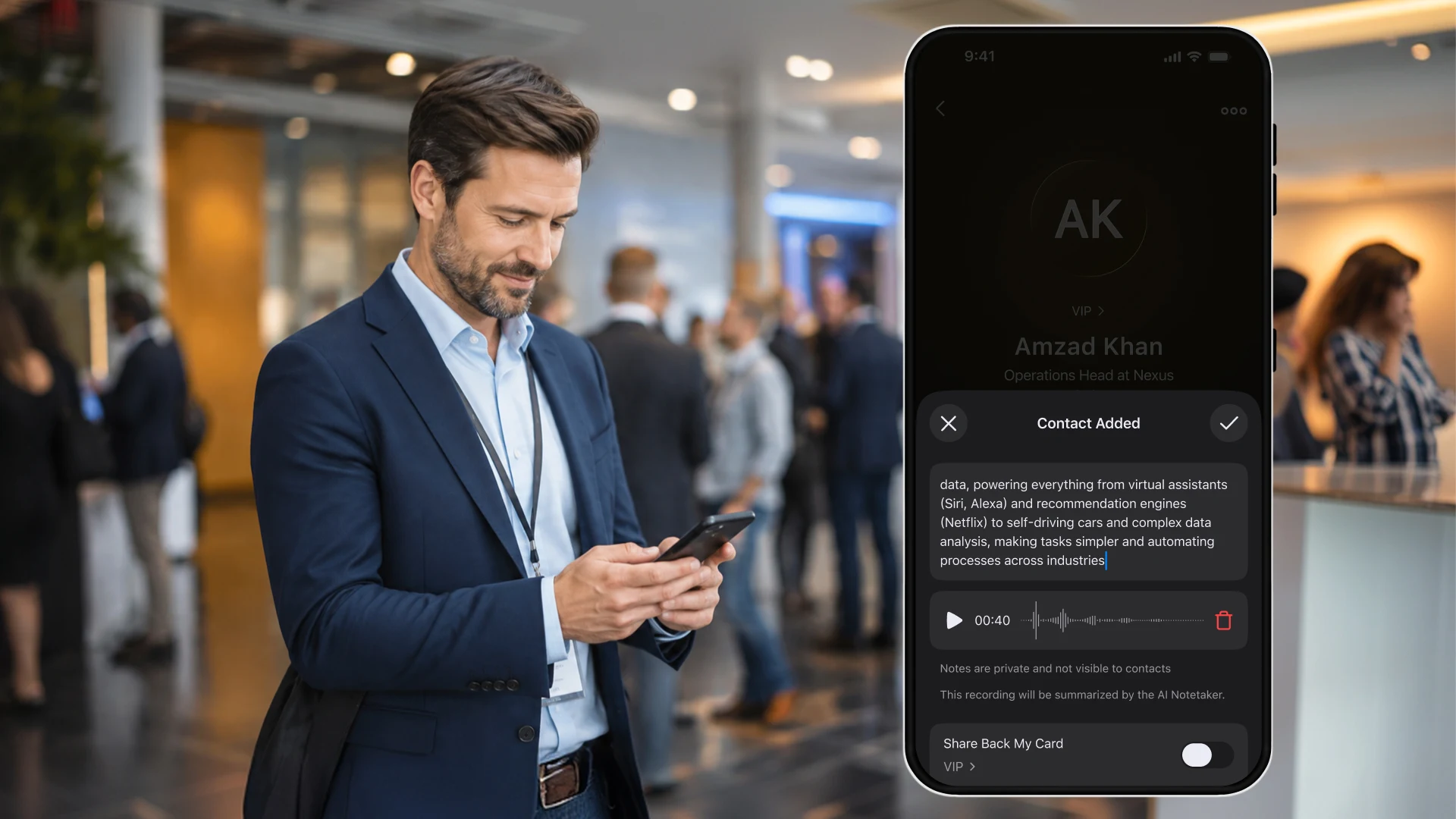
03Add the context
Record a short voice note on the contact. Scan more than two people in one place and ConnectMachine offers to group them under the event.
 04
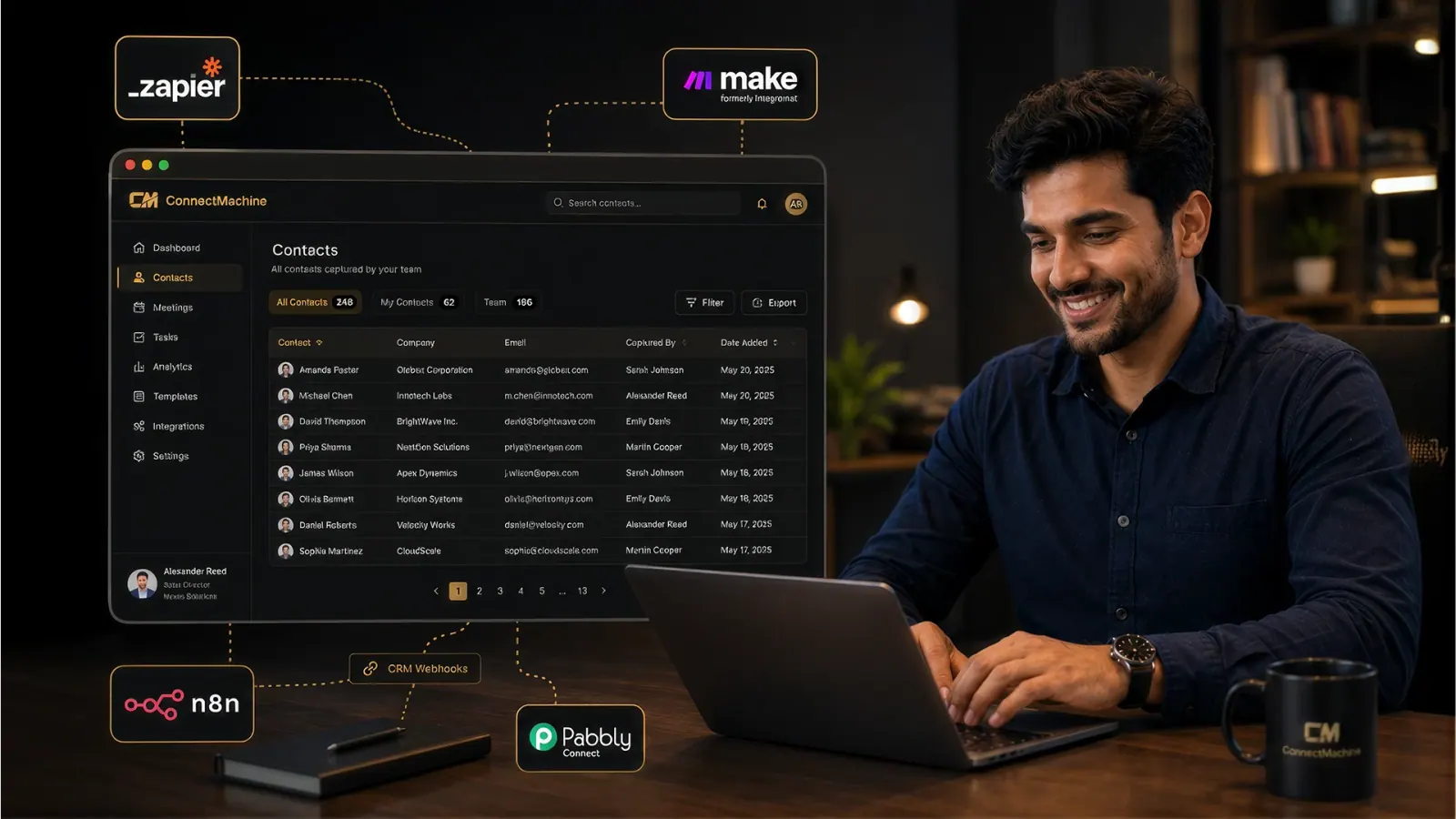
04Sync and follow up
New contacts go to your CRM through Zapier, Make, n8n or webhooks, with your notes. Set a reminder and send the follow-up from a ready-made template.
One app for every event
Organizers use different badge systems and lead retrieval rentals. ConnectMachine does not read badges. It covers what people hand you or show you on their phone, so your team uses the same app at every show, hallway and dinner.
What it scans
- Paper business cards, with the original image kept on paid plans
- QR codes, including LinkedIn QR codes
- Cards in English, Spanish, French, Italian and Russian
- Not event badges: use the organizer's scanner for those
Where it works
- Scans queue with no signal in the hall and process later
- Runs on the iPhone or Android phone you already carry
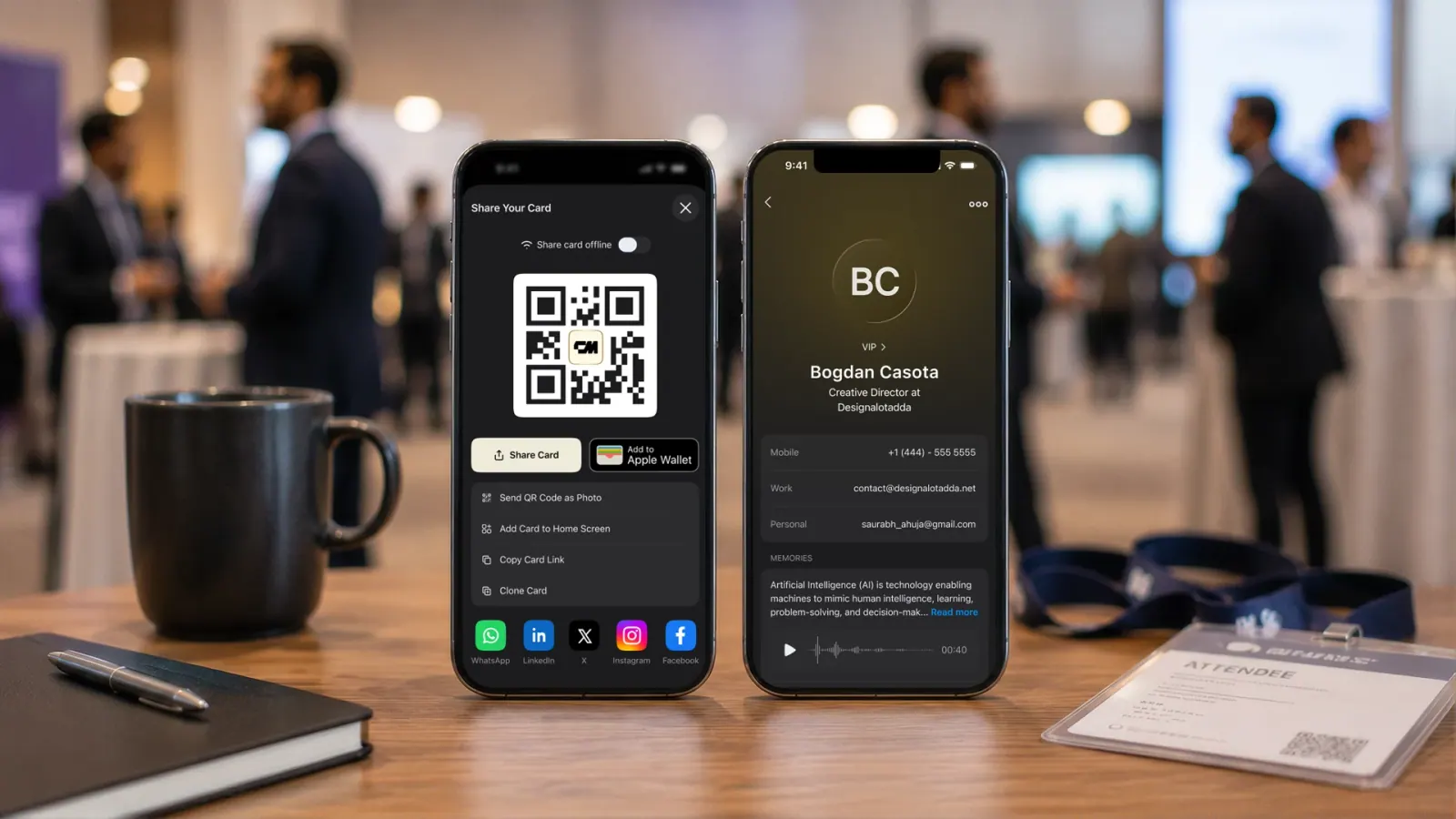
- Visitors scan your booth QR code, save your card and send their details back with ShareBack
- Also works in hallways, at dinners and at side events
Keeping the data clean
- AI reads every field, so nobody retypes a card
- Duplicate contacts are merged instead of piling up
- Contacts from the same place can be grouped under one event
- Export the full list to CSV at any time
What is lead retrieval?
Lead retrieval is how exhibitors collect visitor details at a trade show, usually by scanning attendee badges with an app or device rented from the organizer. The scan gives you the attendee's registration data. Qualifying notes and the CRM import are usually up to you.
ConnectMachine is a lead capture app for the parts of lead retrieval that happen on your own phone. It does not scan event badges. It scans paper cards and QR codes, attaches a voice note to each lead, queues scans when the hall is offline, and sends contacts to your CRM through Zapier, Make, n8n or webhooks. If a show only gives you badges, rent its scanner for those and use ConnectMachine for everything else.
What is saved with each lead
Each lead keeps the details you need to write a useful follow-up.
Contact details
Contact details read from the card or QR code, with no retyping
LinkedIn profile details
LinkedIn QR scans add the profile link and public profile details
Transcribed notes
Voice notes on the contact, transcribed and summarized by the AI Note Taker
The event
The event, when you scan more than two people in the same place and group them
Follow-up reminders
Follow-up reminders by email or SMS, and a ready-made follow-up message you can edit
Search in the app and AI tools
Searchable from the AI Concierge in the app, and from Claude or Cursor through MCP
Plans for single reps, booth teams and events programs
The app and the price per seat are the same whether you go to one conference a year or twenty.
A single rep
Start free, scan your first cards today, and upgrade to Individual for unlimited scans and the AI features. You do not need a demo.
A booth crew
The Team plan adds centralized billing, seat management, admin branding controls and a custom domain, so every rep's card looks the same.
An events program
Run lead capture across every show on the same seats, push leads into your CRM automatically through Zapier or webhooks, and see team analytics. Book a demo to plan the rollout.
ConnectMachine vs Blinq vs Popl for event lead capture
Blinq and Popl scan event badges and connect natively to CRMs. ConnectMachine does not scan badges and syncs through Zapier and webhooks, at a flat price per seat with no per-lead fees.
| Compared | ConnectMachine | Blinq | Popl |
|---|---|---|---|
| How you pay | Per seat: $5.99 a month, or $59.99 a year (about $5 a month) | $9.99 per lead captured on a Blinq Business subscription (pay as you go), or discounted event packages | Custom quote after a demo, with unlimited users, events and leads. No per-seat or per-lead fees |
| Start without talking to sales | Yes, free plan. Sales call available for teams | Yes, pay as you go | No, pricing is quoted in a meeting |
| What it scans | Paper cards, QR codes and LinkedIn QR codes. No badge scanning | Badges, business cards and QR codes | Badges, with its Universal Badge Scanner |
| Works offline in the hall | Yes, scans queue and process once online | Yes | Yes |
| Voice notes on each lead | Yes, AI Note Taker | Yes, AI Notetaker | Yes, AI voice recording |
| Contact enrichment | Public profile details from LinkedIn QR scans | Yes, AI enrichment | Yes, from multiple data providers |
| Qualifying leads at the booth | Notes and voice notes on each lead, grouped by event | Tags and custom fields | Customizable qualifying questions |
| CRM sync | Zapier, Make, n8n and webhooks. No native CRM connector | Native HubSpot, Salesforce, Microsoft Dynamics, Zoho, Marketo and more | 30+ integrations, including Salesforce, HubSpot and Microsoft Dynamics |
| Ask AI tools about your leads (MCP) | Yes | Yes, Blinq MCP | Yes, Ask Popl |
| Best for | Single reps and teams that want one price per seat and do not need badge scanning | Teams that need badge scanning and pay per lead or by package | Larger companies standardizing badge scanning across many events |
Blinq details from Blinq Event Lead Capture and Blinq's lead capture pricing; Popl details from Popl pricing. Checked October 7, 2026. See also Blinq vs Popl.
Pricing: $5.99 a month per seat
Blinq charges per lead and Popl quotes a price after a demo. ConnectMachine is free to start, with up to 3 paper card scans and 4 digital cards. Unlimited scans and cards, the AI Note Taker, AI Concierge, follow-up reminders and CRM webhooks are $5.99 a month per seat, or $59.99 a year. No per-lead fees.
Event lead capture FAQ
What is event lead capture?
Event lead capture is the process of collecting a prospect's details at a trade show, conference or booth and getting them into your CRM. Modern tools scan a badge, card or QR code, add notes on the spot, and sync the record so follow-up starts while the conversation is still fresh.
Can ConnectMachine scan event badges?
No. ConnectMachine scans paper business cards, QR codes and LinkedIn QR codes with your phone camera. If a show only issues badges, rent the organizer's lead retrieval scanner for those, or use a badge scanning tool such as Blinq or Popl.
Do I need special hardware?
No. Every rep uses the iPhone or Android phone they already carry, so there is nothing to ship to your team. ConnectMachine does not sell NFC cards.
Can I capture leads without internet at the venue?
Yes. Card scans are saved to a queue on the phone and processed automatically once you are back online. Exhibition hall wifi is often unreliable, so you can keep scanning.
How do event leads get into my CRM?
Through Zapier, Make, n8n or a webhook, on a paid plan. A new contact triggers your automation, and the contact and its notes go to Salesforce, HubSpot, Pipedrive or wherever you route them. There is no native CRM connector.
How is a lead retrieval app different from a badge scanner app?
A badge scanner app reads the code on an attendee badge. A lead retrieval app also adds qualifying notes and sends each lead to your CRM. ConnectMachine covers the notes and the CRM sync for paper cards and QR codes, but it does not read badges.
How does ConnectMachine compare with Blinq and Popl for event lead capture?
Blinq and Popl scan event badges and have native CRM integrations. Blinq charges $9.99 per lead on a Business subscription or sells event packages, and Popl quotes a price after a demo. ConnectMachine does not scan badges, syncs through Zapier and webhooks, and charges a flat $5.99 a month per seat with a free plan to start.
Is there an event lead capture app without per-lead fees?
Yes. ConnectMachine charges per seat, not per lead: $5.99 a month or $59.99 a year, with unlimited card scans.
Can I capture leads at an unmanned booth?
Yes. Print your card's QR code on the booth or a stand. Visitors scan it with their phone camera, save your card without an app, and can send their own details back through the ShareBack form, which adds them to your contacts.
Does ConnectMachine enrich event leads?
Partly. When you scan a LinkedIn QR code, ConnectMachine saves the profile link and public profile details. Paper card scans keep what is printed on the card.
Do you offer a demo for event teams?
Yes. Contact the sales team through the contact form for a demo or team pricing. You can also start free without one.
Can we try it before our next event?
Yes. The free plan includes up to 3 paper card scans and up to 4 digital cards, so your team can test scanning, notes and CSV export before the show, then upgrade the seats you need.
Try it at your next event
Free to start on iPhone and Android. The people you meet do not need to download anything.


32,000+ people · 4.9 average rating · Free to start