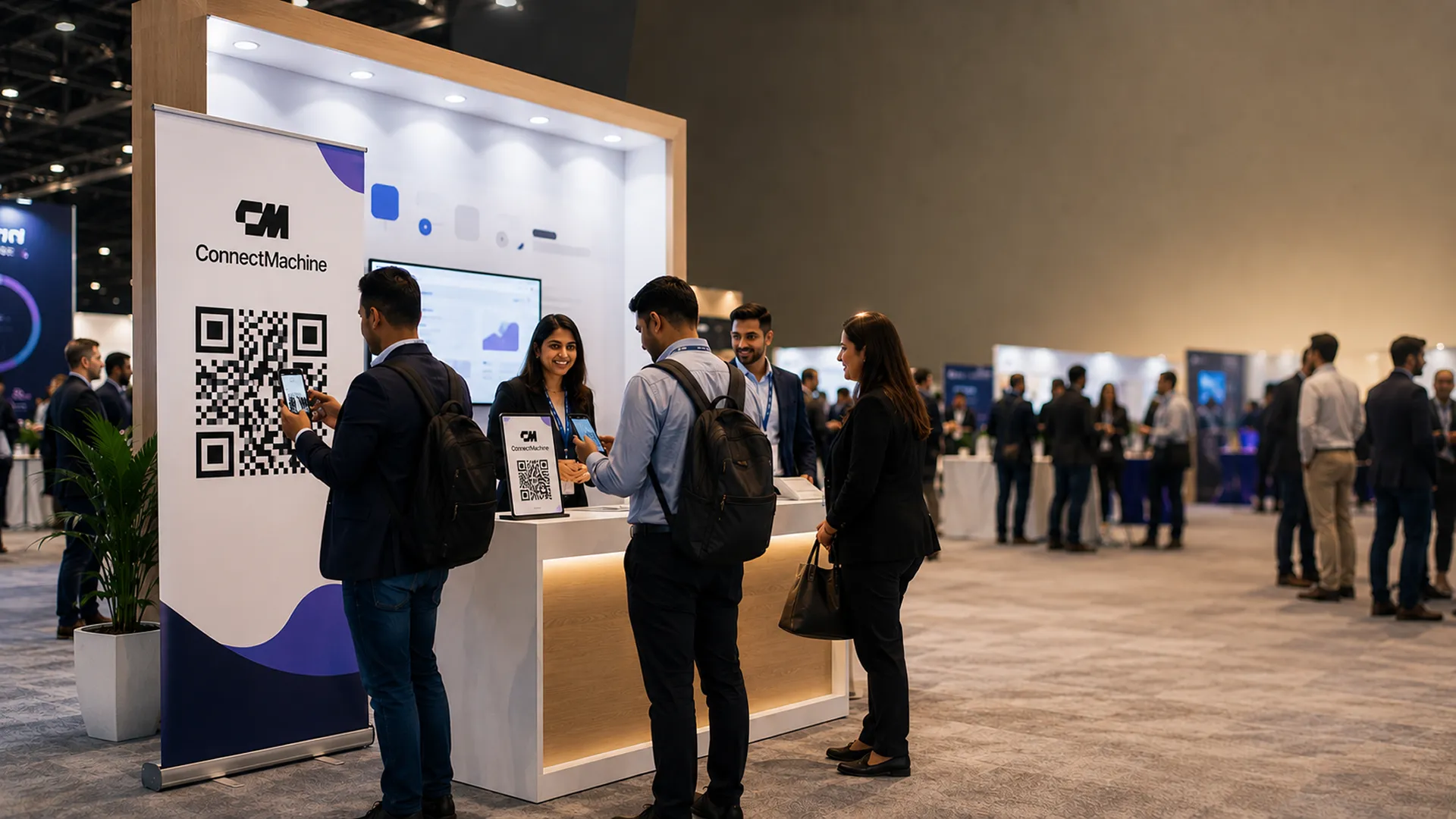
Disclosure up front: we build ConnectMachine, and it is ranked first here. So does every other comparison article in this category with its own product. Blinq's blog picks Blinq, Wave's picks Wave. We cannot fix that by pretending otherwise, so instead every entry lists real limitations, including three of our own, and names the specific situations where a competitor is the better choice.
The category has matured. Ten platforms below are all viable, and the differences now sit in three places: whether there is hardware, what happens to the contact after capture, and how the pricing behaves when you scale.
Which digital business card is the best?
It depends what you need. For remembering the context behind a contact, ConnectMachine, which also includes a free email signature generator, wallet cards and virtual backgrounds. For NFC hardware and event lead capture, Popl. For enterprise HR provisioning, Blinq. For the most generous free tier, HiHello. There is no single winner, because the best app for a solo consultant is not the one a 50-person sales team should standardise on.
How we ranked these
This ranking is weighted toward what happens after the exchange: recall, context, and getting the contact into your CRM without manual work. That is the criterion on which ConnectMachine leads.
Rank by hardware quality and Popl or V1CE take the top. Rank by free tier and HiHello does. Each entry says who it is for so you can re-sort the list against your own priorities.
Quick comparison
1. ConnectMachine
Best for remembering the context behind a contact.
2. Blinq
Best for email signatures and enterprise HR provisioning.
3. HiHello
Best for getting started fast, and internal company directories.
4. Popl
Best for NFC hardware and high-volume event lead capture.
5. Wave Connect
Best for predictable flat-rate pricing.
6. V1CE
Best for premium NFC hardware.
7. Mobilo
Best for hybrid physical-digital cards with tight admin control.
8. Uniqode
Best for QR code management across a wider marketing estate.
9. CamCard
Best for straight paper card scanning.
10. dot
Best for paying once, with no required subscription.
What changed in 2026
Digital business cards are no longer judged only by whether they replace paper. That part is table stakes. A serious app should open on any modern phone, show a clean card in the browser, and let the recipient save your details without installing anything. If the recipient has to create an account, download an app, or understand your vendor's workflow, the exchange will fail in the hallway.
The category has split into three real buying paths. The first is hardware-led: NFC cards, badges, bands and event-floor presence. The second is admin-led: team provisioning, brand control, HR integrations, email signatures and compliance. The third is memory-led: scanning, notes, meeting context, CRM sync and recall after the event. Most vendors touch more than one path, but each is clearly strongest in one.
After-capture matters more than card design
Templates are easy to compare, but the real value shows up later. Can you find the person who mentioned a partnership idea? Can a scanned card reach your CRM without manual cleanup? Can a team member leave without taking shared leads with them? These are not cosmetic differences.
Hardware is useful, but it creates drag
NFC hardware is still valuable for event booths, premium sales roles and teams that want a physical object. It also adds procurement, shipping, lost cards, damaged cards and reprints when details change. A QR code or wallet pass is less theatrical, but it is cheaper and more flexible.
Pricing needs to survive event season
A plan that looks cheap in a quiet month can behave differently after a conference. Check scans, exports, analytics, admin seats, CRM access, support and any quoted team pricing before committing. The right comparison is not just monthly price. It is the price after the busiest month you expect to have.
1. ConnectMachine
Best for
Remembering the context behind a contact.
Disclosure: we build ConnectMachine. We have put it first, which is what every article in these search results does with its own product, so weigh this entry accordingly and check the others yourself. The limitations listed below are real and we have not softened them.
ConnectMachine is the pick if your problem is not sharing a card but remembering the person six months later. It scans paper cards, LinkedIn QR codes and badges, then keeps the context around them: where you met, what was said, what you promised. The AI Concierge answers questions like "who did I meet at Web Summit who works in fintech?" without you having tagged anything in advance. The AI Note Taker records and summarizes meetings with speaker identification, so notes land on the right contact rather than in a separate app.
What it does well
AI Concierge for natural language recall across notes, events, companies and roles; AI Note Taker with speaker identification; native MCP server so contacts are queryable directly from Claude and Cursor; native Zapier integration plus contact webhooks for CRM sync; six interface languages including Simplified Chinese; Apple Wallet and Google Wallet; custom domains on team plans; offline capture queue and WhatsApp capture.
Where it falls short
No NFC hardware of any kind. If you need a physical card to hand over, this is the wrong tool. ConnectMachine has a smaller independent review base than the established names because the product is newer. CRM connections route through Zapier or webhooks rather than direct native connectors.
Pick this if
You are a founder, consultant, recruiter or sales professional who meets a lot of people and loses track of which ones mattered.
2. Blinq
Best for
Email signatures and enterprise HR provisioning.
Blinq is the most polished mainstream option, and the one with the deepest enterprise plumbing. Its email signature builder is the strongest in the category, and its HR system integrations mean cards can be provisioned automatically as people are hired. That becomes genuinely useful once you are past a few dozen employees. It also carries a large review base, which matters if your procurement team weighs that. We compare it with ConnectMachine feature by feature in our Blinq comparison.
What it does well
Best-in-category email signature builder; native integrations with major HR systems for automatic card provisioning; AI contact enrichment; a mature mobile app; and a large independent review base for procurement comfort.
Where it falls short
Card designs are functional rather than distinctive. The feature surface is broad enough that smaller teams may not use most of it, and the product is built around the card exchange rather than what happens to the contact afterwards.
Pick this if
Your company runs a major HRIS and wants cards created automatically, or email signatures are a real channel for your team.
3. HiHello
Best for
Getting started fast, and internal company directories.
HiHello largely defined this category, and it is still one of the quickest tools to get running. Setup takes minutes, the free tier is one of the better-known options available, and the corporate directory is a genuine differentiator for larger organizations that want an internal people-finder sitting alongside outward-facing cards. See our HiHello comparison for the full side-by-side.
What it does well
Fast setup, a well-regarded free tier, corporate directory for internal use, video embedding, virtual backgrounds, and a mature compliance and security posture.
Where it falls short
HiHello is software only, so there is no physical card option. Deeper features sit in higher tiers, and like most of the category it stops at the card rather than the relationship.
Pick this if
You want a strong free card as an individual, or you are a mid-size company that wants an internal directory alongside digital cards.
4. Popl
Best for
NFC hardware and high-volume event lead capture.
If you work trade shows, Popl is built for you in a way nothing else on this list is. The hardware range covers cards, badges, wristbands and watch bands. Badge scanning is designed for volume, and there is a full enterprise admin dashboard behind it. This is the category's hardware leader and one of the most recognizable brands on an event floor. The full side-by-side is in our Popl comparison.
What it does well
Wide NFC hardware range, event badge scanning built for volume, a large integration ecosystem, enterprise admin dashboard with SSO, and strong brand recognition at events.
Where it falls short
Hardware means cost per person and reprints when details change. The platform is broad, so smaller teams may pay for surface they will not use. Check team pricing directly, because it is quoted rather than published.
Pick this if
Your sales team has a heavy event calendar and wants something physical to hand over.
5. Wave Connect
Best for
Predictable flat-rate pricing.
Wave's entire positioning is cost predictability: a flat rate rather than usage-based billing, with analytics and contact export available further down the tiers than is typical. If what pushed you to look for an alternative was an unexpected invoice after a busy event month, this is the direct answer to that. We go dimension by dimension in our Wave Connect comparison.
What it does well
Flat-rate pricing model with no usage-based charges, analytics and contact export available on lower tiers, Apple Wallet and Google Wallet support, and team management with contact ownership and bulk editing.
Where it falls short
Onboarding presents a lot of the product at once. Wave has a smaller brand presence than Blinq or Popl, and its team plans work best above a few seats.
Pick this if
Your team got caught out by usage-based billing somewhere else.
6. V1CE
Best for
Premium NFC hardware.
V1CE sits at the high end of physical cards: metal finishes, premium packaging, and a platform that extends past capture into follow-up and booking. If the card itself is part of the impression you are trying to make, this is the one people comment on when you hand it over. Our V1CE comparison prices out the trade in detail.
What it does well
Premium metal NFC cards with lifetime replacements advertised; follow-up, booking, agreements, and payments built into one platform; and a 30-day trial with full access.
Where it falls short
The pricing is the platform's: £49.99 per month after the trial, with no free tier advertised. You are buying the whole bundle, including booking and payments, whether you use every part or not.
Pick this if
You are a consultant or agency owner for whom the physical object is part of the pitch.
7. Mobilo
Best for
Hybrid physical-digital cards with tight admin control.
Mobilo pairs NFC cards with centralized administration and sales-oriented automation. It has meaningful European presence, which is worth knowing if data residency appears on your procurement checklist. Our Mobilo comparison covers the hardware maths.
What it does well
Physical and digital managed in one system, centralized admin control over card content, sales automation features, and European market presence.
Where it falls short
Hardware costs and reprints apply. The integration ecosystem is smaller than Popl's, and the admin depth is overkill for individuals.
Pick this if
You are a European team that wants hardware with strict brand control.
8. Uniqode
Best for
QR code management across a wider marketing estate.
Uniqode comes at this from QR management rather than business cards, which makes it the right answer if cards are one of several QR use cases you are running rather than the whole job. Our Uniqode comparison looks at it from the individual buyer's side.
What it does well
Strong QR management and analytics, bulk creation for teams, a capable free tier, and consistently high user ratings.
Where it falls short
Cards are one feature among many, not the focus. It has less networking-specific capability and no recall or context layer.
Pick this if
Your marketing team already manages QR codes at scale.
9. CamCard
Best for
Straight paper card scanning.
CamCard is one of the longest-standing card scanners, with a well-earned reputation for OCR accuracy. It does one thing, and if that one thing is genuinely all you need, a smaller tool is less to learn and less to pay for. Scanning is a category of its own, and we rank it separately in the best business card scanner apps.
What it does well
Established OCR accuracy, simple focused interface, long operating history, and good handling of bulk backlogs.
Where it falls short
CamCard is scanner only. You get no card of your own to share, the exchange is one-way, and there is no context or recall around the contacts you scan.
Pick this if
You mainly need to digitize a drawer full of paper cards.
10. dot
Best for
Paying once, with no required subscription.
dot sells NFC cards and tags with a free-for-life profile behind them: you buy the object once and the basic service costs nothing after that, which answers the subscription fatigue running through this whole category. dot takes the spot Linq held in earlier versions of this list; Linq's own site now centers on messaging APIs rather than cards, and our Linq comparison covers what that means for its card users. There is also a full dot comparison.
What it does well
One-time hardware pricing with a free base profile; cards, a thinner variant, and bands; a customizable profile with direct contact download; and an optional paid tier for extras like an AI card scanner.
Where it falls short
It is still hardware, so the object costs money and losing it means replacing it. The free tier covers the basics, with extras like the AI scanner on a paid tier after all, and there is no recall or context layer around the contacts you collect.
Pick this if
You want to hand over a physical card and never see a monthly invoice for the basics.
Choosing in one line each
Remember people, not just contacts
Pick ConnectMachine.
Email signatures and HR provisioning
Pick Blinq.
Best free-tier starting point
Pick HiHello.
Trade shows and badge scanning
Pick Popl.
Predictable flat pricing
Pick Wave Connect.
Premium physical card
Pick V1CE.
European teams wanting hardware plus control
Pick Mobilo.
QR management at scale
Pick Uniqode.
Just scanning paper cards
Pick CamCard.
Pay once, no subscription
Pick dot.
How to shortlist without getting lost
Start by deciding which failure you are actually trying to fix. If people already save your details but you forget the context, prioritize recall, notes and search. If your event team captures hundreds of leads but spends days cleaning spreadsheets, prioritize badge scanning, CRM sync and lead ownership. If HR wants every employee card to stay on brand, prioritize provisioning, permissions and centralized edits.
Run the recipient test
Create a free card, scan it from a colleague's phone, and watch silently. Do they know what to tap? Can they save the contact? Does it work in a normal browser? If the recipient hesitates, your event prospects will hesitate too.
Run the memory test
Add five contacts as if you met them at an event. Attach notes, companies, roles and follow-up details. A week later, try to find the person without searching by name. This exposes whether the product is a card app or a real networking system.
Run the exit test
Export your contacts before you pay. Open the file and check whether names, titles, companies, emails, phone numbers and notes are in usable fields. A platform that makes leaving hard is telling you something important.
Run the team test
If you are buying for a company, create two sample users, change one person's title, remove another user, and check what happens to their card and captured contacts. This is the workflow buyers often discover too late.
The best app is the one that passes the tests for your real use case. Do not buy the longest feature list. Buy the workflow that still makes sense after a crowded conference, a role change, an export, and a follow-up you need to send three months later.
Final pricing and rollout checks
Before you choose, write down the version of the product you are actually buying. Solo networking, booth lead capture and company-wide employee cards are different purchases even when the vendor uses the same homepage for all three. A free plan can be perfect for a consultant and irrelevant for a sales team. A premium hardware package can be impressive in a meeting and unnecessary for someone who shares by wallet pass. For current numbers across the category, checked on each vendor's pricing page, see how much digital business cards cost.
Check the full month, not the first seat
Add the likely number of users, the busiest event month, expected scans, CRM access, analytics, admin controls, support tier and hardware replacement. That is the number to compare.
Check the stale-card scenario
Change a sample user's job title, phone number and company. If the old card, wallet pass, QR code or NFC product stays stale, you have found a future operations problem.
Check who owns the relationship
For teams, confirm whether captured contacts belong to the employee, the company, or both. That answer matters when someone changes territory, leaves the business, or hands a lead to another rep.