Send every new and updated contact from ConnectMachine straight into the apps you already use, and write contacts back from those apps. This guide walks through connecting your account, the triggers and actions you get, the fields you can map, and how to fix the problems people run into most.
The ConnectMachine app on Zapier gives you three triggers and two actions for your contacts. Triggers are instant, so a Zap runs within seconds of a contact changing instead of waiting for a polling interval.
You will need
A ConnectMachine account with onboarding finished.
Zapier access on your ConnectMachine plan: a paid subscription, a seat on an organization license, or an active Premium trial.
A Zapier account. Zapier’s free tier includes 100 tasks per month, which is enough for most single-step Zaps.
02
Connect your account
You connect ConnectMachine to Zapier once. After that, every Zap you build can reuse the same connection.
1In Zapier, create a Zap and search for ConnectMachine.
2Pick a ConnectMachine trigger or action, then click Sign in.
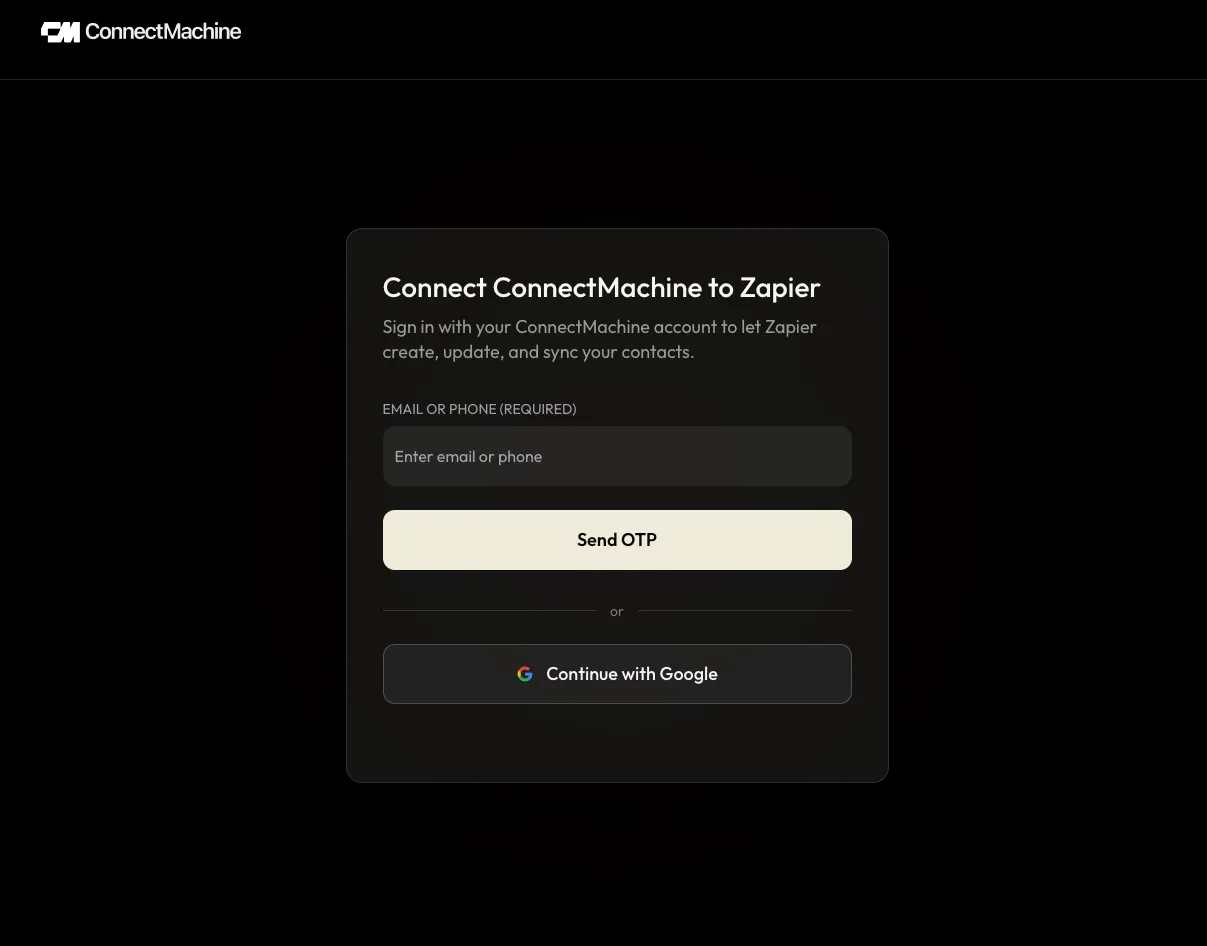
3ConnectMachine opens a consent page. Sign in with Google or with a code sent to your email. You are never asked for a password.
4Review the permissions you are granting, then click Approve and continue.
5Zapier returns to the Zap editor with your ConnectMachine account connected and ready to use.
Sign in to your ConnectMachine account to start the connection. The permissions Zapier asks for are listed below.
What you are approving
Permission
What it is for
Read your account details
Labels the connection in Zapier so you can tell multiple accounts apart.
Read contacts and networks
Loads sample records for testing and fills the contact and network dropdowns.
Create and update contacts
Used only when a Zap runs the Create Contact or Update Contact action.
Manage its own trigger subscriptions
Lets Zapier turn your triggers on and off. Zapier can only touch subscriptions it created.
i
Disconnecting
To revoke access, open My Apps in Zapier, find ConnectMachine, and remove the connection. Zaps that use it stop running until you connect again. Reconnect the same way if your plan changes or a security check closes the connection.
03
Triggers and actions
Triggers start a Zap when something happens in ConnectMachine. Actions let another app write into ConnectMachine.
Triggers
Trigger
New Contact
A contact is added to your ConnectMachine account, whether you scanned a card, typed it in, or imported it.
Trigger
Updated Contact
Any detail on an existing contact changes. Zapier receives the contact’s current values, not just the changed field.
Trigger
Deleted Contact
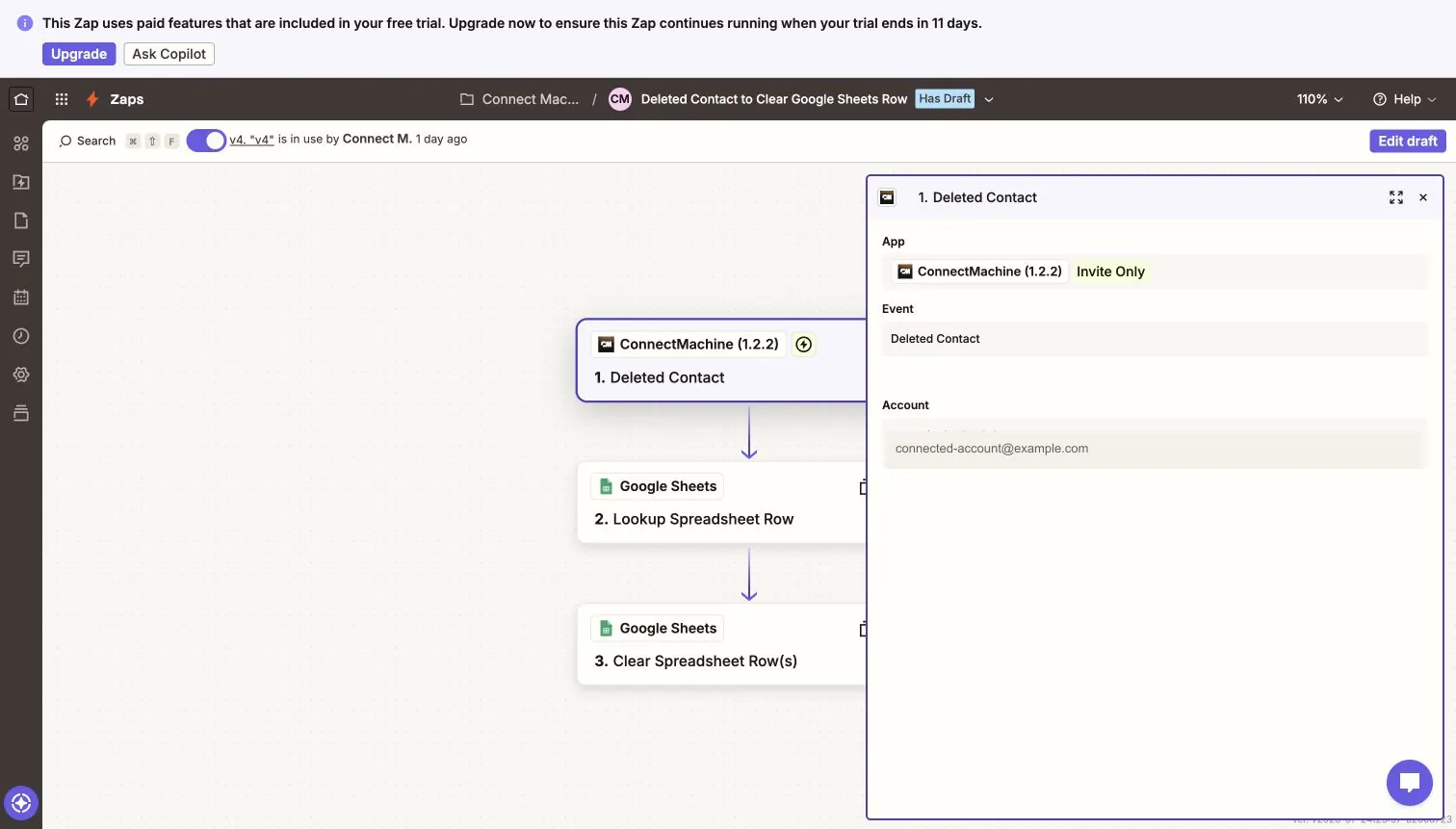
A contact is removed. Single deletes, bulk deletes, delete all, and merges can all fire it. Zapier receives one item per deleted contact, including the details captured just before deletion so you can find the matching row in another app.
Actions
Action
Create Contact
Adds a person or business contact to ConnectMachine from another app. First Name is required for every new contact. Company is optional and can be used with Contact Type set to Business. If you leave Network blank, the contact goes to your default network.
Action
Update Contact
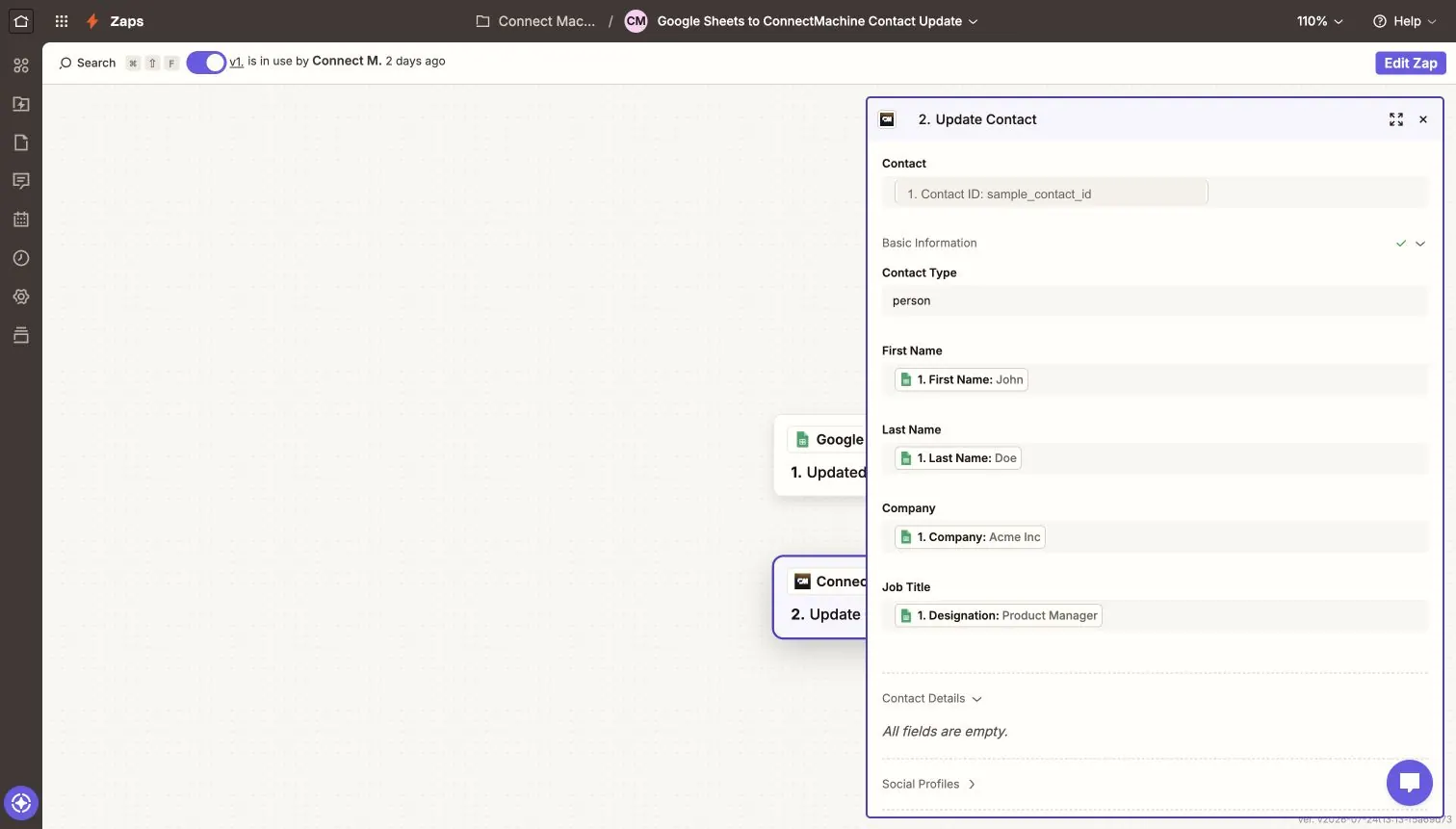
Changes fields on a contact that already exists. Contact ID is required: pick a recent contact from the dropdown, or choose Custom to map an ID from an earlier Zap step.
i
Good to know
Deleted Contact is a trigger only. There is no Delete Contact action, so a Zap can never delete a ConnectMachine contact on your behalf.
04
Build your first Zap
This walkthrough keeps a Google Sheet and ConnectMachine in step with each other. The same pattern works for any of the apps Zapier connects to.
1
Choose your trigger
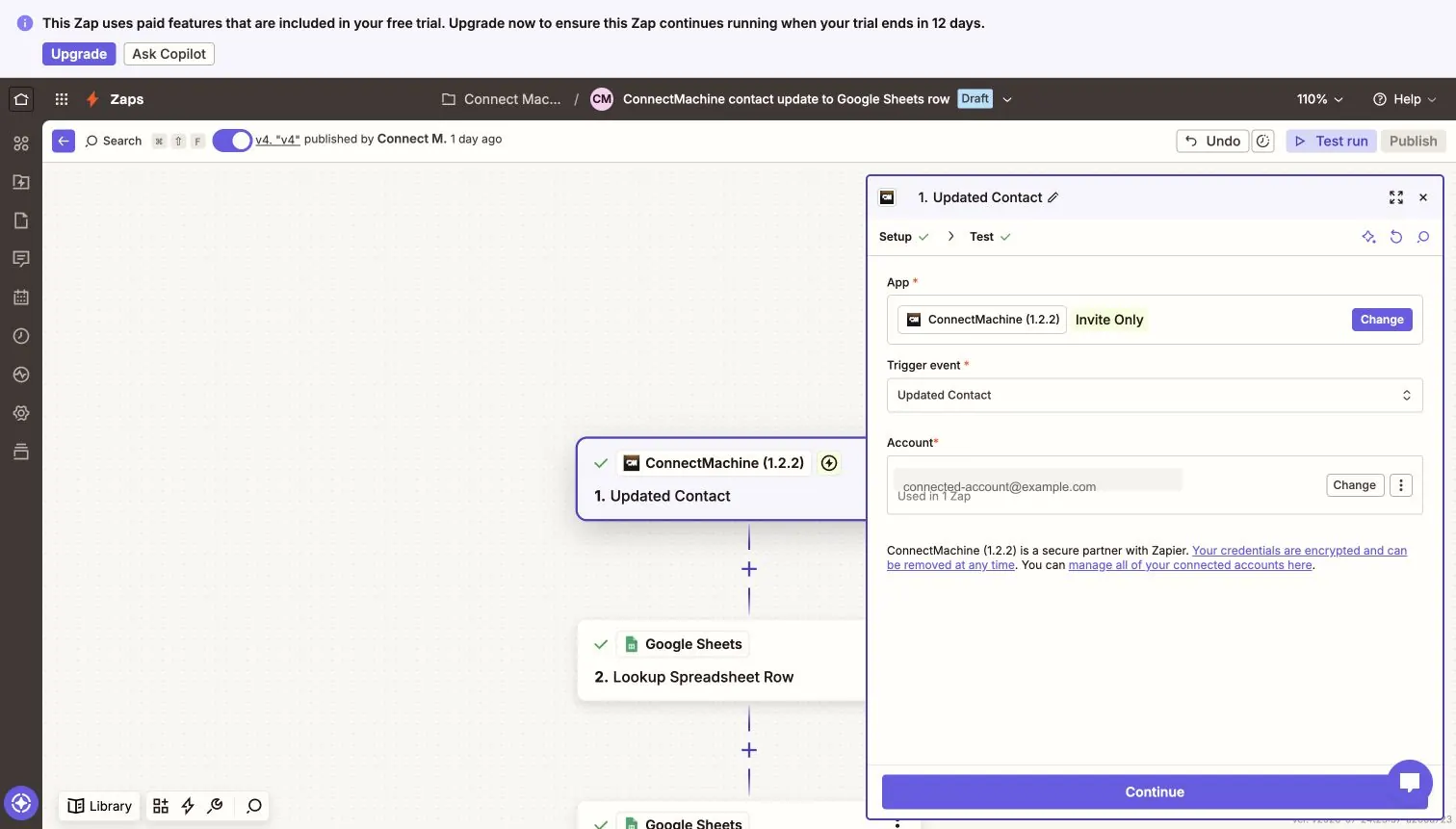
Add ConnectMachine as the first step and pick a trigger event. This example uses Updated Contact, so the Zap runs every time a contact’s details change.
2
Pull a sample record
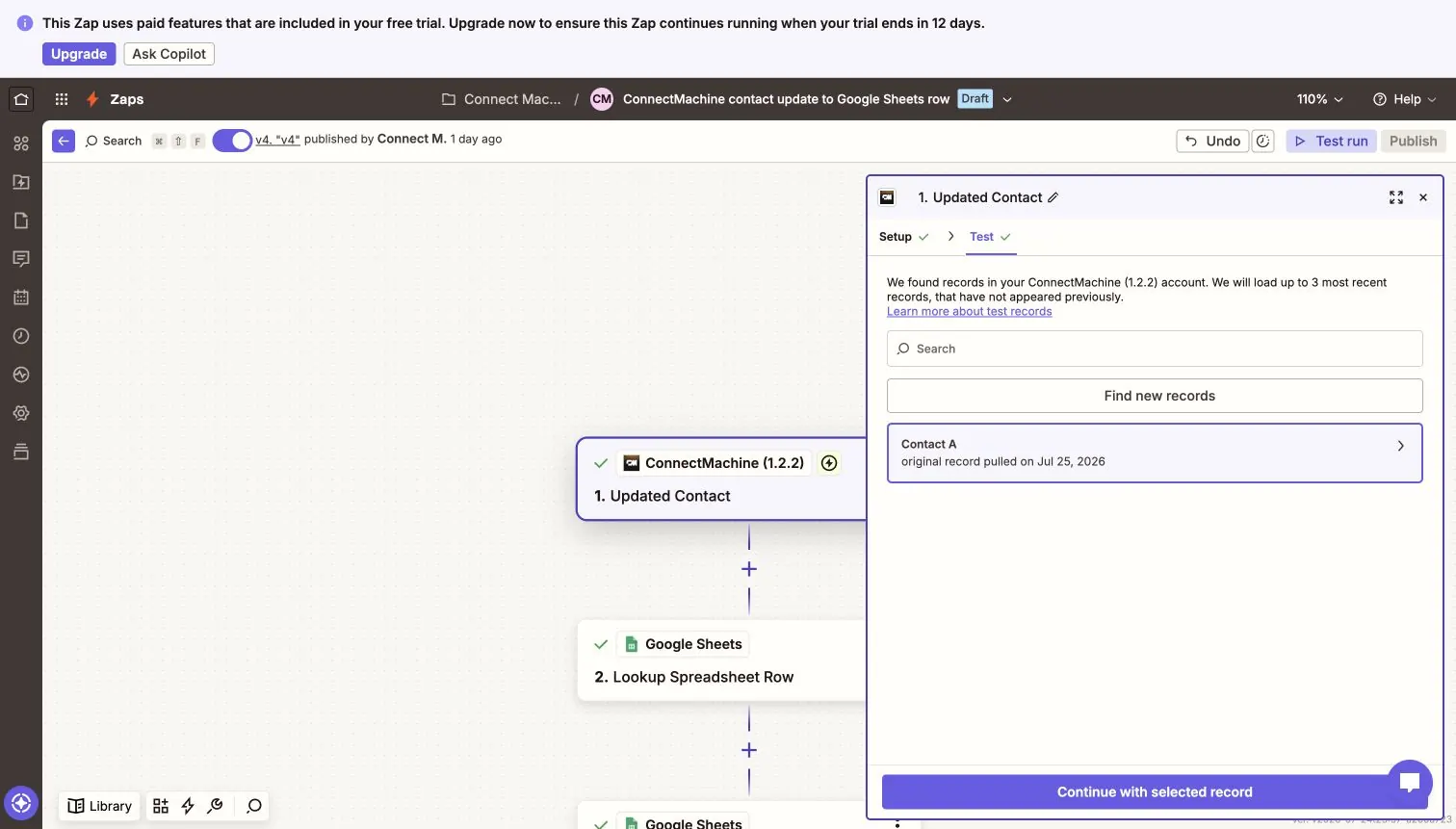
Click Test to load a sample contact. Samples let you map fields before a real event arrives. If nothing loads, add or edit a contact in ConnectMachine and test again.
3
Check what the trigger gives you
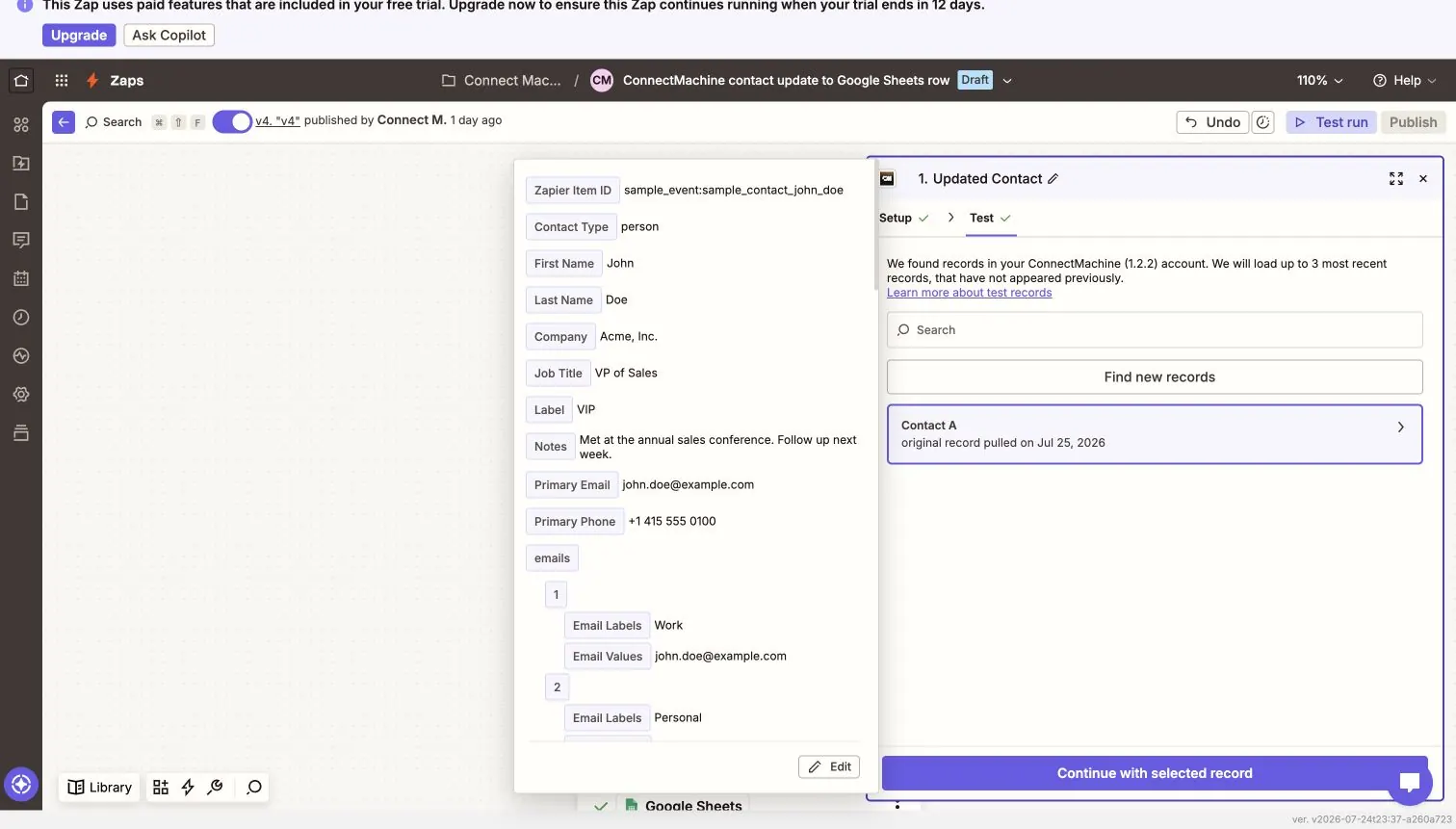
Expand the sample to see every field you can map into later steps: names, company, job title, primary email and phone, labeled values, locations, tags, and timestamps.
4
Map fields into the next app
Add your second app and drag ConnectMachine fields into it. Here a Google Sheets row feeds the Update Contact action, so edits made in the sheet flow back into ConnectMachine.
5
Handle deletions
Use the Deleted Contact trigger to keep other systems tidy. Look the contact up by ID or email in the destination app, then clear or archive the matching record.
Every trigger hands Zapier the full contact record, so you can map any of these into a later step.
Field
What it holds
Item ID
A stable ID for the event, so your Zap never runs twice for the same change.
Contact ID
The ConnectMachine contact ID. Map this into Update Contact or store it in your other app.
Event Type
Whether the contact was created, updated, or deleted.
Source
Where the change came from. A value of zapier means one of your own Zaps made it.
Contact Type
Person or business.
First Name, Last Name, Company, Job Title
The core identity fields.
Label, Notes, Bio
Your ConnectMachine label, private notes, and contact bio.
Primary Email, Primary Phone, Website
The main contact values, ready to map straight into most apps.
Emails, Phones, Websites, Socials, Custom
Labeled lists. Each entry has a label and a value.
Address, Where We Met
Street, city, state, postcode, country, and coordinates.
Tags
Tags on the contact, including event tags.
Created At, Updated At, Deleted At
Timestamps in UTC.
What the actions accept
Create Contact and Update Contact take the same set of fields. Fill in only the ones you want to set.
Field
Required
Notes
Contact ID
Update only
Pick a recent contact from the dropdown, or choose Custom to map an ID from an earlier step.
Contact Type
Optional
Person or business. Defaults to person.
First Name
Create only
Required when creating any contact.
Company
Optional
Add a company name; use Contact Type Business for business contacts.
Last Name, Job Title, Label
Optional
Plain text fields.
Notes, Bio
Optional
Notes stay private to your account.
Network
Optional
Leave blank to use your default network.
Primary Email, Primary Phone, Website
Optional
Updates the current primary value, or creates one if there is none.
Emails, Phones, Websites, Socials, Custom
Optional
Up to five entries each. Every entry needs a label and a value.
Address, Where We Met
Optional
Street, city, state, postcode, country, and coordinates. Where We Met also takes a place name.
Validation rules
Email values must be valid email addresses.
Website, social, and map links must start with http:// or https://.
Latitude must be between -90 and 90. Longitude must be between -180 and 180.
Blank fields are ignored. Update Contact never clears a value by leaving the field empty.
The contact and network you pick must belong to the connected ConnectMachine account.
06
Prevent recursive Zaps
When a Zap creates or updates a ConnectMachine contact, that change fires the New Contact or Updated Contact trigger like any other change. If the same Zap listens for those triggers, it can set itself off again in a loop.
Every trigger record carries a Source field. Changes made by your own Zaps arrive with a source of zapier, so you can filter them out.
!
Add this filter right after your trigger
Source — does not exactly match — zapier
You only need this on Zaps that write back into ConnectMachine. A Zap that just sends contacts out to another app cannot loop.
07
Troubleshooting
Most problems come down to the connection, your plan, or a value that failed validation. Find the symptom below.
Zapier says your plan does not include Zapier access+
Your ConnectMachine plan no longer covers Zapier. Renew your paid subscription, get a seat on your organization license, or start a Premium trial, then switch the Zap back on.
A step fails asking you to reconnect, or says a permission is missing+
The connection is missing a permission it needs. In Zapier, go to My Apps, reconnect ConnectMachine, and approve every permission on the consent page.
The trigger stopped firing and Zapier reports a 410 Gone+
The trigger subscription is gone. Switch the Zap off and on again so Zapier creates a fresh one.
An action reports that the contact could not be found+
The Contact ID does not exist in the connected account, or the contact was deleted. Check the ID you mapped and confirm you are on the right ConnectMachine account.
An action rejects an email address or a URL+
The mapped value failed validation. Fix it at the source, or add a Zapier Formatter step to trim whitespace and add the https:// prefix before the ConnectMachine step.
You hit the limit for active ConnectMachine Zaps+
Turn off a ConnectMachine Zap you no longer use, then try again. Zapier also retries on its own after 60 seconds.
Testing the trigger returns no records+
Add or edit a contact in ConnectMachine, then click Find new records again.
Sign-in keeps failing+
Remove the ConnectMachine connection from My Apps in Zapier and connect again from scratch.
08
ConnectMachine API reference for Zapier
This reference documents every ConnectMachine API endpoint called by the native integration. These are production HTTPS endpoints; the integration does not call a sandbox, test, stage, or development API.
Production base URL
https://api.connectmachine.ai
Authentication and scopes
The integration uses OAuth 2.0 authorization code flow with PKCE. Protected endpoints require Authorization: Bearer <access_token>. Zapier requests the scopes user:read, contacts:read, contacts:write, and webhooks:write.
200 OK with access_token, refresh_token, token_type=Bearer, expires_in, and scope.
GET/api/v1/oauth/me
Tests the connection and returns the account label used in Zapier.
Authorization
user:read
Request
Authorization: Bearer <access_token>. No query or body parameters.
Success
200 OK with id, email, and name.
Instant trigger subscriptions
POST/api/v1/zapier/subscriptions
Subscribes one Zap to contact-created, contact-updated, or contact-deleted events.
Authorization
webhooks:write
Request
JSON: event_type and target_url. event_type is contacts.created, contacts.updated, or contacts.deleted. target_url must be the HTTPS URL supplied by Zapier.
Success
200 OK with id and event_type. Repeating the same request is idempotent.
DELETE/api/v1/zapier/subscriptions/{id}
Removes the authenticated connection’s trigger subscription.
Authorization
webhooks:write
Request
Path: id returned when the subscription was created. No request body.
Success
204 No Content.
GET/api/v1/zapier/trigger-samples
Returns a representative record for configuring and testing an instant trigger.
Authorization
contacts:read
Request
Query: event_type=contacts.created, contacts.updated, or contacts.deleted.
Success
200 OK with a one-item array using the webhook delivery schema below.
Contact actions
POST/api/v1/zapier/contacts
Creates a person or business contact in the connected account.
Authorization
contacts:write
Request
JSON contact mutation. first_name is required when creating any contact; company is optional. All supported fields are listed below.
Success
201 Created with the normalized contact record.
PATCH/api/v1/zapier/contacts/{id}
Updates only the supplied fields on an existing contact owned by the connected account.
Authorization
contacts:write
Request
Path: ConnectMachine contact id. JSON: any supported contact mutation fields. Omitted and blank values are ignored.
Success
200 OK with the normalized contact record.
Dynamic field options
GET/api/v1/zapier/contact-options
Loads recent contacts for the Update Contact dropdown.
Authorization
contacts:read
Request
Query: page, an integer starting at 1. Each page contains up to 50 records.
Success
200 OK with an array of objects containing id and name.
GET/api/v1/zapier/network-options
Loads networks for Create Contact and Update Contact.
Authorization
contacts:read
Request
Query: page, an integer starting at 1. Each page contains up to 50 records.
Success
200 OK with an array of objects containing id and name.
Contact mutation JSON
Create Contact and Update Contact accept JSON with the following fields. Unknown fields are ignored. Blank values do not clear existing data.
JSON field
Type
Rules
type
string
person or business. Defaults to person on create.
first_name, last_name
string
first_name is required when creating any contact.
company, job_title
string
Optional business and role details.
notes, bio, network_id
string
network_id must belong to the connected account.
email, phone, website
string
Primary values; labels use email_label, phone_label, and website_label.
emails, phones, websites
array
Up to five { label, value } objects for each value type.
socials, custom
array
Up to five { label, value } objects for each collection.
ConnectMachine sends one HTTPS POST to the subscription target URL. Created and updated events include current contact snapshots. Deleted events include contact_ids and, when available, the pre-delete snapshots in contacts. Zapier turns each contact into one trigger item whose Item ID combines the event and contact IDs.