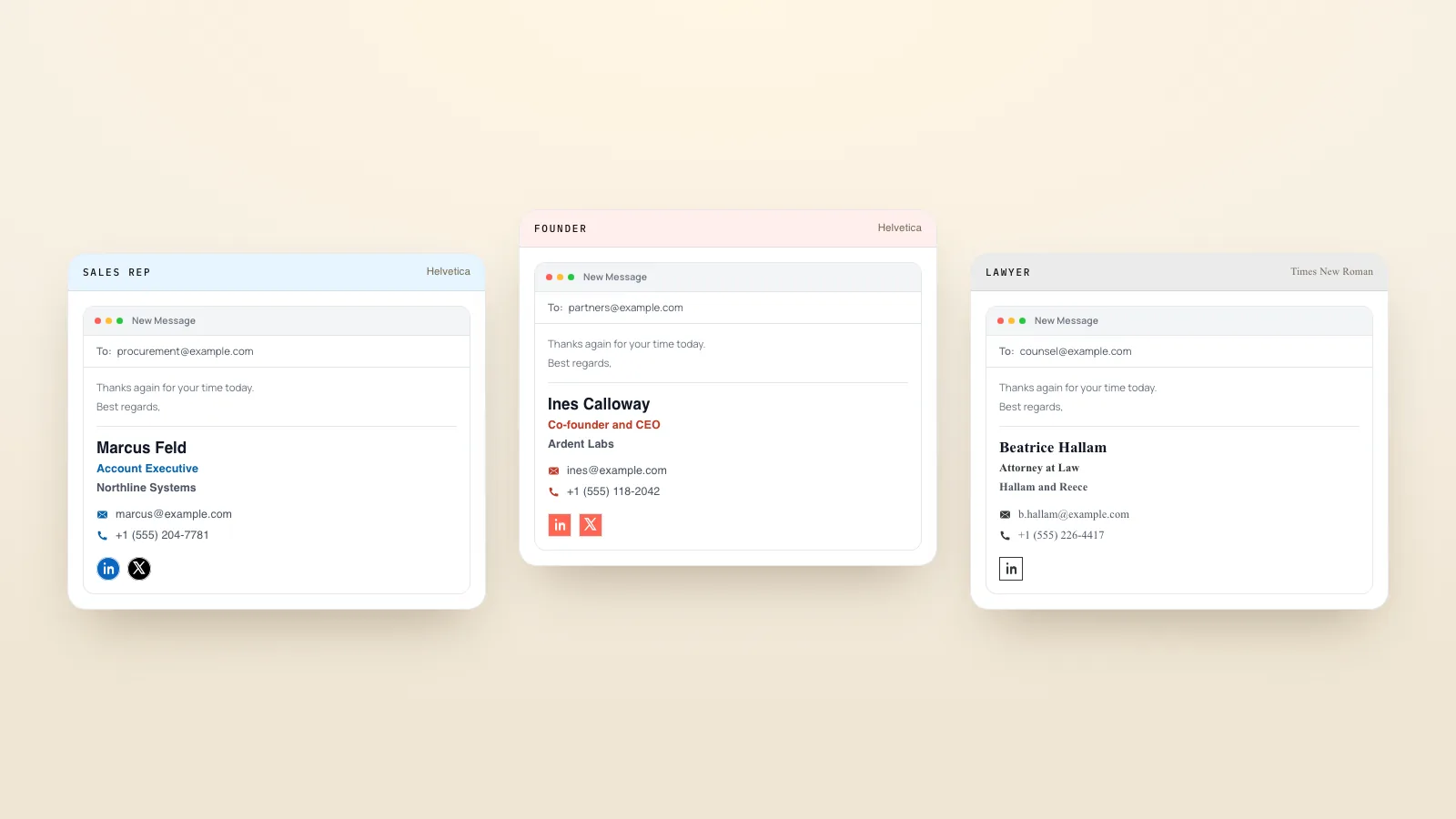


A good headshot does one job: it shows people what you look like, clearly enough that they recognise you when you meet. The examples below are grouped by style, with a short note on what makes each one work, so you can pick the look that fits your field before you book a photographer or take your own.
What makes a good professional headshot
- Your face is the subject. Head and shoulders fill most of the frame.
- Soft, even light on your face, from a window or a large light source in front of you.
- A simple background that does not compete with you: a plain wall, a soft blur or a single colour.
- Clothes in solid colours that you would wear to a meeting in your field.
- A natural expression. A small smile with relaxed eyes reads as friendly and confident.
- A recent photo. If you have changed your hair, glasses or beard, take a new one.
Corporate headshot examples
Corporate headshots are the classic office style: a dark or neutral background, business clothes and a straight-on or slightly angled pose. They suit finance, law, consulting and company leadership pages.
Example 1. Grey studio background, dark suit



Your name
Your job title at Example Co.
A plain mid-grey background keeps the focus on the face and works on any website or badge.
Example 2. White background, blazer



Your name
Your job title at Example Co.
A white background looks clean on company "Our team" pages where every photo needs to match.
Example 3. Slight turn of the shoulders


Your name
Your job title at Example Co.
Turning the shoulders a little away from the camera, with the face toward it, looks more relaxed than standing square on.
Example 4. Office background, softly blurred


Your name
Your job title at Example Co.
A blurred office behind you adds context without distracting from your face.
Example 5. Dark background for executive pages



Your name
Your job title at Example Co.
A dark background with soft side light gives a more formal look, common on leadership and board pages.
Example 6. Open collar, no tie



Your name
Your job title at Example Co.
A shirt with an open collar keeps a corporate look while feeling less stiff.
Example 7. Arms crossed, waist up



Your name
Your job title at Example Co.
A slightly wider crop with crossed arms works for "About" pages and speaker profiles, where the photo is shown larger.
Creative headshot examples
Creative headshots use colour, setting or light to show personality. They suit designers, writers, marketers, coaches and anyone whose work is about how things look or feel.
Example 8. Bold colour backdrop



Your name
Your job title at Example Co.
A single bright background colour makes the photo memorable and can match your brand.
Example 9. Natural window light and shadow


Your name
Your job title at Example Co.
Side light from a window creates soft shadows that add depth without studio gear.
Example 10. At work, with your tools



Your name
Your job title at Example Co.
A photo with your camera, sketchbook or instrument shows what you do at a glance.
Example 11. Textured wall



Your name
Your job title at Example Co.
A brick, concrete or painted wall adds character while staying simple.
Example 12. Looking slightly off camera



Your name
Your job title at Example Co.
A look just past the lens feels candid. Use it for creative profiles, not for ID-style photos.
Example 13. Black and white



Your name
Your job title at Example Co.
Black and white puts the focus on expression and suits writers and artists.
Example 14. Hands in the frame



Your name
Your job title at Example Co.
A hand near the chin or holding a jacket adds movement. Keep hands relaxed and out of focus if they are close to the lens.
Outdoor headshot examples
Outdoor headshots use natural light and a soft background of trees, buildings or sky. The best time is open shade or an overcast day, when light is soft and even.
Example 15. Trees in open shade



Your name
Your job title at Example Co.
Open shade under trees gives even light, and the green behind you blurs into a calm background.
Example 16. City street, blurred



Your name
Your job title at Example Co.
A street behind you suits people in real estate, hospitality or city-based jobs.
Example 17. Golden hour



Your name
Your job title at Example Co.
Low sun in the hour before sunset gives warm light. Face toward the light so your face is not dark.
Example 18. Against a plain building wall



Your name
Your job title at Example Co.
A plain outdoor wall gives a studio-like background with natural light.
Example 19. Overcast sky light



Your name
Your job title at Example Co.
Cloudy days give soft light with no harsh shadows, which is easy to get right.
Example 20. Sitting on steps, relaxed



Your name
Your job title at Example Co.
A seated pose outdoors feels approachable and suits coaches and small business owners.
Casual and natural headshot examples
Casual headshots look like you on an ordinary good day. They suit startups, teachers, healthcare staff and any team that wants to feel approachable.
Example 21. Sweater and a real smile



Your name
Your job title at Example Co.
A soft sweater and a natural laugh make the photo feel friendly.
Example 22. Home office background



Your name
Your job title at Example Co.
A tidy home office behind you fits remote workers and freelancers.
Example 23. Plain T-shirt, plain wall



Your name
Your job title at Example Co.
A solid T-shirt against a light wall is simple and works for tech and startup teams.
Example 24. Café setting, soft blur



Your name
Your job title at Example Co.
A café behind you feels warm and suits hospitality and community roles.
Example 25. Glasses without glare



Your name
Your job title at Example Co.
If you wear glasses, tilt them down slightly or move the light to the side to avoid reflections.
Example 26. Team-matched style



Your name
Your job title at Example Co.
Same background, crop and light for every person makes a team page look consistent.
LinkedIn headshot examples
LinkedIn shows your photo as a small circle, often under 50 pixels wide, next to every post and comment. The best LinkedIn headshots crop close so the face fills that circle.
Example 27. Close crop for the circle



Your name
Your job title at Example Co.
post · comment · searchHead and top of the shoulders fill the frame, so the face is clear even when tiny.
Example 28. Plain light background



Your name
Your job title at Example Co.
A light, plain background stands out against LinkedIn's white and dark modes.
Example 29. Brand colour background



Your name
Your job title at Example Co.
A soft colour that matches your company links your photo with your brand and your card.
Example 30. Phone photo, cleaned up



Your name
Your job title at Example Co.
A phone photo with the background removed and the face centred can work as well as a studio photo.
You can turn a phone photo into a LinkedIn headshot in your browser with the free LinkedIn profile picture maker: it removes the background, lets you pick a colour, centres your face and gives you an 800 x 800 image. See the before and after examples on that page.
Headshot examples by industry
| Industry | Background | Clothes | Expression |
|---|---|---|---|
| Finance and law | Grey, white or dark | Suit or blazer | Calm, small smile |
| Real estate | Outdoor street or bright plain | Smart casual, brand colour | Warm, open smile |
| Healthcare | Plain light or clinic, blurred | Scrubs or white coat if you wear them at work | Friendly, reassuring |
| Tech and startups | Plain light or office blur | T-shirt, sweater or shirt | Relaxed, natural |
| Sales | Plain or office blur | Business casual | Confident, approachable |
| Creative fields | Colour, texture or workspace | Your own style | Natural, candid |
| Education | Classroom or library, blurred | Smart casual | Friendly, patient |
| Hospitality | Venue or outdoor | Uniform or smart casual | Warm, welcoming |
Simple headshot poses
- Turn your shoulders slightly away from the camera and your face back toward it.
- Push your forehead a little toward the lens to define your jawline.
- Sit or stand tall, with shoulders relaxed and down.
- Think of something that makes you smile just before the photo, so the smile reaches your eyes.
- Take many photos and pick the one that looks most like you.
What to wear for a headshot
- Solid colours. Blues, greys, greens and soft neutrals photograph well.
- Avoid busy patterns, small stripes and big logos, which distract and can look odd on screen.
- Avoid colours that match your skin tone or the background, so you do not blend in.
- Wear what you would wear to work, so people recognise you when you meet.
- Keep jewellery and accessories simple.
How to take a professional headshot with your phone
- Stand facing a window on a bright day, with the light in front of you.
- Use the back camera, held at eye level, about an arm's length away or on a stand with a timer.
- Use portrait mode if your phone has it, so the background blurs.
- Take 20 or more shots and pick the best one.
- Remove the background, choose a plain colour and centre your face with the free profile picture maker for LinkedIn.
Put your headshot to work
Use the same photo everywhere people look you up: LinkedIn, your email signature and your digital business card. When the photo matches, people connect your face with your name faster. Then pair it with a short professional bio so people know who they are looking at.