In una tabella comparativa tutte le piattaforme di biglietti da visita digitali si somigliano: un biglietto, un codice QR, qualche modello, un piano a pagamento. Le differenze non stanno nella tabella. Stanno in cosa succede ai dati dei tuoi contatti, in quanto attrito incontra chi riceve il biglietto e nel fatto che la piattaforma si adatti o meno al modo in cui incontri le persone.
Parti quindi da te, non dalla tabella. Un venditore sul campo che raccoglie sessanta contatti a settimana, un consulente che incontra quattro persone al mese e un amministratore IT che distribuisce biglietti a cinquecento dipendenti sono tre acquirenti completamente diversi, e per ognuno la risposta giusta è un'altra.
Qui sotto: come capire quale acquirente sei, i criteri che vale la pena pesare, i campanelli d'allarme e una sezione onesta su dove ConnectMachine è la scelta sbagliata.
Parti da come fai davvero networking
Chi fa networking di tanto in tanto
Incontri poche persone nuove al mese. Ti serve un biglietto che sia bello da vedere e pronto quando lo vuoi. I piani gratuiti ti coprono del tutto, e pagare per funzioni pensate per i volumi sarebbe uno spreco.
Il professionista degli eventi
Conferenze, fiere e stand. Il tuo collo di bottiglia è raccogliere contatti in fretta e ricontattarli prima che il contesto evapori, quindi pesa la velocità di raccolta e il flusso di follow-up più del design del biglietto.
Chi costruisce relazioni
Meno contatti, tempi più lunghi e la necessità di ricordare il contesto mesi dopo. Le note, l'organizzazione e la privacy contano per te più della quantità.
Chi compra per un team
Stai distribuendo il servizio a un gruppo. Ora i criteri veri sono la coerenza del brand, l'inserimento delle persone e cosa succede quando qualcuno se ne va; l'esperienza del singolo biglietto passa in secondo piano.
I criteri che contano davvero
- 1
Attrito per chi riceve
Una persona può ricevere il tuo biglietto con una fotocamera e un browser, e basta? Se un metodo richiede che l'altra persona installi qualcosa, in corridoio fallirà. Verifica che funzionino sia una normale scansione del QR sia un semplice URL.
- 2
Proprietà dei dati e privacy
Chi custodisce i tuoi contatti e cosa può farne? Cerca la cifratura in transito e a riposo, contatti privati per impostazione predefinita, una dichiarazione esplicita che i dati non vengono venduti e la conformità al GDPR se operi in Europa.
- 3
Metodi di condivisione
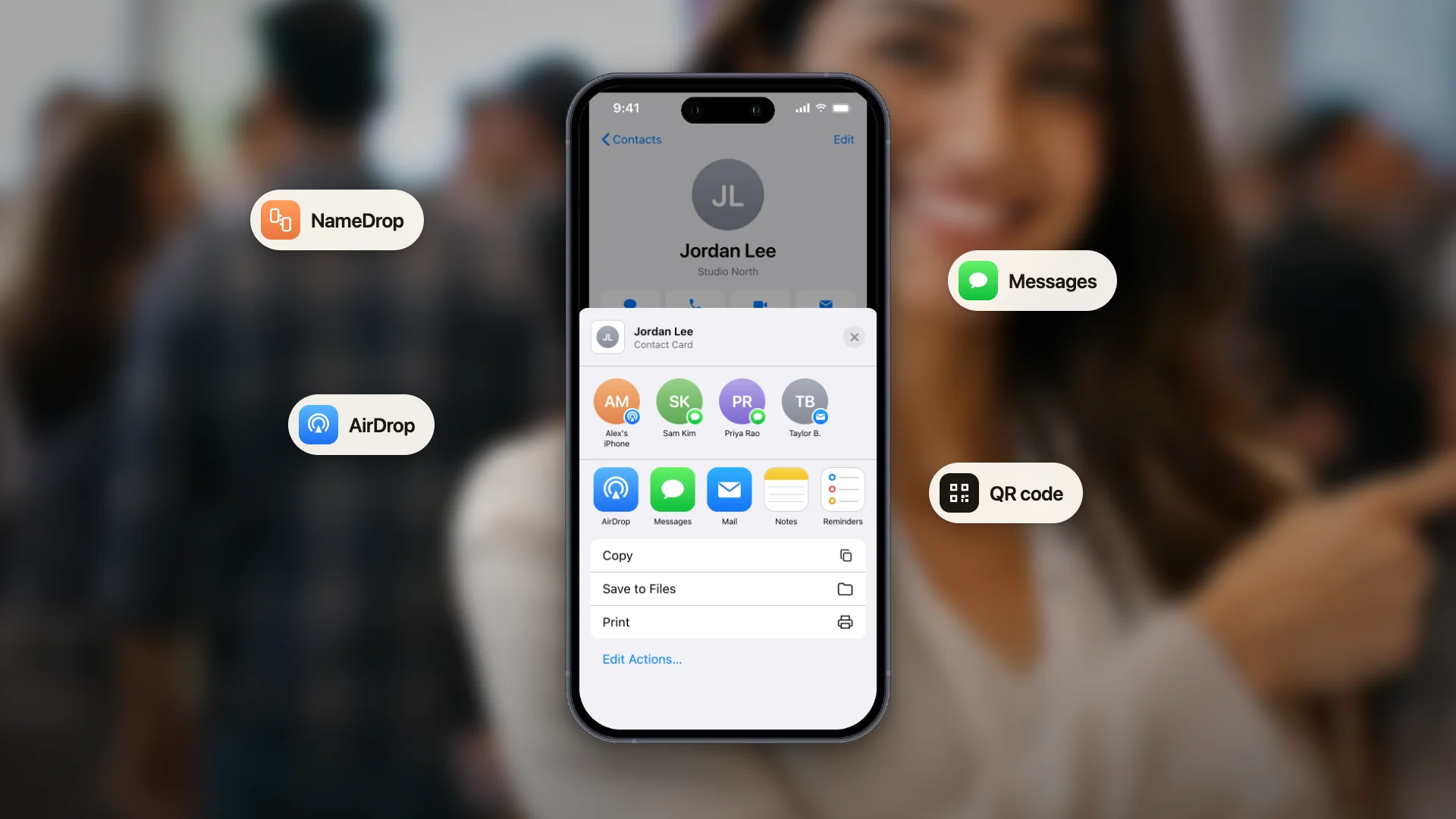
Codice QR, un URL pubblico del biglietto, i pass per il wallet e un file QR scaricabile per la stampa coprono praticamente ogni situazione reale. Conta se ci sono i metodi che useresti davvero, non quanti ne offrono in totale.
- 4
Più biglietti
Se hai più di un contesto professionale, verifica se un solo account può contenere più biglietti. È la differenza tra un biglietto adatto alla stanza in cui sei e un biglietto di compromesso che non è adatto a nessuna.
- 5
Esportazione e uscita
Puoi portare via i tuoi contatti in un formato standard? Una piattaforma che rende difficile andarsene ti sta dicendo qualcosa su come conta di trattenerti.
- 6
Integrazioni in linea con i tuoi strumenti
Decidi se ti serve che i contatti confluiscano in altri strumenti. Alcune piattaforme costruiscono connettori nativi per CRM specifici, altre si collegano tramite livelli di automazione. Funzionano entrambe le strade, ma controlla quale si adatta agli strumenti che già usi.
Campanelli d'allarme
- Nessuna risposta chiara sul fatto che i dati di contatto vengano venduti o condivisi. Un prodotto gratuito con un'infrastruttura costosa sta monetizzando qualcosa.
- Il tuo biglietto funziona solo se chi lo riceve installa la stessa app. Non è un limite, è un motivo per escluderla.
- Nessun modo per esportare i tuoi contatti.
- Prezzi che nascondono il costo per postazione finché non sei in una chiamata commerciale, se stai comprando per un team.
- Elenchi di funzioni che fanno una gran figura ma non contengono la cosa per cui sei venuto. Conta quelle che useresti questo mese.
Il test che batte qualsiasi tabella
Configuralo e scansionalo dal telefono di un collega
Quindici minuti con un piano gratuito ti dicono più di una settimana di tabelle comparative. Stai testando l'esperienza di chi riceve, che è l'unica parte del prodotto che i tuoi contatti vedranno mai.
Imposta il promemoria mentre la conversazione è ancora fresca.
Dove ConnectMachine è adatto e dove no
Essere onesti su questo è più utile di un discorso di vendita, e ti risparmia una prova di cui non avevi bisogno.
Buona corrispondenza
Vuoi un biglietto che si condivide con un codice QR, un URL pubblico o un pass per il wallet, senza che chi lo riceve debba installare nulla. Ti interessa che i tuoi contatti restino privati, cifrati e mai venduti. Vuoi più biglietti per contesti diversi, certificazioni o un link alle recensioni sul biglietto e un QR code vCard da stampare. Stai costruendo una rete personale curata da te, non un fiume di lead.
Guarda altrove se ti serve hardware NFC
ConnectMachine non vende schede NFC. Se il contatto fisico è centrale nel modo in cui vuoi condividere, compra da una piattaforma che spedisce l'hardware.
Guarda altrove se ti serve un gestore delle firme email
Diversi concorrenti includono la distribuzione centralizzata delle firme email. ConnectMachine non lo fa. Puoi incollare l'URL del tuo biglietto nella tua firma, ma non è la stessa cosa che gestire le firme di un'intera azienda.
Guarda altrove se ti servono statistiche di visualizzazione per biglietto
Se la tua decisione d'acquisto dipende da dashboard che mostrano chi ha visto il tuo biglietto e quando, ConnectMachine non è quel prodotto.
Verifica la compatibilità se ti serve la sincronizzazione con un CRM
ConnectMachine si collega tramite Zapier e un server MCP, non con connettori nativi per ogni singolo CRM. Questo copre una gamma molto ampia di strumenti e va bene per i team a proprio agio con l'automazione, ma se vuoi proprio un'integrazione di prima parte creata per un CRM specifico, verificalo prima di impegnarti.
Come testare una piattaforma in quindici minuti
- Crea un biglietto sul piano gratuito con i tuoi dati veri, non con testo segnaposto.
- Scansionalo dal telefono di un collega e guardalo mentre prova a salvare il tuo contatto. Annota ogni momento in cui esita.
- Aggiungi il biglietto al wallet del telefono e cronometra quanto ci vuole per avere il codice QR sullo schermo partendo da telefono bloccato.
- Aggiungi un contatto come se avessi appena conosciuto qualcuno, poi ritrovalo una settimana dopo senza cercarlo per nome.
- Leggi l'informativa sulla privacy cercando le due frasi che contano: cosa fanno con i dati di contatto e come cancellarli.
- Prova l'esportazione. Se non riesci a tirare fuori i tuoi dati in quindici minuti, hai già saputo quello che ti serviva sapere.
In sintesi
Scegli in base al tuo modo reale di fare networking, dai molto peso alla proprietà dei dati perché è la parte che non potrai cambiare dopo, e ignora il numero di funzioni. Poi testa l'esperienza di chi riceve, perché è l'unica parte del prodotto su cui gli altri ti giudicheranno.