



ConnectMachine is now on Zapier: connect your contacts to 5,000+ apps
Every card you scan, every contact you save, and every update you make in ConnectMachine can now flow automatically into Salesforce, HubSpot, Microsoft Dynamics, or any of the 5,000+ apps in Zapier's ecosystem.
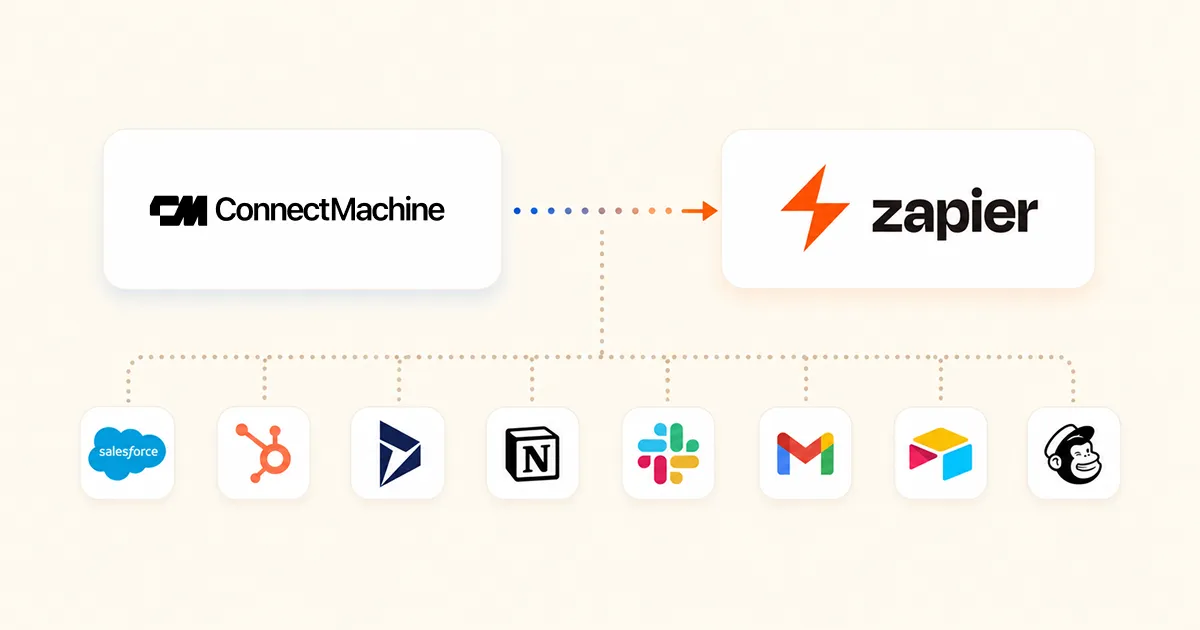
Every professional we've talked to has the same problem: their contacts live in too many places. A business card scanned into ConnectMachine on Monday. A lead entered into HubSpot on Tuesday. A meeting note in Notion on Wednesday. A follow-up task in Asana on Thursday.
The person is the same. The information is the same. But the systems don't talk. So the work of keeping everything in sync falls on you.
Today, that changes for ConnectMachine users.
We're excited to announce that the ConnectMachine Zapier integration is now live and publicly available on Zapier's app directory. This is a native integration built by our team specifically for Zapier: not a workaround, not a webhook hack, not an unofficial community bridge. A real, first-class Zapier app you can find and connect in under 30 seconds.
What this unlocks
With ConnectMachine on Zapier, every contact in your ConnectMachine app can trigger workflows in any of the 5,000+ apps Zapier supports. And Zapier can push contacts into ConnectMachine from any of those same apps. A few things become possible that weren't before.
Scan a card, land in Salesforce
Scan a business card at a conference and the contact automatically appears in your Salesforce pipeline.
New HubSpot leads appear in ConnectMachine
Add a new lead in HubSpot and they show up as a contact in ConnectMachine with their details.
Microsoft Dynamics updates flow back
Update a contact's job title in Microsoft Dynamics and your ConnectMachine record updates too.
One delete, coordinated cleanup
Delete a contact in ConnectMachine and your Zaps can remove them from every connected system you've wired up.
This is the difference between contacts scattered across tools and contacts synced across your entire stack.
What are triggers and actions? A quick primer
For anyone new to Zapier, here's the two-minute explanation. A Zap is an automation, and it has two parts.
A trigger is what starts the automation
Example: when a new contact is created in ConnectMachine.
An action is what happens next
Example: create a new lead in Salesforce.
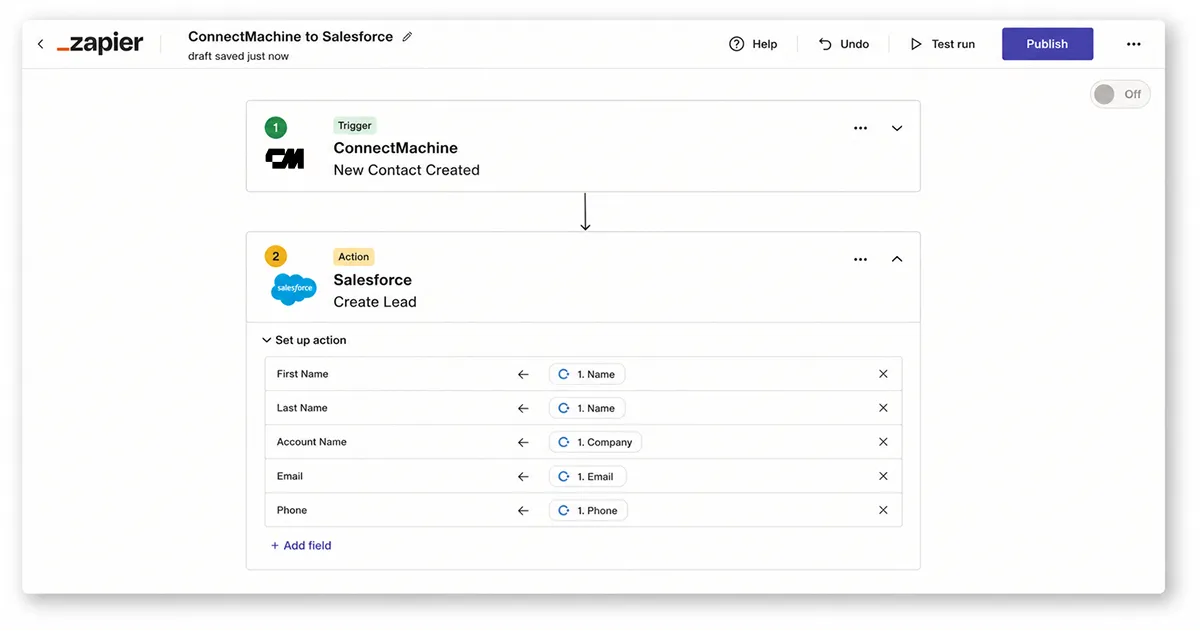
Chain them together and you get: every time I scan a card in ConnectMachine, create a Salesforce lead automatically. That's a Zap.
The 5 things you can automate
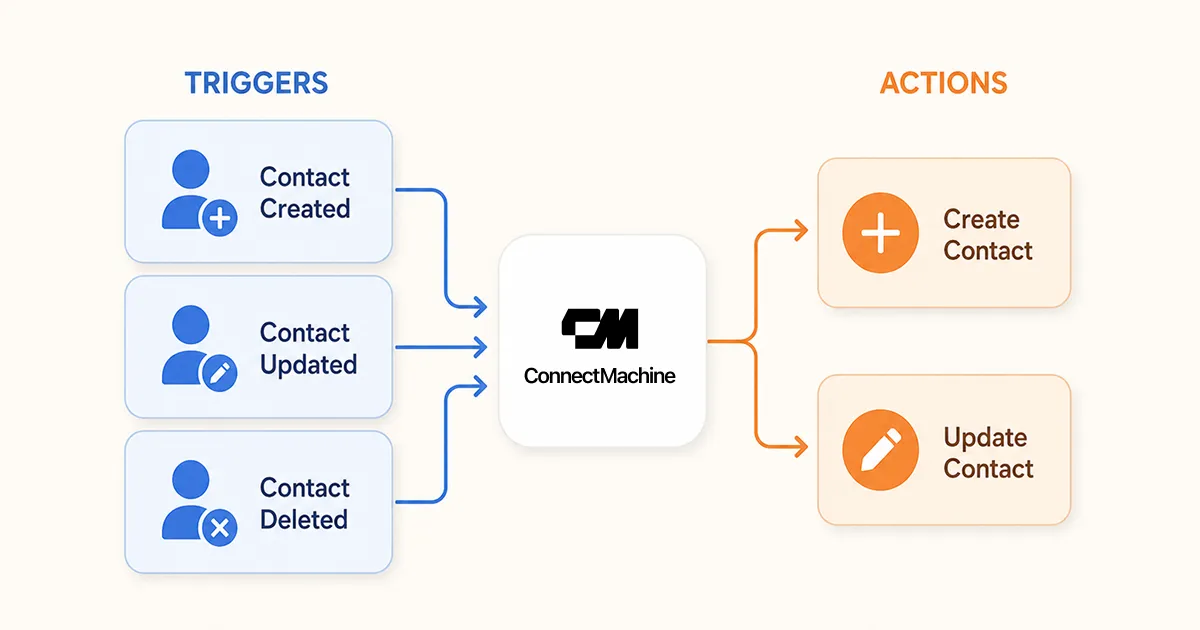
Our launch integration supports three triggers and two actions.
Trigger: New Contact
Fires when a new contact is added to ConnectMachine, whether through a scan, manual entry, or import.
Trigger: Updated Contact
Fires when a contact's details change.
Trigger: Deleted Contact
Fires when a contact is removed from ConnectMachine.
Action: Create Contact
Adds a new contact to ConnectMachine from another app.
Action: Update Contact
Updates an existing contact's details in ConnectMachine.
Five building blocks, but combined with Zapier's 5,000+ other apps, they unlock effectively unlimited workflows.
Real-world workflows people are already building
1. The sales pro's automatic CRM
Trigger: New Contact in ConnectMachine. Action: create a lead in Salesforce. Every card scanned at a trade show becomes a Salesforce lead in real time. No end-of-conference data entry marathon.
2. The founder's warm-outreach pipeline
Trigger: New Contact. Actions: add the person to HubSpot as a contact, enroll them in a post-event follow-up email sequence, and send a Slack notification to the founder's DM. Every new person automatically starts a nurture sequence and pings the founder to add a personal note.
3. The consultant's client relationship sync
Trigger: Updated Contact in ConnectMachine. Action: update the record in Microsoft Dynamics. When a consultant updates a client's role in ConnectMachine, that change flows to their firm's Dynamics CRM immediately.
4. The recruiter's candidate pipeline
Trigger: New Contact with the tag candidate. Actions: add the person to a Notion database, create a task in Asana to schedule an interview, and send a templated intro email via Gmail. Recruiters at career fairs can scan cards, and by the time they leave the venue, the entire follow-up pipeline is already moving.
5. The GDPR-friendly contact deletion
Trigger: Deleted Contact. Actions: remove the person from HubSpot, Mailchimp, and Airtable. One delete in ConnectMachine cleans them out of every system you've connected.
Why native integration matters
You might wonder: what makes a native Zapier integration different from just using Zapier's generic webhook feature? There are real differences.
Discoverability
Our app shows up when Zapier users search for business card, contact scanner, or AI networking. Webhook workflows only work if the user already knows about ConnectMachine.
Ease of setup
Connecting ConnectMachine to Zapier takes about 30 seconds. Users authenticate once and can build any number of Zaps.
Reliability
Zapier handles retries, error notifications, and rate-limit management for you.
Field mapping
Our triggers return contacts as clean, labeled fields that Zapier users can drag and drop into any downstream action.
Ongoing support
As we add features, existing Zaps continue to work.
How to get started
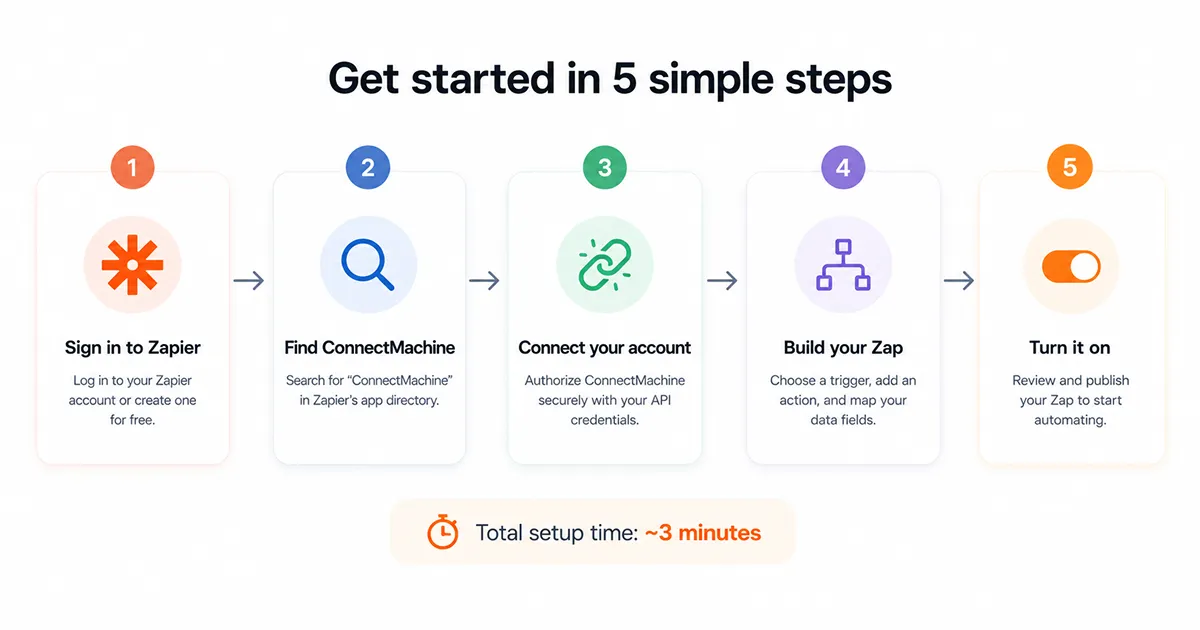
Setting up your first Zap takes about 3 minutes.
Step 1: Sign in to Zapier
A free Zapier account works.
Step 2: Find ConnectMachine
Search for ConnectMachine in Zapier's app directory.
Step 3: Connect your account
Authenticate once with OAuth and approve access.
Step 4: Build your first Zap
Pick a trigger, then pick your action from any of Zapier's 5,000+ apps.
Step 5: Test and turn on
Run a test with sample data, confirm the result, and switch the Zap on.
Pricing and availability
The Zapier integration is included with all ConnectMachine Premium plans, starting at $5.99 per month or $59.99 per year. Existing Premium subscribers can start using it immediately.
If you're on the free tier, upgrade to Premium in the app to unlock the integration. Zapier itself has its own plans: its free tier includes 100 tasks per month, which is enough for most small workflows.
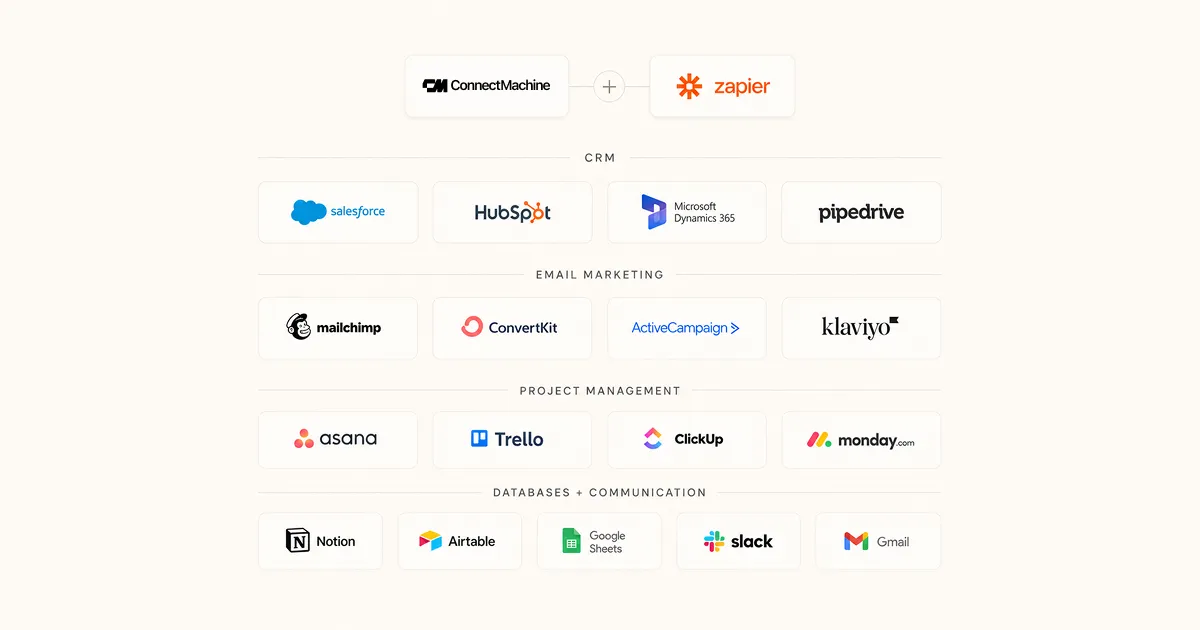
Popular apps you can now connect to ConnectMachine
CRM
Salesforce, HubSpot, Microsoft Dynamics, Pipedrive, Zoho, Close, and Copper.
Email marketing
Mailchimp, Kit (formerly ConvertKit), ActiveCampaign, and Klaviyo.
Project management
Asana, Trello, ClickUp, and monday.com.
Databases
Notion, Airtable, Google Sheets, and Coda.
Communication
Slack, Microsoft Teams, Gmail, and Outlook.
Frequently asked questions
What can trigger a Zap from ConnectMachine?
What can Zapier do inside ConnectMachine?
Can I connect ConnectMachine to Salesforce, HubSpot, or Microsoft Dynamics?
Does deleting a ConnectMachine contact delete it everywhere?
Do I need to build a custom webhook?
What contact data can a Zap use?
Is the Zapier integration available on every ConnectMachine plan?
Now live on Zapier
